

Overview
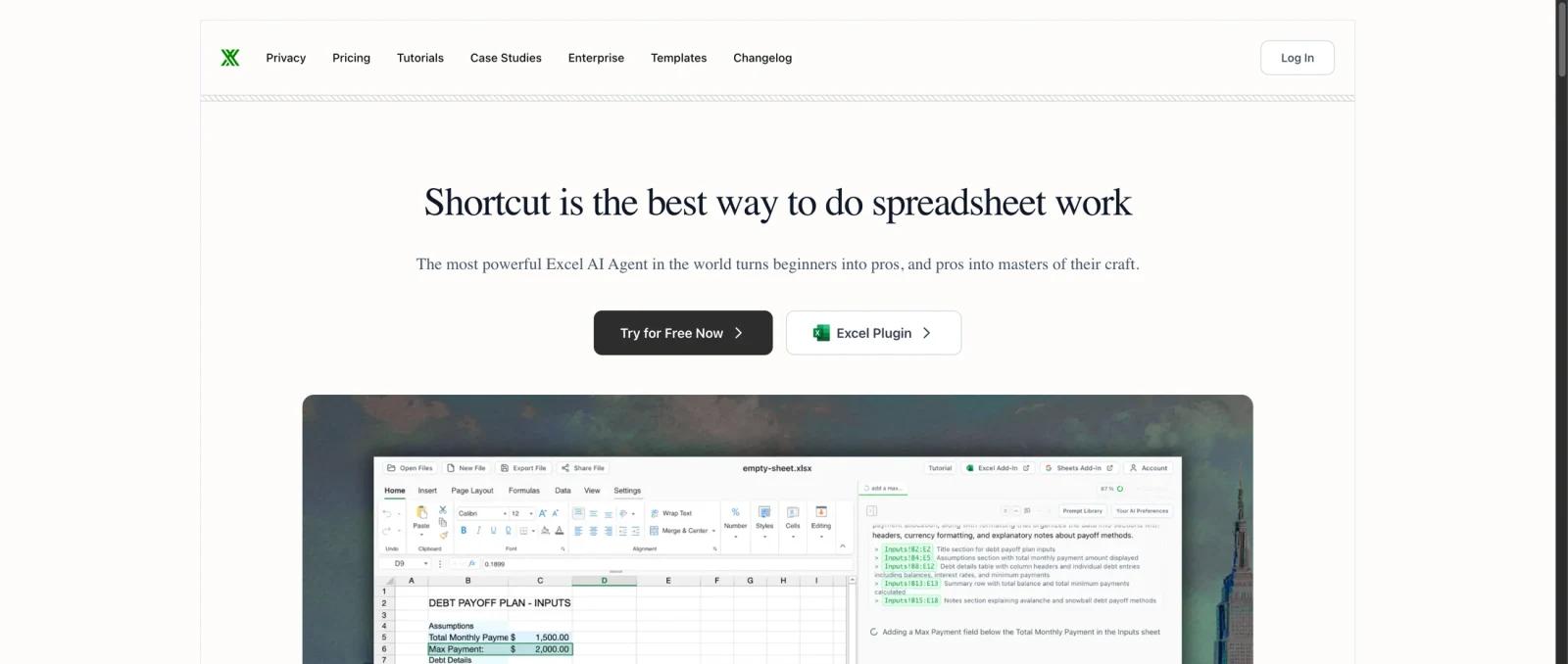
Shortcut is an AI spreadsheet automation tool for Excel and Google Sheets. It helps users create, edit, clean, research, and analyze spreadsheets through a web app, desktop app, Excel plugin, Google Sheets plugin, and API. The product is especially relevant for finance, operations, investing, research, and business analysis workflows where manual spreadsheet work is slow but still needs reviewable output.
The product should not be confused with Shortcut.com, the project management platform. This Shortcut is focused on spreadsheet work: building financial models, creating formulas, cleaning data, filling tables, researching companies, editing workbooks, and reducing repetitive spreadsheet steps.
For users comparing AI spreadsheet tools, Shortcut sits near Microsoft Excel Copilot, Coefficient, and Zoho Sheet. Its strongest fit is users who want AI to perform spreadsheet actions, not only explain formulas.
Key Features
- Excel and Google Sheets automation - Use AI to create, edit, and transform spreadsheets rather than manually moving across cells and formulas.
- Formula and workbook generation - Build formulas, tables, financial models, and analysis structures from natural-language instructions.
- Research-to-spreadsheet workflows - Give Shortcut a list of companies or targets and use the AI agent to research and fill in details.
- Multiple access points - Work from web, desktop, Excel plugin, Google Sheets plugin, and API depending on the workflow.
- Credit-based usage - Free and paid plans include daily or monthly credits, so buyers should estimate usage by task volume.
- Team controls - Team plans add pooled credits, SSO, MFA, group-based access control, usage stats, analytics, and shared resources.
Pricing & Plans
Shortcut uses a freemium model. Its public pricing page lists a Free plan with 30 daily credits, Pro from $20/month billed annually, Teams from $160/month plus $20 per seat/month, and Enterprise custom pricing.
| Plan | Pricing | Best fit |
|---|---|---|
| Free | $0 with 30 free daily credits | Testing spreadsheet automation across web, desktop, Excel, and Google Sheets |
| Pro | $20/month billed annually | Individuals needing 500 monthly credits, unlimited file creation and edits, and API access |
| Teams | $160/month plus $20 per seat/month | Teams needing pooled credits, SSO, MFA, controls, usage analytics, and shared resources |
| Enterprise | Custom | Large organizations needing advanced security, scale, procurement, and support |
Before buying, check how many credits your real workflows consume, whether API access is required, whether team security controls are needed, and whether monthly or annual billing changes the final cost.
Best For
- Finance professionals building models and spreadsheet analyses
- Operators cleaning, restructuring, and enriching spreadsheets
- Researchers filling company, market, or lead lists
- Spreadsheet power users comparing Shortcut with Microsoft Excel Copilot
- Teams that want API-enabled spreadsheet automation rather than manual workbook editing
FAQ
What is Shortcut?
Shortcut is an AI spreadsheet assistant for automating Excel and Google Sheets work.
Is Shortcut the project management tool?
No. This page covers Shortcut AI for spreadsheets, not Shortcut.com project management software.
Is Shortcut free?
Yes. Shortcut has a Free plan with 30 daily credits.
How much does Shortcut cost?
The public pricing page lists Pro at $20/month billed annually, with Teams starting at $160/month plus $20 per seat/month.
Does Shortcut work with Excel?
Yes. Shortcut supports Excel through its plugin and broader spreadsheet workflow.
Does Shortcut work with Google Sheets?
Yes. Shortcut includes access through a Google Sheets plugin as well as web and desktop options.
What are Shortcut credits?
Credits are the usage unit for AI tasks. Free and paid plans include different daily or monthly credit allowances.
Who should use Shortcut?
Shortcut is best for people who spend serious time building, editing, researching, or cleaning spreadsheets.