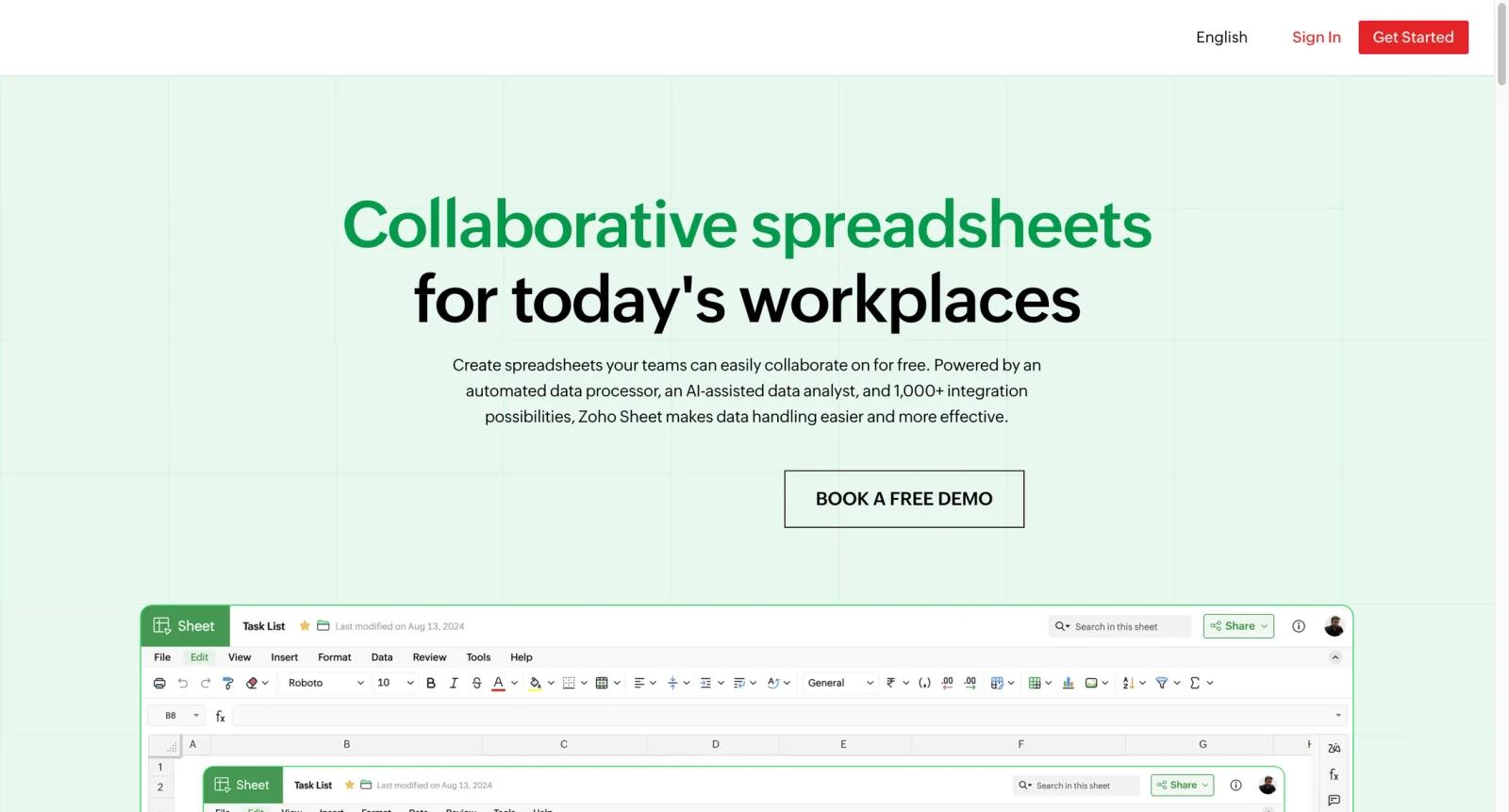


Overview
Zoho Sheet is a free online spreadsheet application for teams that want Microsoft Excel-style workbooks, real-time collaboration, AI-assisted analysis, and Zoho ecosystem integrations in the browser. It is part of Zoho's broader productivity suite, but the standalone Sheet product is positioned around free spreadsheet creation, collaborative editing, data cleaning, and Zia, Zoho's built-in AI assistant.
Compared with a basic spreadsheet editor, Zoho Sheet is strongest when data work needs to stay collaborative. Teams can comment, discuss changes, lock selected cells, restore previous versions, and assign different levels of control to collaborators. Zoho also emphasizes cross-device sync across web, Windows, macOS, Android, iOS, and Chromebook, with offline work available on selected desktop and Android apps.
The AI angle is practical rather than decorative. Zia can recommend charts, create pivot tables, answer natural-language questions about a dataset, suggest conditional formatting, generate formulas, produce sample data, and help with VBA macro code. For teams already using Zoho CRM, Zoho Forms, Zoho Books, Zoho Projects, or Zoho Flow, Sheet also becomes a lightweight reporting and data-prep surface connected to the rest of the stack.
Key Features
Zia AI data analyst - Ask questions about spreadsheet data in plain English and get answers as charts, pivots, or formulas, which helps non-technical users analyze data without writing complex spreadsheet logic.
AI-assisted charts and pivot tables - Zia scans the selected data and recommends charts or aggregate pivot tables that can be added with drag and drop, making quick analysis easier for messy operational workbooks.
Smart data cleaning - Zoho Sheet can identify inconsistencies, fill missing values, remove duplicates, find unique values, and extract frequent values, reducing manual cleanup before reporting or sharing a file.
Real-time collaboration controls - Teams can comment, discuss, co-edit, lock cells, restore versions, and assign access levels, which is useful when multiple people own different parts of a shared workbook.
Excel compatibility - Users can import Microsoft Excel files and continue working online with formatting preserved, making Sheet a low-friction option for teams moving recurring workbook processes into the browser.
Zoho and cloud integrations - Sheet connects with Zoho apps and automation tools such as Zoho Flow, while Zoho says the product supports 1,000+ integration possibilities for moving data through business workflows.
How to Get Started
Zoho Sheet is easiest to evaluate with a real workbook:
- Create a free Zoho Sheet account - Start from the Zoho Sheet website and create a spreadsheet or import an existing
.xlsxfile. - Invite collaborators - Add teammates, set access levels, and lock any ranges that should not be edited by everyone.
- Clean the data first - Use duplicate detection, missing-value filling, and inconsistency checks before building reports.
- Ask Zia for a first analysis - Try natural-language questions, chart suggestions, and pivot table recommendations to see how well the data is structured.
- Connect operational data - If your team uses Zoho CRM, Forms, Books, or Projects, use Data Connections or Zoho Flow to keep reporting sheets refreshed.
Pricing & Plans
Zoho Sheet is marketed as a free spreadsheet product, with calls to create a spreadsheet for free and to book a free demo for teams evaluating the product. Zoho does not present a simple standalone paid pricing table for Zoho Sheet on the public product page, so buyers should confirm account, storage, admin, and suite-level limits directly with Zoho if they need a larger deployment.
| Plan type | Pricing | Best fit |
|---|---|---|
| Free Zoho Sheet | Free | Individuals and small teams creating online spreadsheets, analyzing data with Zia, and collaborating on workbooks |
| Zoho suite or business deployment | Confirm with Zoho | Organizations standardizing Sheet alongside Zoho CRM, Forms, Books, Projects, Flow, or Workplace |
| Demo-led evaluation | Free demo available | Teams validating collaboration, integrations, security, and admin requirements |
For procurement, ask whether your use case is covered by the free standalone product, whether you need a paid Zoho suite, and what limits apply to storage, collaborators, automation, data connections, and admin controls.
Best For
- Small teams replacing email-attached Excel files with shared, permissioned online workbooks.
- Operations, sales, finance, and support teams that already store data in Zoho CRM, Forms, Books, or Projects.
- Spreadsheet users who want AI chart, pivot, formula, and data-cleaning help without adopting a full BI platform.
- Non-technical managers who need to ask questions about data but do not want to write formulas or SQL.
- Teams that need lightweight AI spreadsheet analysis before graduating to a dedicated AI data analysis stack.
FAQ
Is Zoho Sheet free?
Yes. Zoho positions Sheet as a free online spreadsheet tool and lets users create spreadsheets for free. Larger teams should still confirm account, storage, collaboration, and suite-level limits with Zoho.
What is Zia in Zoho Sheet?
Zia is Zoho Sheet's AI assistant. It can recommend charts, build pivot tables, answer questions about a dataset, generate formulas, create sample data, and help identify spreadsheet formulas or macro code.
Can Zoho Sheet clean spreadsheet data?
Yes. Zoho Sheet includes data cleaning tools for removing duplicates, filling missing values, spotting unique values, extracting frequent values, and fixing inconsistencies with help from Zia.
Does Zoho Sheet work with Microsoft Excel files?
Yes. Zoho Sheet supports importing and working with Excel spreadsheets online, with Zoho emphasizing compatibility and formatting preservation for Excel users moving to the browser.
Can teams collaborate in Zoho Sheet?
Yes. Zoho Sheet supports real-time collaboration, comments, discussions, range locking, version restore, and different collaborator permissions.
Is Zoho Sheet a BI tool?
Not exactly. It is a collaborative spreadsheet with AI analysis, charts, pivots, and integrations. Teams that need governed dashboards, semantic models, and database permissions may still want a BI platform such as Metabase.
What Zoho apps connect with Zoho Sheet?
Zoho highlights integrations with apps such as Zoho CRM, Zoho Forms, Zoho Projects, Zoho Books, and Zoho Flow, along with many other cloud applications through its broader integration ecosystem.
Who should avoid Zoho Sheet?
Teams that require complex Excel add-ins, advanced financial modeling, strict enterprise BI governance, or a non-Zoho integration strategy should test those requirements before migrating core workflows.