



Overview
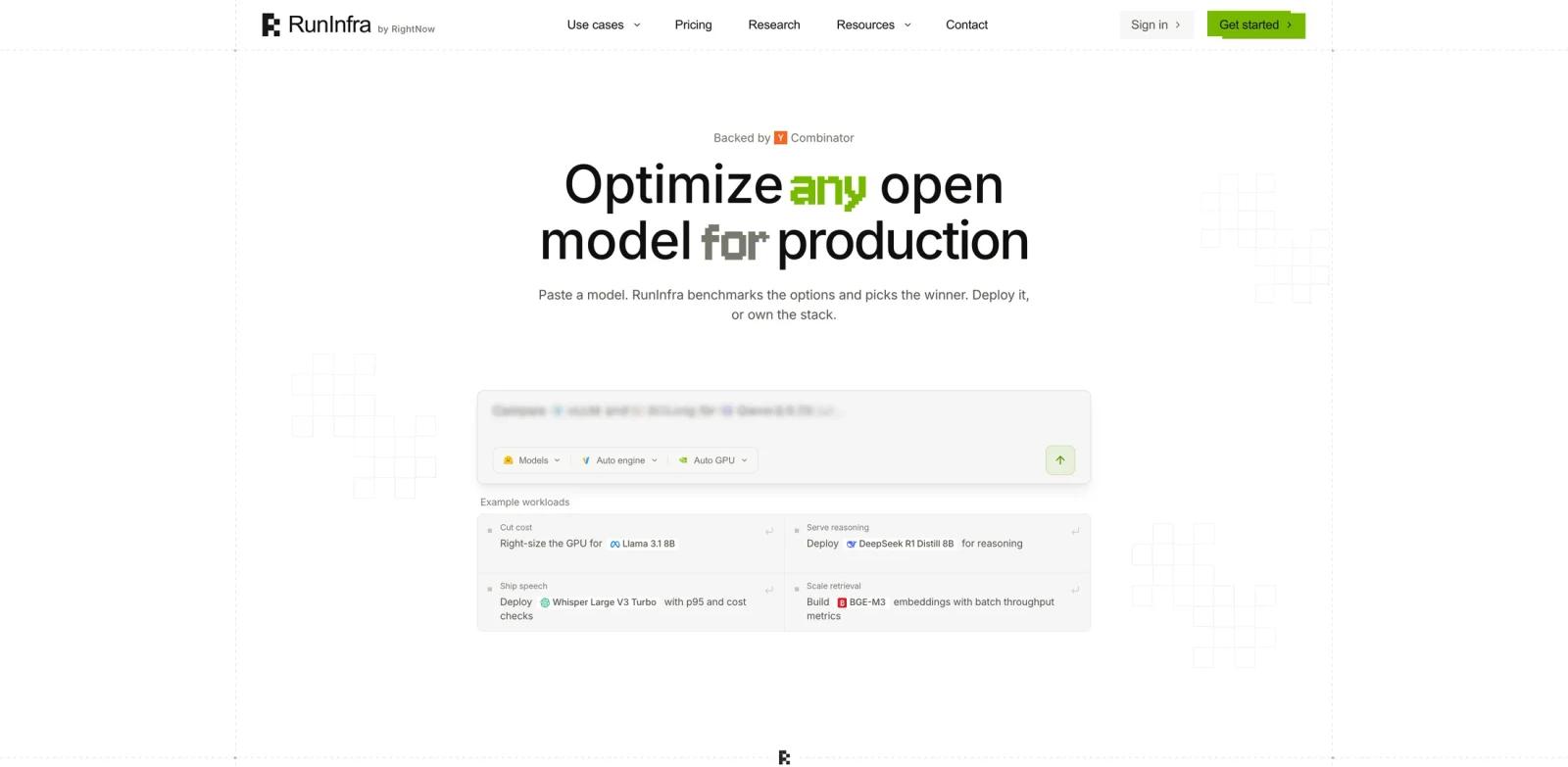
RunInfra is an AI infrastructure tool for optimizing open models before production deployment. A user describes the model workload they want to run, and RunInfra benchmarks compatible engines, GPU targets, quantization paths, latency, throughput, VRAM fit, and cost before recommending a stack.
The product is aimed at AI application teams, infrastructure engineers, and developers deploying open-source models such as Llama, Qwen, Whisper, embedding models, or routing workloads. Instead of manually testing vLLM, SGLang, TensorRT-LLM, GPU options, quantization settings, and serving configs, teams can use RunInfra to generate a benchmarked plan and deploy an OpenAI-compatible endpoint.
RunInfra launched on Product Hunt's July 1, 2026 daily leaderboard with the tagline "Describe the AI model you need and get an optimized AI." Its official site emphasizes benchmark receipts, managed deploys, exportable deployment kits, and support for self-hosted or custom-GPU enterprise setups.
Key Features
Natural-language workload intake - Describe what model, latency, cost, or throughput target you need, then convert that request into an optimization run.
Engine and GPU comparison - Tests serving engines and GPU classes instead of assuming a default runtime path.
Runtime tuning - Supports optimization techniques such as quantization, FlashAttention, continuous batching, KV cache tuning, and server configuration where compatible.
Benchmark receipts - Produces measurable evidence for p95 latency, throughput, VRAM, cost, and deployment choices.
Managed deployment - Runs optimized models through scale-to-zero endpoints with OpenAI-compatible APIs.
Exportable stack - Lets teams deploy through RunInfra or export the stack when they need to own more of the infrastructure.
How to Get Started
RunInfra is most useful when a team already knows the model family or task it wants to serve. For example, a team could ask RunInfra to optimize Llama, Qwen, Whisper, or an embedding model for a specific latency and cost target. RunInfra then builds a plan, runs compatible benchmarks, and recommends a deployment path.
Developers evaluating AI data science or model-serving workflows should treat RunInfra's output as infrastructure evidence, not just a suggestion. The key value is that it compares engines, GPUs, and serving settings before production traffic is moved.
Pricing & Plans
RunInfra uses a credit model. Its official pricing page states that 1 credit equals $1 and that one credit balance covers optimization, deploys, inference, and the agent. The same official structured pricing data describes recurring Core credits from $50 to $1000 per month, so $50 should be treated as a starting point rather than the only Core monthly price.
| Plan | Price | Best For |
|---|---|---|
| Core | From $50/month; recurring credits can scale higher | Self-serve optimization, managed deploys, OpenAI-compatible endpoints, standard GPUs, and no per-seat fees |
| Enterprise | Custom pricing | Dedicated infrastructure, self-hosted or custom-GPU deployment, audit logs, RBAC, B200/H200 access, SLAs, and SOC 2 Type II |
New accounts start with $5 in free credits. Core includes quantization with AWQ, GPTQ, and FP8; standard GPUs from T4 through H100; managed deploy with scale-to-zero endpoints; agent chat, plans, benchmarking, pipelines, and versioning.
Best For
- AI startups deploying open-source models into production
- Infrastructure teams comparing GPU cost, latency, and serving-engine tradeoffs
- Developers replacing manual benchmark spreadsheets with a repeatable optimization workflow
- Teams that need OpenAI-compatible endpoints but want more control over open-model economics
- Companies evaluating AI agent backends that require reliable model-serving infrastructure
FAQ
What does RunInfra optimize?
RunInfra optimizes open-model inference workloads. It can compare compatible serving engines, GPUs, quantization settings, latency, throughput, VRAM fit, and cost.
Which serving engines does RunInfra mention?
The official site references engines such as vLLM, SGLang, TensorRT-LLM, and vLLM-Omni, depending on model compatibility.
Does RunInfra host the model?
Yes, RunInfra offers managed deploys with scale-to-zero endpoints. It also positions exportable deployment kits for teams that want to own more of the stack.
How much does RunInfra cost?
The pricing page lists Core monthly credits from $50/month, with higher recurring credit levels available. New accounts start with $5 in free credits, 1 credit equals $1, and Enterprise pricing is custom.
Is RunInfra only for LLMs?
No. The official examples include language models, speech models such as Whisper, and embedding workloads.
What should teams verify before using RunInfra?
Teams should confirm model compatibility, expected traffic, GPU availability, latency targets, and whether managed or self-hosted deployment is required.