

Overview
Pascal Editor is a free, browser-based 3D architectural editor that lets you sketch floor plans, model buildings, and share interactive 3D walkthroughs — all without installing any software. Built on WebGPU and React Three Fiber, it delivers browser-native GPU-accelerated rendering in supported browsers on compatible hardware.
Where most 3D architecture tools require expensive licenses and steep learning curves, Pascal Editor takes a different approach: the core building tools are completely free, open source, and designed to be accessible to non-technical users. DIY homeowners can visualize a renovation before the first nail goes in, real estate professionals can produce interactive property walkthroughs in minutes, and interior designers can mock up furniture arrangements during a client meeting without switching apps.
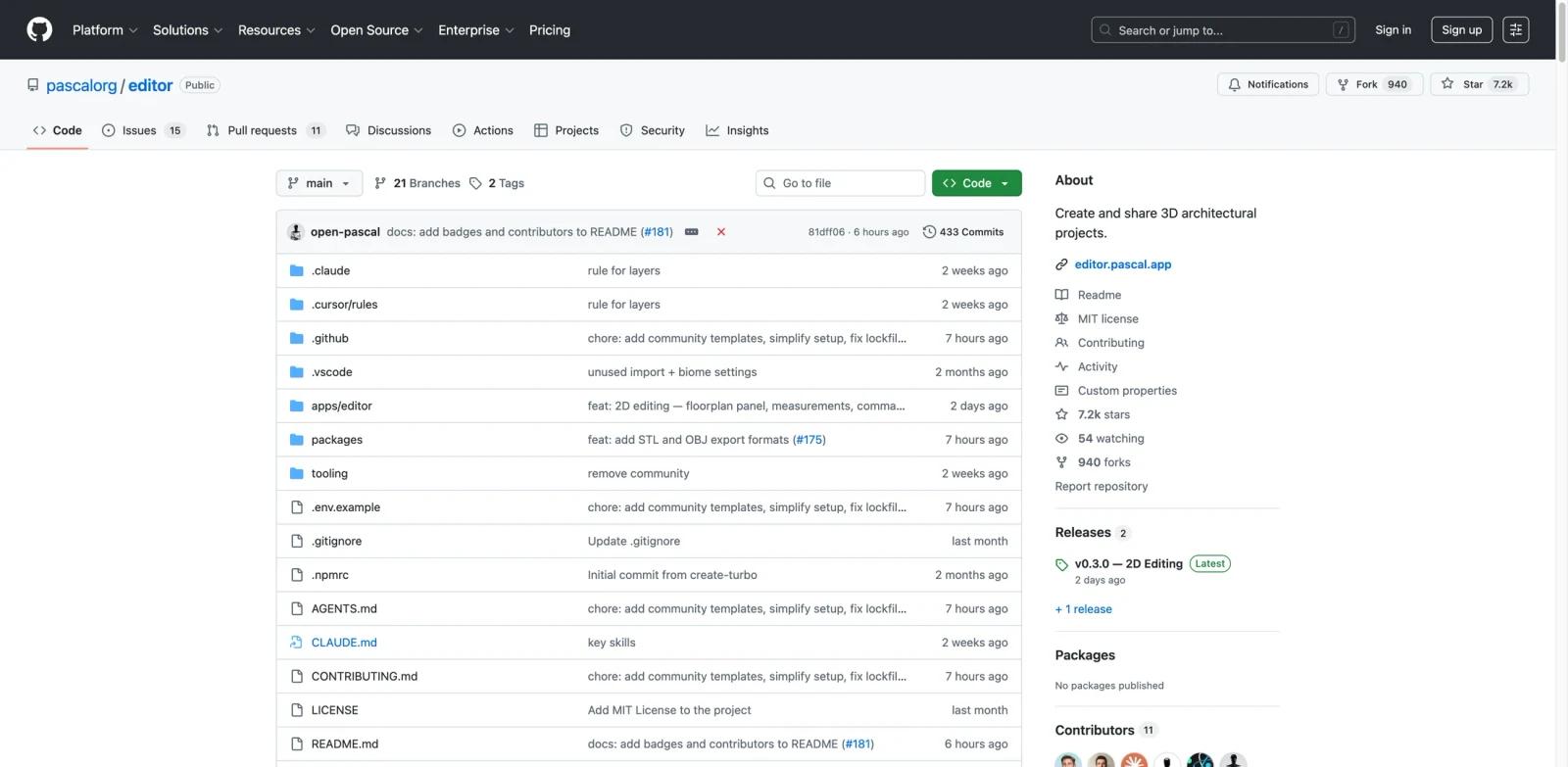
The project is maintained on GitHub under the pascalorg/editor repository and is best described as an open-source browser-based editor for early-stage layout work and room planning. to commercial tools like AutoCAD or Revit for early-stage layout work and room planning.
Key Features
Smart wall and floor plan tools — Draw building outlines with a grid-aligned wall tool that keeps dimensions precise automatically. Define rooms and zones, place openings, and generate slabs without manual calculations — the editor handles geometry in real time as you sketch.
Multi-level building support — Design multi-story structures and switch between stacked, exploded, or solo level views to inspect individual floors or see the full building at once. Each level is independently editable while maintaining spatial relationships.
Drag-and-drop furniture and fixture library — Place doors, windows, furniture, and fixtures from a built-in library. Items snap precisely into walls and rooms, and the 3D view updates instantly as you arrange the space.
WebGPU-powered real-time rendering — The editor runs on WebGPU, offloading graphics processing to the GPU for smooth, responsive 3D performance even on older hardware, without requiring any local installation or driver setup.
50-step undo/redo history — The editor persists scene data to IndexedDB and supports undo/redo with a 50-step history by default. The editor auto-saves to IndexedDB and supports JSON export for portability.
Shareable interactive walkthroughs — Generate a secure shareable link in one click. Recipients can walk through the 3D model interactively in their browser — no account or software needed to view.
How to Get Started
Pascal Editor runs live at pascaleditor.org — no installation required. Open the editor and start drawing. The free Community Edition saves locally in your browser on a single device, while Pro Cloud adds unlimited cloud projects and sync.
For developers who want to run or modify the codebase locally:
- Clone the repository
git clone https://github.com/pascalorg/editor.git cd editor - Install dependencies (requires Bun)
bun install - Start the development server
The editor starts atbun devlocalhost:3000. Run from the root directory to enable hot reload across all packages in the Turborepo monorepo. - Begin building — Use the wall tool to trace your floor plan, add levels, place furniture, and generate 3D geometry in real time.
Cloud projects and cross-device sync belong to the paid Pro Cloud plan. The free Community Edition stores projects locally in the browser on a single device.
Pricing & Plans
Pascal Editor is completely free. Pascal Editor offers a free Community Edition and a paid Pro Cloud plan. Community Edition is $0 forever and uses local browser storage on a single device, while Pro Cloud costs $9.90/month and adds unlimited cloud projects, sync, a larger furniture asset library, and high-resolution exports. The full suite of architectural tools — floor plan drafting, 3D modeling, furniture placement, and shareable walkthroughs — is available to all users at no cost.
The project is open source, so developers can self-host, fork, and extend it under the terms of its open-source license.
| What's Included | Cost |
|---|---|
| Full builder (wall tools, levels, zones, slabs) | Free |
| Furniture and fixture library | Free |
| Real-time 3D WebGPU rendering | Free |
| Shareable interactive walkthroughs | Free |
| Local browser storage (single device) | Free |
| Cloud projects & sync | Pro Cloud ($9.90/month) |
| Source code access | Free (MIT open source) |
Community & Ecosystem
Pascal Editor is maintained as an open-source project on GitHub and has gained notable traction in architecture and developer communities. It is part of a broader wave of browser-based AI design tools and open-source alternatives challenging traditional desktop software. As an open-source project, Pascal Editor can be explored, forked, and extended through its GitHub repository and community channels.
The codebase is built with modern web technologies — React 19, Next.js, Three.js, Zustand, and a Turborepo monorepo structure — making it approachable for frontend developers who want to contribute or extend the editor for custom use cases.
Contributions, bug reports, and feature requests are welcome via the GitHub repository. As adoption grows, the community ecosystem around the project is expected to expand with additional furniture libraries, integrations, and workflow plugins.
Best For
- DIY homeowners and renovation planners who want to visualize a space before committing to construction or major purchases
- Real estate agents and property managers who need fast, shareable 3D walkthroughs for listings without professional visualization software
- Interior designers who want to mock up room layouts and furniture arrangements during client consultations
- Architects and students doing early-stage building layout work, roof studies, or site massing without full BIM software
- Developers and technical teams who need a customizable, self-hostable 3D building editor they can fork and extend
FAQ
Is Pascal Editor really free?
Yes. Pascal Editor is completely free to use at pascaleditor.org. Pascal Editor has a free Community Edition and a paid Pro Cloud plan. Community Edition is $0 forever with local browser storage on a single device, while Pro Cloud costs $9.90/month and adds unlimited cloud projects and sync. The full tool is open source.
Do I need to install anything?
No. Pascal Editor runs entirely in your browser. Visit pascaleditor.org to start immediately. Developers who want to run or modify the source code locally can clone the GitHub repository and run it with Bun.
What browsers support Pascal Editor?
Pascal Editor requires a browser with WebGPU support. Pascal Editor requires WebGPU support. Browser compatibility depends on browser version, operating system, and GPU: Chrome and Edge ship WebGPU, Safari 26 adds WebGPU, and Firefox 141 shipped WebGPU on Windows, while support on other Firefox platforms may vary. For the best experience, use the latest version of Chrome or Edge.
Can I save my projects?
Yes. Creating a free account enables cloud auto-save so your projects are accessible from any device. Without an account, you can export projects as JSON files and reload them later.
How do I share a project with a client?
Generate a shareable link from within the editor with one click. Anyone with the link can view the 3D model interactively in their browser — no account or software installation required on their end.
Is the source code available?
Yes. The full source code is available at github.com/pascalorg/editor under an open-source license. Developers can fork the repository, self-host the editor, and contribute improvements back to the project.
Can Pascal Editor replace AutoCAD or Revit?
Not for production-level architectural work. Pascal Editor is designed for early-stage layout, floor planning, and room visualization. It lacks the structural calculations, detailed documentation, and BIM integration that AutoCAD and Revit provide for full project delivery. For AI-assisted 3D modeling, see AI 3D model generators as a complementary category. It is best positioned as a fast, accessible tool for the ideation and client communication phases of a project.
What happens to my data if I use the cloud save feature?
Projects saved to the cloud are associated with your account. The project is open source, which means the storage implementation is inspectable by anyone. For sensitive designs, self-hosting the editor provides full data control.