



Overview
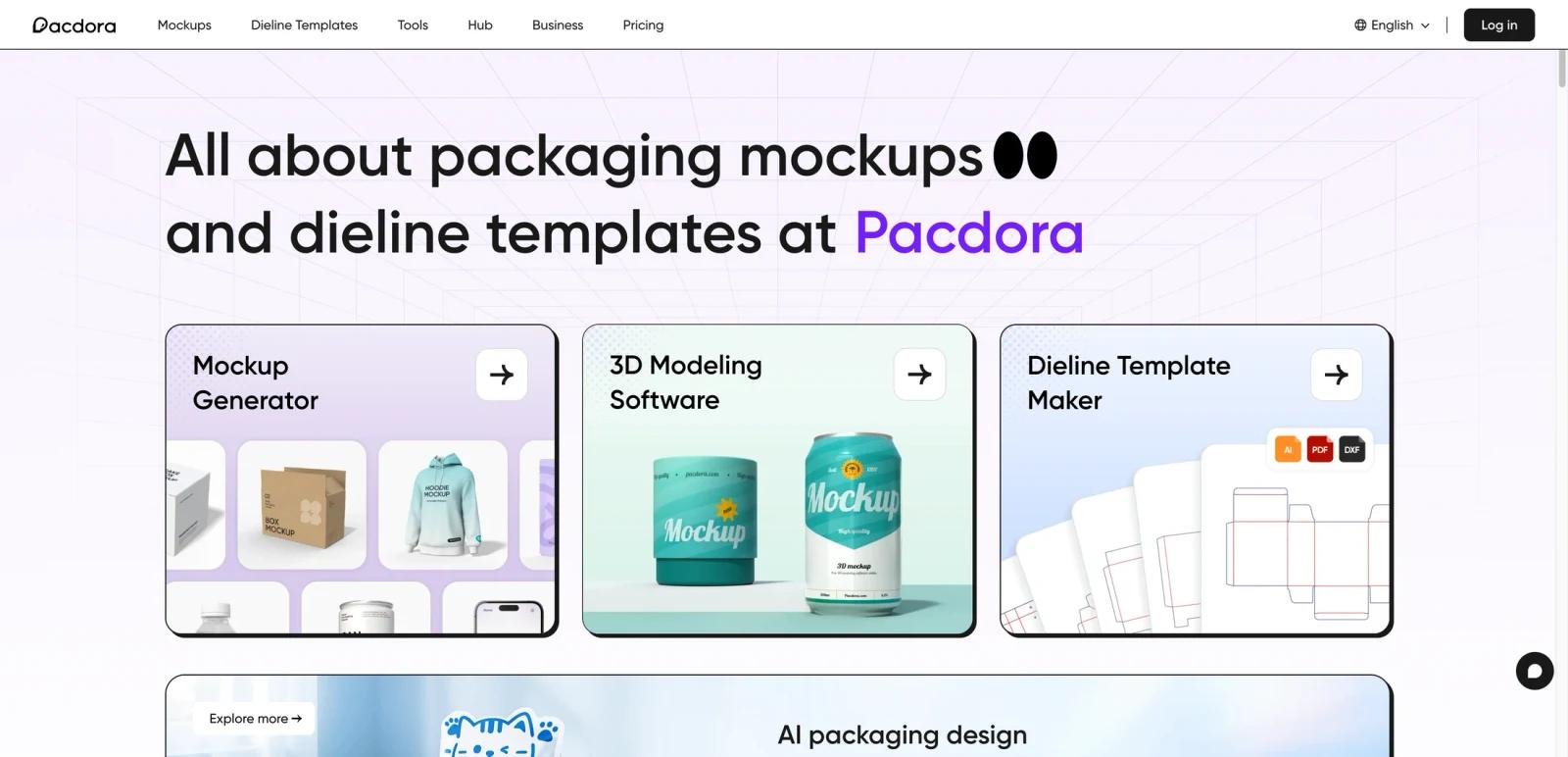
Pacdora is a packaging design platform that combines 3D mockups, dieline templates, 3D modeling, and AI-assisted packaging workflows in one web-based system. It is built for packaging designers, brand teams, product developers, freelancers, and agencies that need faster ways to create packaging visuals and print-ready structural templates without juggling multiple tools.
What makes Pacdora stand out is how broad the workflow is. The homepage does not position it as only a mockup generator or only a dieline tool. Instead, it presents a layered platform: mockups, dieline template creation, 3D modeling, AI packaging design, AI background generation, and team/business packaging workflows. That makes it more like a packaging design workspace than a narrow template utility.
As of April 25, 2026, Pacdora publicly highlights 5,000+ mockups, 3,000+ dieline templates, free and paid mockup/dieline/3D tools, AI packaging design, AI background generation, 3D modeling, and subscription plans for personal and commercial usage. The practical question for buyers is whether they need a broad packaging production and visualization stack or just one isolated capability such as mockups or dielines.
For adjacent research, compare AI video generator tools, AI video editor tools, AI thumbnail maker tools.
Key Features
Large mockup library — Pacdora markets more than 5,000 packaging mockups across boxes, bottles, cans, bags, tubes, containers, and other product categories.
Dieline template generation — The platform includes 3,000+ dieline templates and lets users customize dimensions, materials, and paper thickness to create print-ready structural files.
3D packaging workflows — Pacdora positions itself as a 3D-capable design environment, not just a flat mockup tool, which helps with presentation and iterative packaging development.
AI packaging design and AI backgrounds — The homepage and tools pages explicitly promote AI-assisted packaging design generation and AI background creation as part of the broader workflow.
Export and output controls — Paid tiers vary by plan: Lite adds watermark removal plus 2K image and 720p video exports with limited dieline exports; Pro adds unlimited dieline exports, 4K image exports, 1080p video exports, and HTML generation; Business adds 8K image exports, 2K video exports, commercial use, and reseller licensing.
Workspace and business features — Pro and Business support larger workspace workflows and higher-end exports, but official commercial-use permission and reseller licensing are Business-plan features; Pro is listed for personal use only.
Pricing & Plans
Pacdora publishes public pricing, but buyers should pay attention to the Lite, Pro, and Business differences because usage rights, export resolution, AI credits, and dieline export limits vary by plan.
| Plan | Pricing | Best fit |
|---|---|---|
| Free | $0 | Users who want basic access, public AI-generated images, 50 AI credits, and limited exports |
| Lite | $9/month billed annually | Beginners who need watermark removal, 2K image exports, 720p video exports, limited dieline exports, and personal-use rights |
| Pro | $17/seat/month billed annually ($199/year) | Serious creators and professionals who need watermark removal, unlimited dieline exports, 4K image exports, 1080p video exports, HTML generation, team features, and 3,000 AI credits per month |
| Business | $59/seat/month billed annually ($708/year) | Commercial users who need resale rights, 8K image exports, 2K video exports, advanced dieline features, and 10,000 AI credits per month |
This pricing makes Pacdora easier to evaluate than tools that hide packaging costs behind sales forms. The key distinction is rights and output depth: Free is for basic trial use, Lite is for beginner personal-use workflows, Pro is for serious personal/professional work, and Business is where commercial use and reseller rights become explicit.
Best For
- Packaging designers and agencies
- Brand teams creating packaging visuals and dielines
- Freelancers who need mockups plus print-ready packaging structures
- Product teams exploring AI-assisted packaging concepts
- Businesses that want commercial-use rights and high-resolution output inside one platform
FAQ
What is Pacdora?
Pacdora is a web-based packaging design platform for mockups, dielines, 3D modeling, and AI-assisted packaging workflows.
Does Pacdora include dieline templates?
Yes. Pacdora publicly markets more than 3,000 dieline templates and allows customization of dimensions, materials, and paper thickness.
Does Pacdora have a free plan?
Yes. Pacdora offers a free plan, but higher-value exports, watermark removal, and broader rights sit in paid tiers.
How much does Pacdora cost?
Public paid pricing starts with Lite at $9/month billed annually, with Pro at $17/seat/month billed annually and Business at $59/seat/month billed annually. A Free plan is also available.
Is Pacdora only for mockups?
No. It also includes dielines, 3D modeling, AI packaging design, AI backgrounds, and packaging-specific workflow tools.
Who should use Pacdora?
Pacdora is best for packaging-focused creators and teams that want mockups, structure, and presentation tools in one place. It is less compelling if you only need one narrow packaging task occasionally.


