

Overview
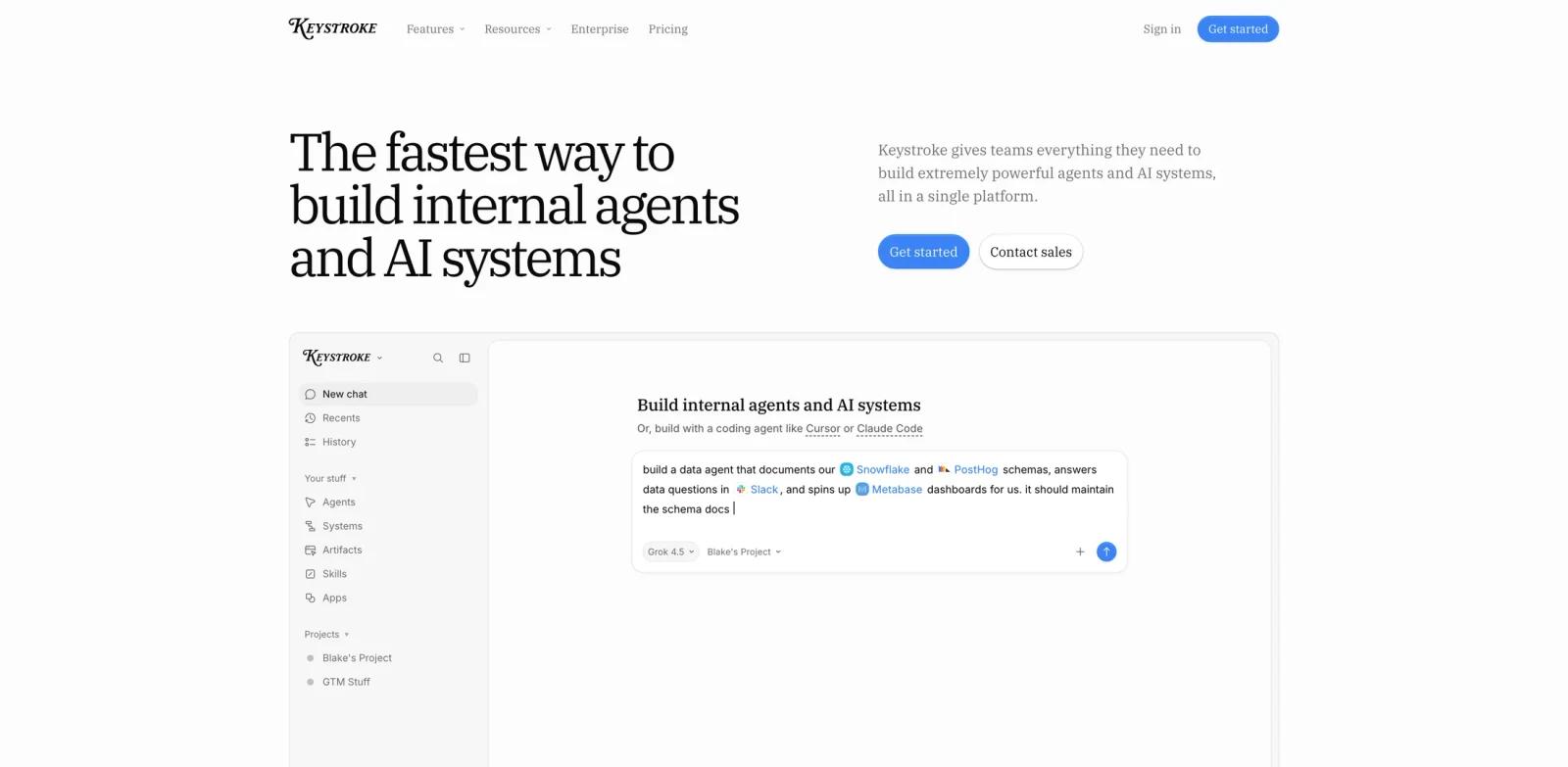
Keystroke is an AI workflow generator and agent platform built for teams that want automations as code. Its official positioning is direct: an n8n alternative built for coding agents such as Claude Code and Cursor. Instead of creating node graphs by hand, developers can use a coding agent to build specialized agents and workflow automations that live as TypeScript in the repository.
The product launched strongly on Product Hunt on August 5, 2026 and is worth publishing because it connects several important trends: internal agents, durable workflows, MCP integrations, coding agents, and usage-controlled deployment. For technical teams, the interesting part is not just "AI can automate tasks." It is that Keystroke treats automations as code that can be tested, debugged, reviewed, and deployed.
Keystroke is relevant to AI productivity because it targets recurring internal work: competitor alerts, access provisioning, launch recaps, support desk tasks, prospect briefings, and scheduled reporting. It is also relevant to developers building agentic systems who do not want every workflow trapped in a visual editor.
Key Features
- Agents and workflows as TypeScript - Build automations in your repo so they can be reviewed, tested, versioned, and maintained like software.
- Coding-agent workflow - Use Claude Code, Cursor, or another coding agent to author the logic instead of dragging nodes manually.
- Cloud deployment - Push agents and workflows to Keystroke for hosted runs, credentials, logs, sharing, and access controls.
- 1,000+ integrations - Official materials mention built-in integrations plus custom APIs and MCP servers.
- Internal channels - Interact with agents in Slack, Teams, Linear, Telegram, and similar team surfaces.
- Usage controls - Track spend, set limits, receive alerts, and stop usage before it exceeds budget.
How to Get Started
Keystroke is most useful when you begin with a workflow that already hurts. Good examples include a weekly customer health summary, new-hire provisioning, launch metrics recaps, or competitor pricing alerts. The first version should be small enough to test locally and specific enough that success is measurable.
Developers should keep the automation in the same review process as other internal code. That means clear inputs, typed outputs, tests for core branches, secrets managed through the platform, and logs reviewed after early runs. For teams already using AI code generator tools, Keystroke can become the place where generated automation logic is deployed and operated.
Pricing & Plans
Keystroke's official pricing page lists a free Hobby plan, a Pro plan, and an Organization option.
| Plan | Price | Notes |
|---|---|---|
| Hobby | Free forever | Build agents and workflows, deploy from your repo, use triggers, schedules, webhooks, apps, MCP integrations, BYOK, logs, and run history |
| Pro | $20/month + additional usage | Includes $20 monthly usage credit, 50GB file storage, higher concurrency, priority early access support, and enterprise add-ons |
| Organization | Contact sales | Advanced usage limits, RBAC, agent guardrails, unlimited concurrency, and enterprise security |
Usage pricing includes items such as agent runs, workflow runs, polls, web search, web fetch, sandbox compute, and model usage. Teams should review the current pricing page because actual costs depend on how often workflows run and which models or integrations they call.
Best For
- Engineering-led operations teams building internal agents
- Startups replacing brittle scripts with managed workflow runs
- Developers who want a code-first alternative to visual automation tools
- Teams using coding agents to create internal tools
- Companies standardizing agent deployment, logs, credentials, and controls
FAQ
What is Keystroke?
Keystroke is a code-first platform for building AI agents and workflow automations as TypeScript, then deploying them to a hosted platform.
Is Keystroke free?
Yes. Keystroke lists a free Hobby plan. The Pro plan costs $20/month plus additional usage.
How is Keystroke different from n8n?
Keystroke is positioned as an n8n alternative built for coding agents. It emphasizes TypeScript workflows in your repo rather than visual node graphs.
Does Keystroke support MCP?
Yes. The official site and pricing page mention MCP integrations and the ability to connect MCP servers.
Who should use Keystroke?
Keystroke is best for technical teams that want internal agents and automations that can be reviewed, tested, deployed, and monitored like code.
What should I test first?
Start with one recurring workflow, such as a weekly briefing or support triage task, and verify local debugging, deployment, logs, costs, and error handling.