

Overview
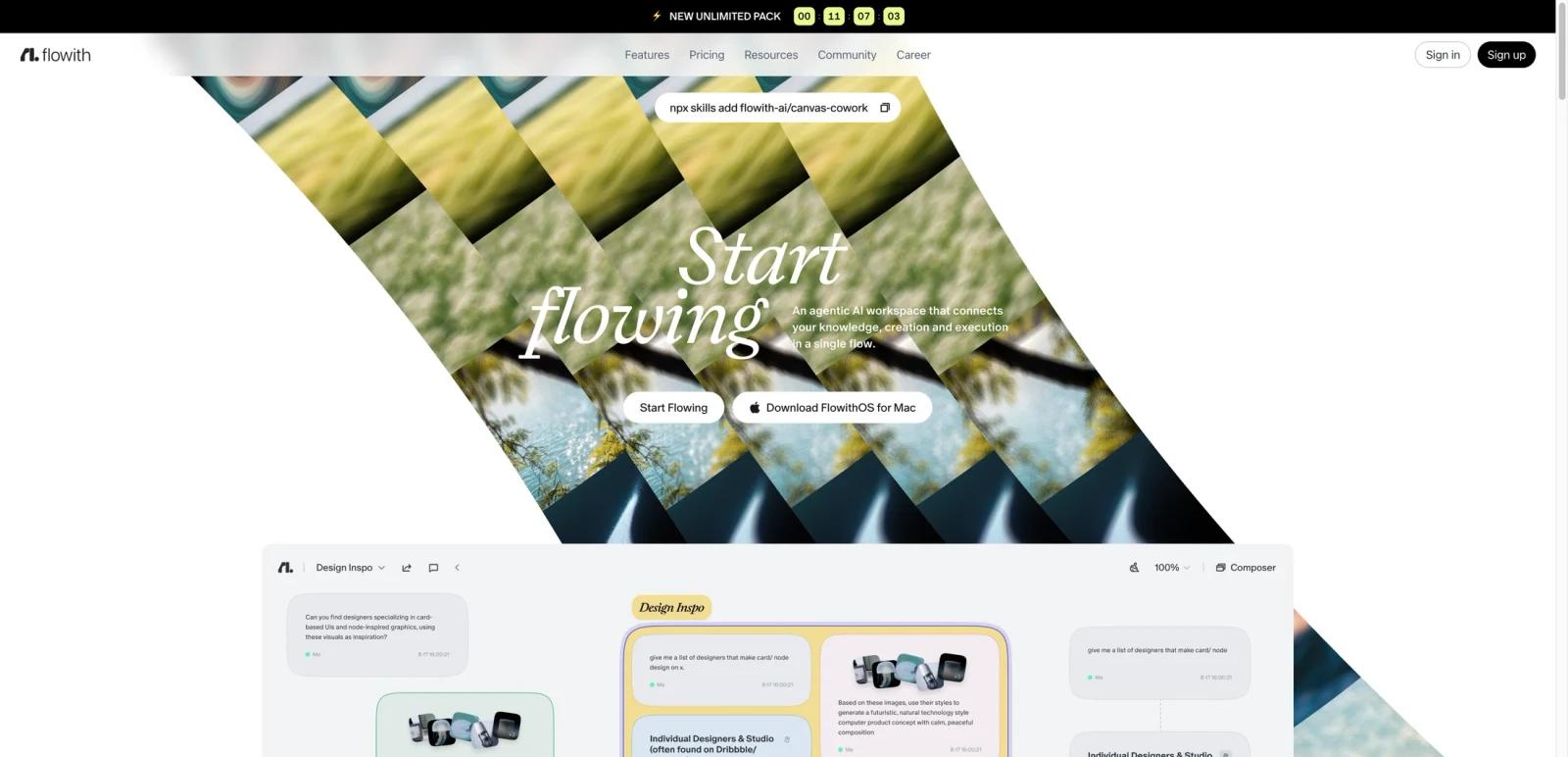
Flowith AI is positioned as an agentic AI workspace rather than a single-purpose chatbot or image generator. The homepage frames the product as a unified environment for thinking, creating, and executing, with several interconnected components: Canvas for contextual visual workflows, Agent Neo for long-running creation and execution, Knowledge Garden for memory and context management, and FlowithOS for a desktop AI operating environment.
What stands out is that Flowith is trying to be a broad AI productivity stack, not one isolated feature. The official site presents tools for AI image generation, AI video, AI website generation, AI slides, and its own agent system, then layers a workspace model on top. That gives it a different buying profile from narrow “best prompt” tools: the real question is whether you want an all-in-one agent workspace that spans ideation, context storage, content generation, and execution.
As of April 25, 2026, Flowith publicly markets Canvas, FlowithOS, Agent Neo, Knowledge Garden, a creator community claim of 1 million users, and a public pricing page with a free starter tier plus paid plans. The homepage also emphasizes brand and startup ecosystem associations, but the more important buying signals are the workspace architecture and pricing structure.
For adjacent research, compare AI video generator tools, AI video editor tools, AI thumbnail maker tools.
Key Features
Canvas workspace — Flowith describes Canvas as a place to connect, reshape, and explore ideas freely in a contextual playground with AI.
Agent Neo — The homepage positions Agent Neo as a non-stop creation agent with “million-context” execution, making it the flagship agent layer in the product.
Knowledge Garden — Flowith markets Knowledge Garden as a unified context and knowledge system for storing, connecting, and reusing knowledge with AI.
FlowithOS — The platform also promotes a Mac desktop environment called FlowithOS, positioned as an AI agent operating system with memory, speed, and execution workflows.
Multi-tool creative stack — The site bundles AI image, AI video, AI website, and AI slides features into the same product family.
Batch and concurrency controls — The pricing page publicly lists concurrent task limits, active device counts, and image or video batch mode differences across plans.
Pricing & Plans
Flowith publishes public pricing, but the structure is more complex than a simple free-versus-pro split. The pricing page promotes four public tiers: Starter, Pro, Ultimate, and Infinite, plus Unlimited Pack messaging on eligible higher plans.
| Plan | Pricing | Best fit |
|---|---|---|
| Starter | Free | Hobbyists exploring the platform with 300 one-time credits, standard models, 5 concurrent tasks, 2 active devices, and standard processing |
| Pro | $19.90/month or $17.91/month billed yearly | Creators who need Pro-tier model access, 50 concurrent tasks, 5 active devices, batch mode, and the currently listed Pro credit allowance |
| Ultimate | $49.90/month or $42.42/month billed yearly | Users who need higher credits, 100 concurrent tasks, higher processing speed, and expanded generation allowances |
| Infinite | $499.90/month or $399.92/month billed yearly | Heavy users needing 550,000 credits plus free generations, Unlimited Pack access, 10 active devices, commercial license, priority support, and the highest concurrency tier |
The public pricing page also exposes meaningful operational details: the Starter plan includes 300 one-time credits. The Pro card lists 20,000 monthly credits plus free generations, while the comparison table separately presents a slightly different basic-credit total, so buyers should recheck the live pricing page before purchasing. Flowith also publicly lists Ultimate and Infinite tiers, with Infinite including Unlimited Pack access, commercial license, priority support, and fair-use restrictions.
Best For
- Power users who want a broader AI workspace instead of one chatbot
- Creators running idea development, generation, and execution in one environment
- Early adopters interested in agentic operating-system-style workflows
- Users who value visual context management and knowledge reuse
- Individuals or teams willing to evaluate a more opinionated AI workspace stack
FAQ
What is Flowith AI?
Flowith AI is an agentic AI workspace that combines contextual ideation, generation, knowledge management, and execution tools in one platform.
What is Agent Neo?
Agent Neo is Flowith’s flagship creation and execution agent layer, positioned on the homepage as a long-running, large-context AI agent.
Does Flowith have a free plan?
Yes. Flowith publicly lists a free Starter plan on its pricing page.
How much does Flowith cost?
The public pricing page lists Pro at $19.90 monthly or $17.91 per month billed yearly, Ultimate at $49.90 monthly or $42.42 per month billed yearly, and Infinite at $499.90 monthly or $399.92 per month billed yearly.
What is FlowithOS?
FlowithOS is the company’s desktop environment for Mac, positioned as an AI agent operating system with memory and execution features.
Who should use Flowith?
Flowith is best for users who want a broad AI workspace spanning context, generation, and execution, rather than a narrow single-function AI app.