



Overview
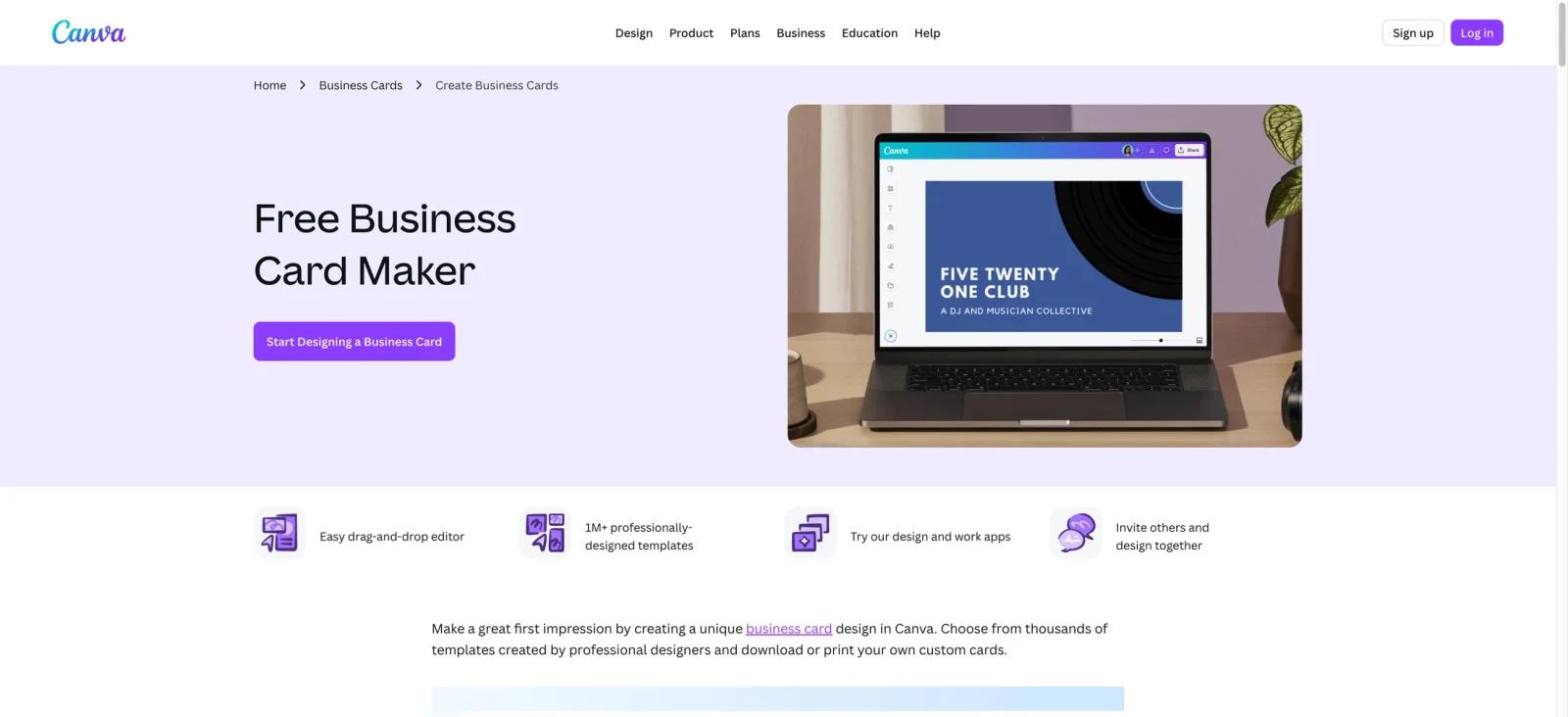
Canva's Business Card Maker is the dedicated business-card entry point inside Canva's browser-based design platform. It surfaces a filtered template library sized for standard card dimensions, a drag-and-drop editor, and the full Magic Studio AI toolset — all without requiring any software installation. The page also connects directly to Canva Print, so a finished design can go from canvas to a physical card order without leaving the browser.
The primary audience is anyone who needs a professional-looking card without opening Illustrator or hiring a designer: freelancers, side-hustle owners, job seekers, and small teams that want brand-consistent cards across every team member. The free tier covers the core design-and-export workflow when you use free templates and assets. Paid plans unlock more premium assets, higher AI access, and watermark-free export of premium content — the full spectrum of AI business card design capabilities.
Key Features
- Magic Design — Use Canva's AI-assisted design and template discovery tools to get starting points faster; Canva's AI generates a set of ready-to-use card layouts tuned to your industry and brand aesthetic, skipping the blank-canvas starting point.
- Magic Write — Generate or refine your card tagline, job title copy, or call-to-action text directly inside the editor. The AI writing tool runs without switching tabs, comparable to standalone AI writing assistants but embedded in the design workflow.
- Magic Media (Text-to-Image) — Describe a visual element in plain text and Canva's AI image generator produces a custom background or accent graphic; available according to Canva's current AI access rules, with limited access on Free and higher usage on paid plans.
- Background Removal — Strip the background from an uploaded logo or portrait photo in one click, placing brand assets cleanly on any card field. The feature is functionally equivalent to dedicated AI background remover tools but runs inside the same editor session.
- Brand Kit — Store your logo, brand colors, and approved typefaces; Canva applies the kit automatically when you start from a new template, keeping every card variant on-brand without manual re-entry.
- QR Code Generator — Embed a QR code linking to a portfolio, website, or social profile directly on the card. The code is resizable and can be recolored to match the card's palette.
- Canva Print — Order physical cards directly from the editor; Canva handles production and ships to the address on file without requiring a separate print-service account or file upload.
Pricing & Plans
Canva uses a freemium model. The Business Card Maker is accessible at every tier; what changes is AI credit volume, premium template access, storage, and brand kit count.
| Plan | Price | What's included |
|---|---|---|
| Free | $0 | Drag-and-drop editor, 1.6M+ free templates, basic export (PDF, PNG, JPG), 1 Brand Kit with limited colors, 5 GB cloud storage, and a limited Canva AI allowance. Canva now separates AI usage by quality tier rather than a simple "~50 uses/month" quota. |
| Pro | $15/month (monthly) or $120/year (~$10/month) | 141M+ premium assets, Brand Kits, 1 TB cloud storage, premium templates/assets, Background Remover, Magic Resize, premium template access |
| Business | $20/person/month | All Pro features plus real-time collaboration, approval workflows, higher AI access, Canva Grow ad insights, Leonardo.Ai Essential, Flourish Presenter, and a 10% Canva Print discount where Canva Print is available. |
| Enterprise | Custom | custom pricing via Contact Sales, SSO/SCIM, advanced admin controls, audit logs, data residency options, enterprise security/compliance controls, multi-team governance, custom integrations, and dedicated support. |
Annual billing on Pro is meaningfully cheaper than month-to-month ($120/year vs $180/year). Canva Business is priced per person at $20/month, with no seat minimum.
Best For
- Freelancers and consultants who need a polished card without Illustrator or a dedicated designer.
- Small business owners who want to maintain brand consistency across several card variants from one Brand Kit.
- Job seekers and students who need a professional card in under 30 minutes and don't require advanced print customization.
- Teams that want real-time collaborative design, shared brand assets, and approval workflows on a single platform.
- Anyone who wants to order physical cards without exporting files and managing a separate printer account.
FAQ
Is Canva's Business Card Maker free?
The editor, template selection, and basic export (PDF, PNG, JPG) are free. Some premium templates require a Pro subscription. Canva Free includes limited access to some Canva AI tools, while paid plans increase AI usage and unlock premium tools such as Background Remover and Magic Resize.
Can I print business cards from Canva?
Yes — Canva Print lets you order physical cards from within the editor. Canva handles production and ships to your address. Business plan subscribers receive a 10% discount on all print orders.
What AI features are available for business cards?
Magic Design (AI template generation), Magic Write (AI text generation), Magic Media (text-to-image via Magic Studio), and Background Remover. Canva now describes AI access by quality tiers and plan-based allowances. Free users get limited Standard/Premium AI access, while Pro and Business receive higher allowances.
How many business card templates does Canva have?
Canva's template and asset library spans millions of designs; use the current official pricing or template-library page for up-to-date counts, as Canva's published numbers vary by page. The business-card section offers dedicated templates filtered by style, industry, and format.
Does Canva support brand kits for business cards?
Yes. The free plan includes one brand kit (logo, colors, fonts). Canva Business supports up to 100 Brand Kits — useful when managing cards across multiple brands or client accounts.
What export formats does Canva support for business cards?
PNG, JPG, and PDF (standard and print-ready with crop marks and bleed). PDF Print export with print-oriented settings is available in Canva; paid plans matter mainly when the design uses premium content or premium export options.
What's the difference between Canva Pro and Canva Teams for business card use?
Pro ($15/month) is designed for individual users. Teams ($20/user/month) adds real-time collaboration, shared brand kits, template locking so brand guardrails are enforced across the team, and approval workflows. Teams also gives 10% off Canva Print orders.
Is there a free trial for Canva Pro?
Canva occasionally offers 30-day free trials for Pro. Check the Canva pricing page for current trial availability, as promotional terms change periodically.


