



Overview
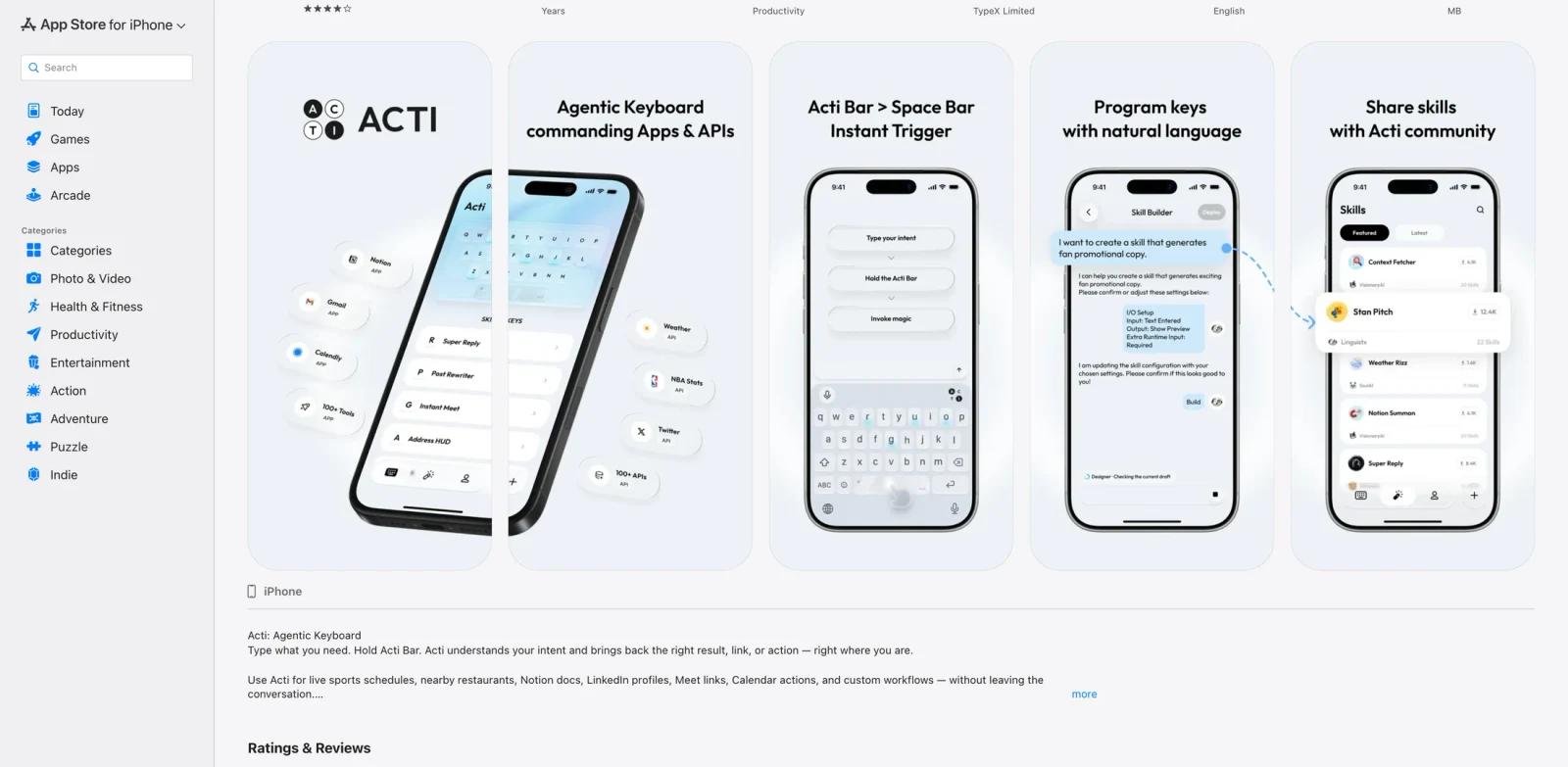
Acti is an agentic keyboard for mobile workflows. Instead of using the keyboard only for typing, users type an intent, hold the Acti Bar, and ask Acti to return a result, link, action, or reusable skill directly inside the current text field.
The product is aimed at mobile-first users who switch between chat, search, calendar, notes, LinkedIn, Notion, and other apps throughout the day. Acti's official site describes the keyboard as an action layer: "Press to type, hold to act." Its App Store listing says it can help with sports schedules, nearby restaurants, Notion docs, LinkedIn profiles, Meet links, Calendar actions, and custom workflows.
At the time of review, Product Hunt listed Acti as a free 2026 launch with a #1 Day Rank and the tagline "Agentic keyboard for mobile commands and search." The app is available on the App Store and Google Play.
Key Features
Acti Bar - Type your intent, hold the spacebar, and turn the text into a result, link, or action.
Skill Keys - Turn keys into reusable skills for Notion docs, LinkedIn profiles, Google Meet links, calendar actions, or custom workflows.
Skill Builder - Build custom skills by describing the workflow and connecting apps, APIs, or actions.
Mobile search and actions - Ask for restaurants, sports schedules, profile links, meeting links, or other common mobile tasks without leaving the conversation.
Skill community - Share useful skills and discover workflows created by other users.
Privacy positioning - Acti's App Store listing says it uses encrypted API connections and a no-log policy for keystrokes, but Apple notes that developer-provided privacy information is not independently verified. Google Play also says the app may collect personal info, app activity, and other data types.
How to Get Started
Acti is a mobile app, so setup starts on the App Store or Google Play. After installation, users enable the custom keyboard, type an intent in any text field, then hold the Acti Bar to trigger an action.
Because keyboards can access sensitive text, users should read the privacy policy carefully before granting permissions. Acti may be useful as an AI productivity layer, but teams should evaluate data handling before using it with confidential work content.
Pricing & Plans
Acti is currently positioned as free. The App Store and Product Hunt list the app as free, and Acti's official terms state that it does not sell subscriptions, in-app purchases, paid plans, or paid Credits. Google Play still displays an in-app-purchases label, so users should verify the latest store listing and terms before assuming paid tiers exist.
| Plan | Price | Notes |
|---|---|---|
| App access | Free | App Store and Product Hunt list Acti as free; Acti's official terms currently say there are no paid subscriptions, in-app purchases, paid plans, or paid Credits |
| Credits | Free usage quota | Some AI features use internal Credits with daily or rolling limits, but public terms do not publish exact quota numbers |
The reviewed official website does not publish a paid subscription table. Users should treat paid tiers as unconfirmed unless Acti introduces paid features later; for now, the public terms describe the service as free with internal Credits-based usage limits.
Best For
- Mobile power users who frequently search, schedule, share links, or look up context while messaging
- Founders and operators who want quick AI agent-style actions without opening a separate app
- Users building lightweight personal workflows around Notion, LinkedIn, Google Meet, and Calendar
- Productivity enthusiasts testing new keyboard-native AI patterns
- Teams evaluating mobile assistants but willing to review privacy and device-management rules first
FAQ
What does Acti do?
Acti turns the mobile keyboard into an AI action layer. Users type an intent, hold the Acti Bar, and receive a result, link, action, or workflow response.
Is Acti available on iPhone?
Yes. Acti is listed on the App Store as "Acti: Agentic Keyboard" and is marked free for iPhone.
Is Acti available on Android?
Yes. Acti is listed on Google Play and shows in-app purchases.
How much does Acti cost?
The App Store and Product Hunt list Acti as free, and Acti's official terms currently say the service has no paid subscriptions, in-app purchases, paid plans, or paid Credits. Some AI features use internal Credits with limits, so users should check the latest app terms for any future pricing changes.
What can Acti connect to?
The App Store listing mentions Notion docs, LinkedIn profiles, Google Meet links, Calendar actions, custom workflows, restaurants, sports schedules, and related mobile tasks.
Is Acti safe to use with sensitive text?
Acti's listing says it uses encrypted API connections and a no-log keystroke policy. Because any custom keyboard can be sensitive, users should read the privacy policy and avoid confidential data until they are comfortable with the permissions.