
5 Tools for the 58th Floor AI Rap Duet
Choose a two-photo generator or finish an existing clip. Compare the rap handoff, sound, framing and one-time cost before you start.
On this page
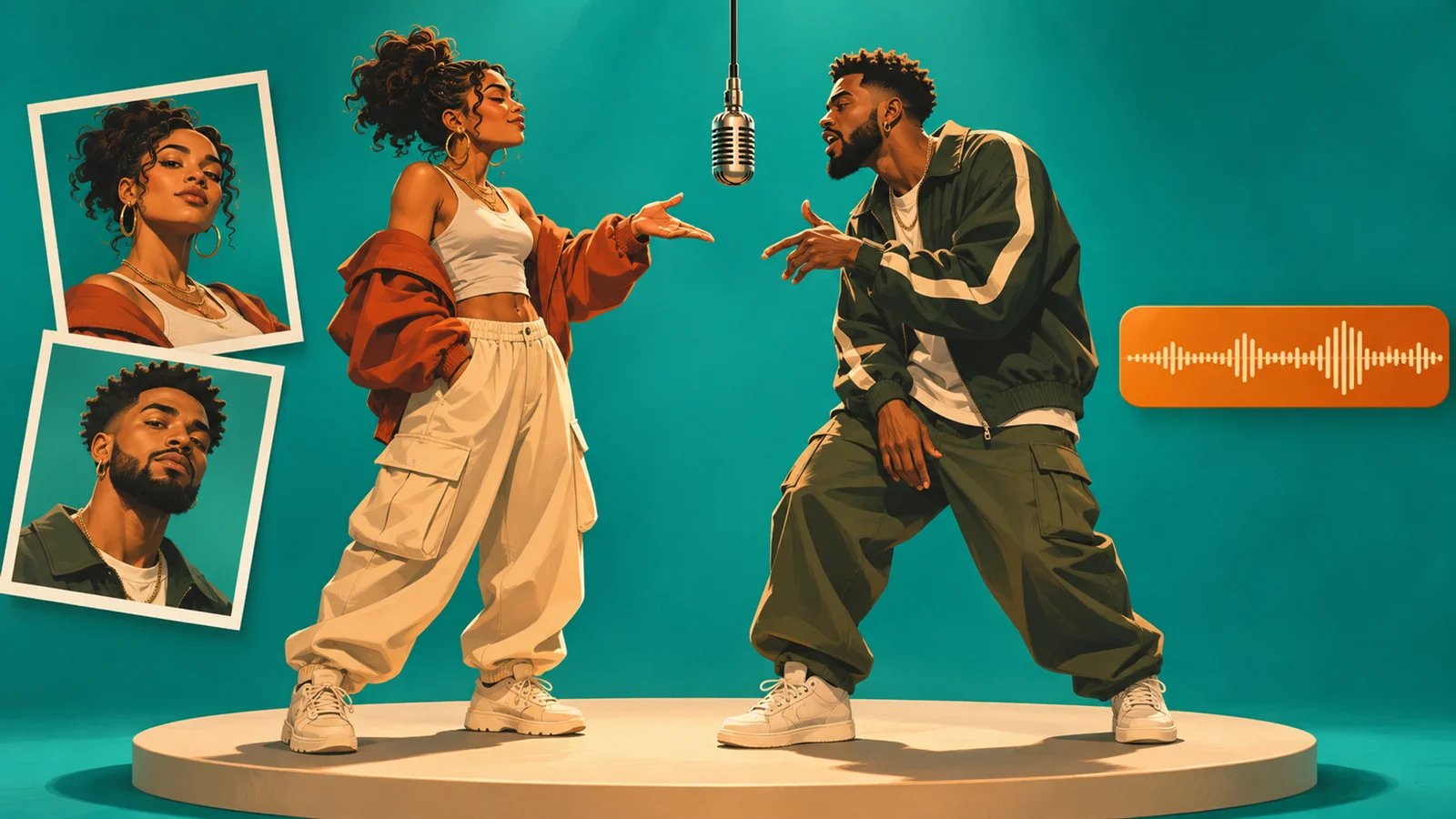
The 58th Floor AI trend puts two people at a hanging microphone in a teal studio. One finishes the hook and the other takes the verse. Start by deciding whether you want the finished video to arrive silent so you can add sound in the posting app, or whether you want the tool to deliver a version with audio already attached.
58th Floor AI is our featured option for a fixed two-photo handoff and in-app sound placement. Seadanse offers a version with audio and more resolution choices. ReelTada lists a $6.89 starter pack for one 720p duet with sound. videosi accepts a single photo of both people as an alternative input. CapCut is useful when you already have the clip and want timeline control. The featured placement accompanies a complimentary ToolWorthy Verified listing. The comparison is based on public product documentation and published examples.
Pick the workflow that fits your footage
| Tool | Choose it when |
|---|---|
| 58th Floor AI | You have two portraits and plan to attach the trend sound in TikTok. |
| Seadanse | You want the preset duet with a soundtrack and a choice of resolution. |
| ReelTada | You have two adult portraits and want one 720p duet with sound for $6.89 before tax. |
| videosi | You have a photo of both people or need a square or landscape frame. |
| CapCut | You have footage already and want to trim, caption or align a track. |
Compare inputs, output and cost
| Tool | What you supply | What you get |
|---|---|---|
| 58th Floor AI | Two photos with one person in each | 14-second, silent 720 × 1280 MP4 |
| Seadanse | Two photos with explicit left and right slots | 15-second vertical clip with audio, in 480p, 720p or 1080p |
| ReelTada | Two adult portraits, with permission | 15-second vertical 720p clip with reference audio |
| videosi | Two portraits or one photo of both people | A 13-second clip with sound, with 9:16, 1:1 or 16:9 options |
| CapCut | A clip and an audio source you can use | An editable timeline and a video you can export after finishing |
| Tool | How the cost is set | What to check before you commit |
|---|---|---|
| 58th Floor AI | $9.99 for one video, $19.99 for three, $49.99 for ten | Use the pack link for remaining takes. The price covers generation of the silent clip. |
| Seadanse | $9.90 for a 500-credit pack covering one 720p duet | The 1080p option requires 1,480 credits. Check the selected output at checkout. |
| ReelTada | $6.89 for a 10-credit starter pack and one run | Sign in to buy the one-time pack. The reference audio contains explicit language. |
| videosi | Credit charge depends on the selected model and resolution | The effect FAQ lists 11 credits for Standard 720p at 13 seconds. Check the live quote for your chosen settings. |
| CapCut | The online editor offers a free audio-editing route | Confirm that the specific assets and export options you want are included. |
The amount you pay to generate a clip and the rights to use its soundtrack are separate decisions. For a branded post or ad, check the video usage terms and music rights separately before buying. 58th Floor AI’s terms permit personal and social media use. videosi’s terms permit commercial use of paid results subject to your photo rights, and grant no license to the original song. A soundtrack already in the clip does not establish permission to use it in an ad.

Best fit: two separate portraits and a clip you intend to finish with TikTok's sound picker.
58th Floor AI gives each person a fixed role. The first photo goes on the left and finishes the hook. The second goes on the right, takes the verse and gets the solo close-up. If one photo is sharper, put it in the verse slot when either person can play that role.
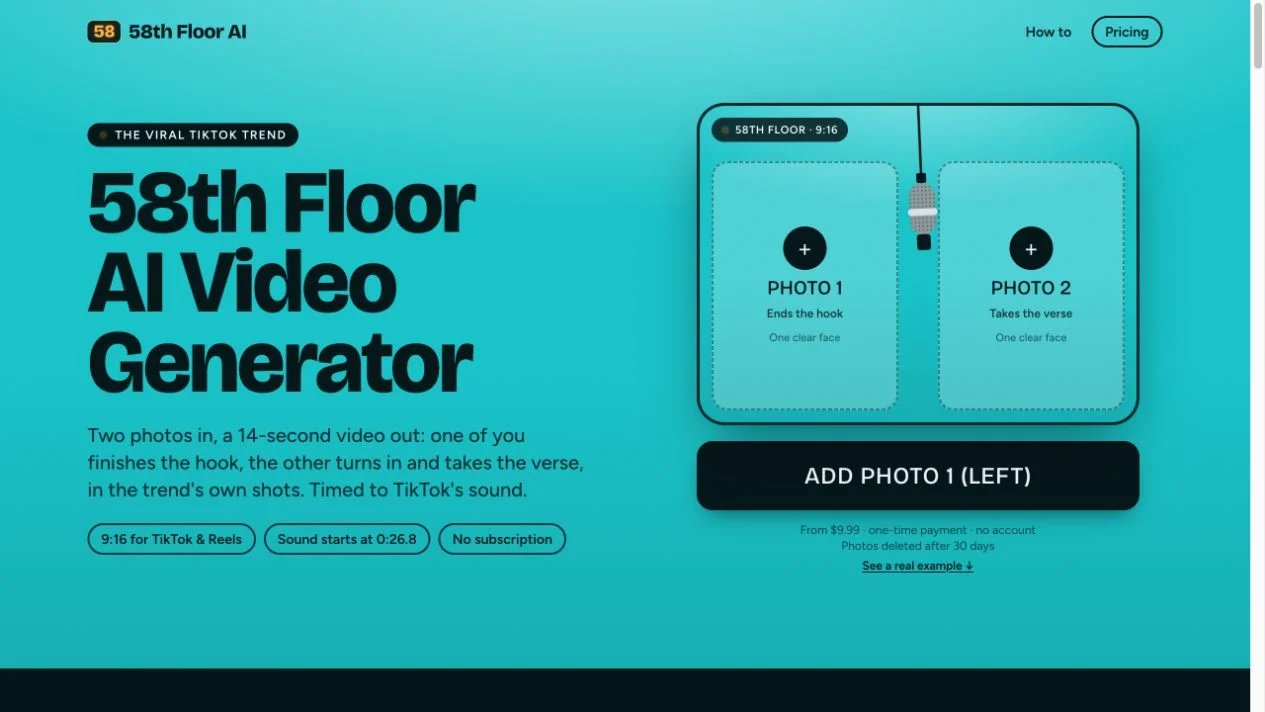
The site lists a 14-second, watermark-free 720 × 1280 MP4. Its four shots include a two-shot, close-up, wide shot and final face-off. The exported file is silent. The official guide points to 0:26.8 for the specified COLORS sound on TikTok. Use that offset with the matching sound and check the handoff in preview before posting. A differently cut upload of the same track may start at a different point.
The public one-time packs cost $9.99 for one video, $19.99 for three, or $49.99 for ten. The terms tie unused takes to a private pack link and say they do not expire. The privacy policy says uploaded photos and generated videos are deleted after 30 days, so save the finished MP4 separately from the pack link.
Seadanse
Best fit: a ready-made duet with an audio track and selectable resolution.
Seadanse also gives the two photos fixed left and right roles. Its effect page describes a 15-second 9:16 clip with the song section built in and offers 480p, 720p and 1080p. For the same two portraits, the purchase decision comes down to whether you want to start with a soundtrack already attached and how much resolution you need.
The $9.90 pack supplies 500 credits, which covers the listed 720p run. The 480p option uses 375 credits and the 1080p option uses 1,480. Compare the checkout amount for the selected resolution, then confirm you can use the soundtrack where you plan to post.
ReelTada
Best fit: one 720p duet with audio at a lower listed upfront price.
ReelTada uses two adult portraits with permission. The first portrait plays the hook on the left; the second takes the verse on the right and gets the close-up. Its template lists a 15-second, 9:16 video at 720p with the original reference audio, which contains explicit language.
The effect lists 10 credits per generation. The one-time starter pack costs $6.89 before tax for 10 credits. Sign in to buy it and check the total before paying.
videosi
Best fit: two people in one shared photo, or a square or landscape deliverable.
videosi offers two inputs for this effect. Use portraits of two consenting adults, or select One photo together when both faces are clear in the same image. The effect does not accept photos of children, celebrities or other public figures. The provider describes a 13-second MP4 with sound and offers 9:16, 1:1 and 16:9. The close-up goes to the first person on the left. The site describes mouth movement that follows the beat loosely. Watch the sample if exact lyric sync or a close-up of the right-side performer matters. If you need a square or horizontal video, pick the frame before rendering so both people stay in view.
The pricing page lists one-time packs at $9.90 for 10 credits and $17.99 for 30 credits. Its general 10-credit example is for 12 seconds; the effect FAQ lists 11 credits for this 13-second clip at Standard 720p. The effect FAQ also lists a different starting pack price. Use the live credit quote and checkout total for your selected settings. If you need 11 credits and have no balance, the 30-credit pack is the smallest one on the pricing page that covers it. If a platform requires a different audio version, keep the output and align a track permitted for that post.

Best fit: finishing a clip you already have.
CapCut's audio editor lets you place a video and audio on a timeline and trim the soundtrack against the edit. Set the audio position around the handoff first, then add captions or reframe the image. This route is useful when you want control over the timing or you are adding original audio.
For a TikTok post that uses a sound available in TikTok, you can finish the visual edit first and attach the sound in TikTok. For an export with the sound embedded, use a track you have permission to distribute to the intended destination.
Before you post
Confirm the verse performer appears in the close-up, check the alignment around the handoff, and preview the crop in the destination app. Apply the platform's AI-content label when required. For other short-video workflows, see ToolWorthy's guide to making viral videos or the AI video generator directory.
Get ToolWorthy Weekly
New AI tools, practical guides, and selected AI signals in one weekly brief.
Related Posts
- 5 Tools to Make Viral Videos: Photos, Ideas or Footage
Start with a photo, a script or a recording. Compare five video workflows by inputs, creative control, audio, export and the cost of a usable post.
- 6 Best AI Crying Video Generators in 2026: Photos to Tears
Turn a selfie into a crying video. Compare six tools by scene controls, video packs, credits and editing workflow to find the format for your next post.
For AI tool founders
Built a tool that belongs in this decision set?
Request an editorial evaluation for possible inclusion in ToolWorthy.
Submit your tool for reviewPaid submission does not guarantee a ranking, recommendation, inclusion, or editorial outcome.