



Overview
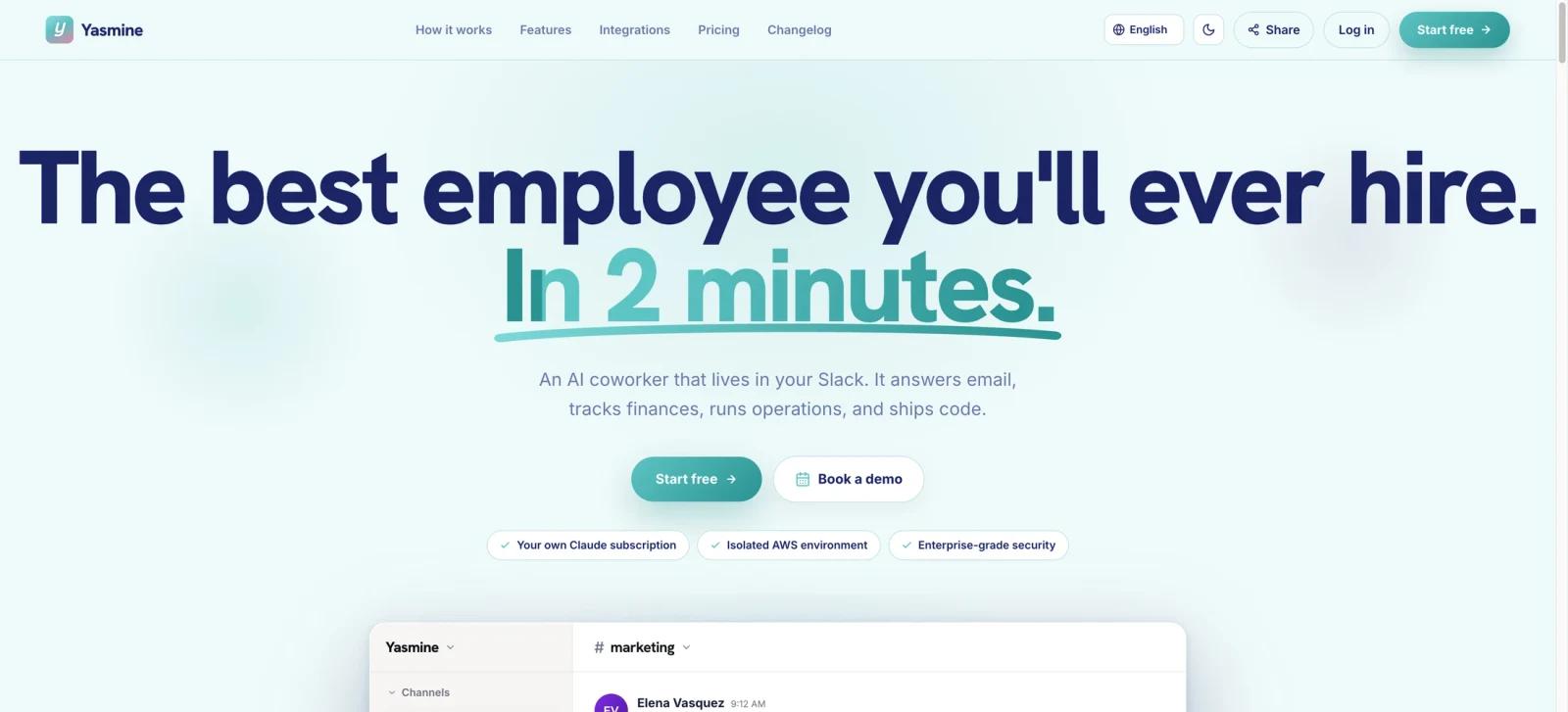
Yasmine is an AI coworker that works inside Slack. Teams add it to a channel, connect their tools, and ask it to perform tasks such as drafting email replies, checking finances, running operations, or preparing code changes. Each channel can have its own context and memory, which makes the product more like a shared worker than a general chat window.
Yasmine's most distinctive choice is that it uses the team's own Claude subscription. The Product Hunt launch and official site also emphasize isolated environments and approval controls for consequential actions. It belongs in the AI agent and workflow-automation space, but its primary interface is Slack rather than a separate dashboard.
Key Features
- Slack-native coworker - Mention Yasmine in a channel to delegate work in the place where teams already coordinate.
- Per-channel context - Channels can maintain separate work context and memory, helping finance, marketing, support, and engineering tasks stay distinct.
- Bring your Claude subscription - Yasmine uses a Claude subscription the team already has instead of bundling a separate AI model allowance into every plan.
- Connected-tool actions - Yasmine's official directory lists more than 1,200 integrations. Free integrations are unlimited on every plan, while managed-OAuth premium integrations cost extra on Starter and are included with Pro and Dev.
- Isolated environment - Each customer workspace runs in its own AWS environment for compute, storage, and memory, according to the official site.
- Approval and scheduling controls - Users can configure tool policies and approve sends, writes, and other consequential actions in Slack. Scheduled tasks are included with Pro and Dev or available to Starter as a EUR9.99/month add-on.
Integration Guide
Give Yasmine one clearly bounded channel before connecting every system. For example, add it to a marketing channel to prepare campaign assets, a finance channel to summarize Stripe and spreadsheet activity, or an engineering channel to investigate an issue and propose a code change.
The product's integrations can make it powerful, but they also require a permissions design. Start with read-only access or approval-gated actions, define which systems and data the coworker can use, then expand only after its outputs and approval flow are reliable. This is the key difference between a Slack helper and broad AI workflow automation that can act across the business.
Teams that only need a personal assistant rather than a shared Slack worker can compare the wider AI productivity category. For a more general always-on agent approach, see MuleRun.
Pricing & Plans
Yasmine provides a seven-day free trial with no card required. Its public monthly pricing is EUR29 for Starter with two Slack channels, EUR69 for Pro with unlimited channels, premium integrations, and scheduled tasks, and EUR249 for Dev with GitHub/GitLab development integration. Starter offers two separate EUR9.99/month add-ons: Premium integrations and Scheduled tasks. Both are included with Pro and Dev. A separate customer-provided Claude subscription is also required.
| Plan | Price | Key inclusions |
|---|---|---|
| Trial | Free for 7 days | One Slack channel, unlimited free integrations, an isolated 0.5 vCPU / 1 GB VM, and a customer-provided Claude subscription; no card required |
| Starter | EUR29/month | Two Slack channels, unlimited free integrations, an isolated 0.5 vCPU / 1 GB VM, and optional Premium integrations and Scheduled tasks add-ons |
| Pro | EUR69/month | Unlimited Slack channels, unlimited free and premium integrations, scheduled tasks, and an isolated 1 vCPU / 2 GB VM |
| Dev | EUR249/month | Everything in Pro, GitHub/GitLab development integration, and an isolated 4 vCPU / 8 GB VM |
| Premium integrations add-on | EUR9.99/month | Available on Starter and included with Pro and Dev |
| Scheduled tasks add-on | EUR9.99/month | Available on Starter and included with Pro and Dev; supports hourly, daily, weekday, or weekly schedules and keeps the agent warm |
Best For
- Slack-first teams that want to delegate repeatable operational work where it is discussed
- Teams already paying for Claude and looking for a more action-oriented interface
- Marketing, finance, operations, support, and engineering channels with clear approval owners
- Companies that value isolated execution and explicit confirmation for high-impact actions
FAQ
What is Yasmine?
Yasmine is an AI coworker that lives in Slack, connects to business tools, and carries out approved tasks for teams.
Does Yasmine use its own AI model subscription?
No. Yasmine is designed to use the team's own Claude subscription, so buyers should account for that separate requirement.
Can Yasmine take actions in other apps?
Yes. It can connect to external tools and perform work across them. The site says consequential actions can require an approval in Slack.
Does Yasmine have a free trial?
Yes. The official pricing page lists a seven-day free trial with no card required.
What does Yasmine cost?
Monthly plans are EUR29 for Starter, EUR69 for Pro, and EUR249 for Dev. Starter customers can separately add Premium integrations or Scheduled tasks for EUR9.99/month each; both are included with Pro and Dev.
Is Yasmine suitable for sensitive workflows?
Its isolated environment and approval controls are useful safeguards, but each team should still review integrations, permissions, data retention, and compliance requirements before connecting sensitive systems. Yasmine states that SOC 2 Type II is still in progress rather than completed.