

Overview
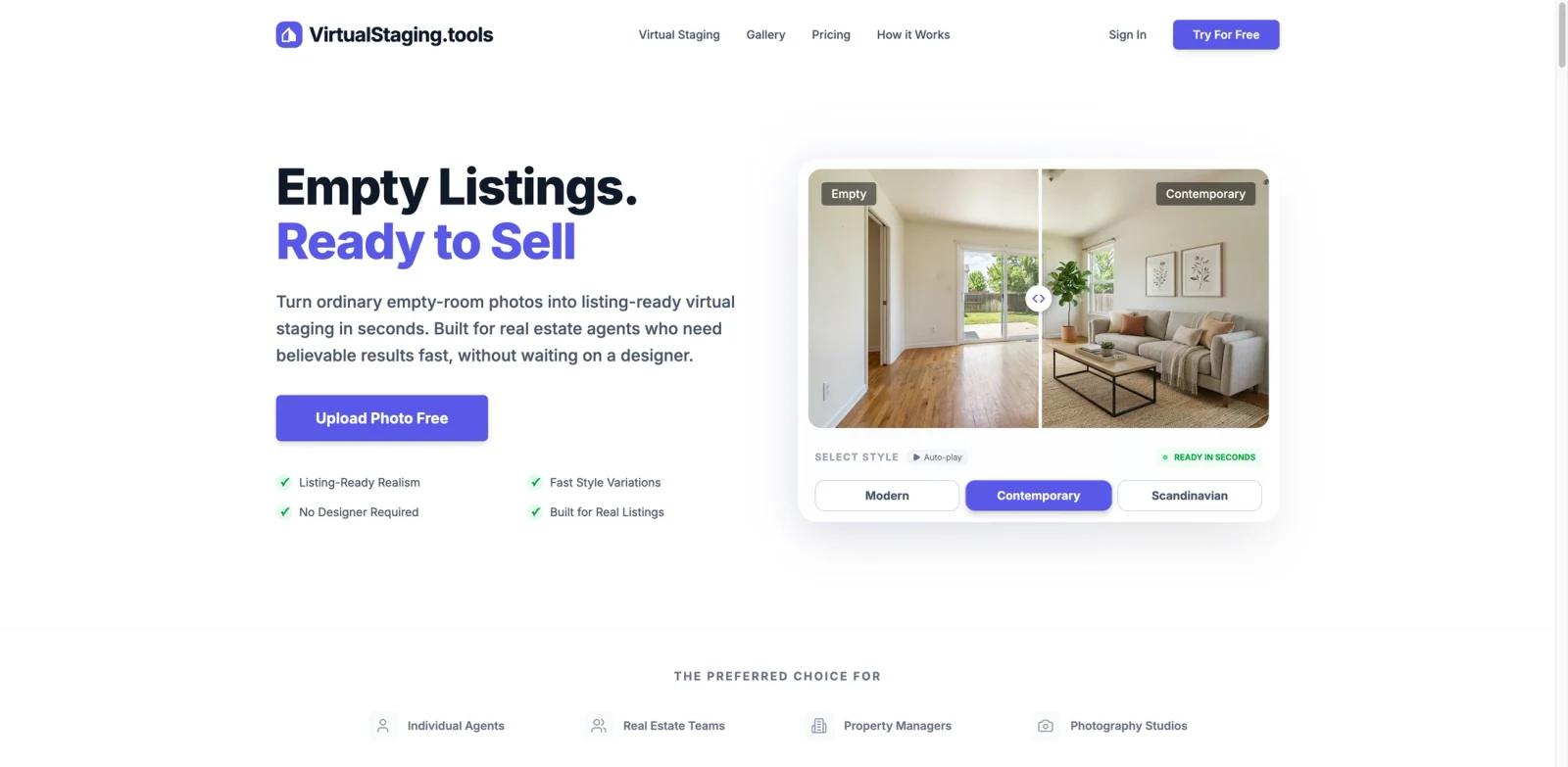
VirtualStaging.tools is an AI-powered virtual staging platform that digitally adds furniture, lighting, and decor to photos of empty rooms. Instead of paying a traditional staging company $30–$50 per image and waiting 24–48 hours, agents can upload a listing photo and get a furnished version back in about 30 seconds.
The product is aimed at real estate agents, photographers, property managers, and small teams who need listing-ready images on tight timelines. It sits in a narrower niche than general AI interior design tools — instead of redesigning the room, it furnishes it photo-realistically for a listing. The current homepage supports JPG, PNG, and WEBP uploads up to 20MB, and paid plans include commercial usage rights so generated images can be used on listings, brochures, social media, and ads.
Key Features
- AI furniture generation — Analyzes the room and renders furniture that matches perspective, scale, and lighting, so staged photos look convincing rather than pasted-in.
- 8 design styles + 6 room types — The current homepage presents 8 styles across 6 listing room types, including Modern, Luxury, Coastal, Farmhouse, Scandinavian, Minimalist, Industrial, and Japandi style options.
- About-30-second turnaround — Generates results in seconds instead of the 24–48 hours typical of human staging services, letting agents publish listings the same day.
- Furniture Eraser — Removes furniture, decor, and clutter from occupied room photos before staging, using the same credit pool.
- Architecture-safe output — Preserves windows, doors, and room design structure so the staged image still represents the actual property.
- Commercial rights included — Full commercial usage on paid plans, making the output safe for MLS, social ads, and marketing materials.
Pricing & Plans
VirtualStaging.tools uses a freemium model with 3 free photos and three paid plans. Monthly plans reset each month; annual billing is cheaper per month, and the pricing page frames the plans by included photo volume rather than unlimited generation.
| Plan | Price | Monthly photos | Notes |
|---|---|---|---|
| Free | $0 | 3 photos (lifetime) | Watermarked output, 7-day history |
| Standard | $13/mo (annual) or $25/mo | 36 | No watermark, high-resolution 2K output |
| Professional | $39/mo (annual) or $65/mo | 108 | Standard features plus higher monthly volume |
| Business | $69/mo (annual) or $105/mo | 216 | Professional features plus agency/team volume |
The Free plan is a trial rather than a serious production tier — you get 3 free photos to evaluate the tool without a credit card. Standard is the entry point for individual agents; Professional and Business are sized for active agents, photographers, agencies, and small teams. The public pricing page also mentions a 7-day refund window, cancel-anytime billing, and auto-renewal.
Best For
- Solo real estate agents listing 5–30 properties per month who want staging without the bill.
- Real estate photographers adding virtual staging as a paid upsell alongside tools like SellerPic AI for their existing shoots.
- Property managers refreshing vacant-unit listings at scale.
- Small brokerages that need consistent, branded listing photos across agents.
FAQ
What is VirtualStaging.tools used for?
It is used to digitally add furniture and decor to photos of empty rooms so real estate agents and photographers can present properties as furnished without paying for physical staging. Uploads are turned into staged photos in under 30 seconds.
Is there a free version of VirtualStaging.tools?
Yes, there is a free plan that allows 3 lifetime generations with a watermark and 7-day history. It is meant for evaluating the tool rather than ongoing production use — active listings usually need a paid plan.
How much does VirtualStaging.tools cost?
Paid plans start at $13/month on annual billing for the Standard plan with 36 photos per month. Professional is $39/month annually with 108 photos, and Business is $69/month annually with 216 photos. Monthly billing is higher: $25, $65, and $105 per month respectively.
Can I use the staged photos commercially?
Yes. Paid plans include full commercial rights to the generated images, so you can use them on MLS listings, brochures, social ads, and other marketing materials without additional licensing fees.
What file formats does it support?
VirtualStaging.tools supports JPG, PNG, and WEBP image uploads up to 20MB. Output is delivered in high resolution (up to 2K on paid plans) without a watermark.
Can VirtualStaging.tools remove furniture?
Yes. Its Furniture Eraser tool removes furniture, decor, and clutter from occupied room photos, then lets you stage the cleaned room using the same credit pool.
How realistic are the staged photos?
The AI matches furniture to the room's perspective, scale, and lighting, and preserves structural elements like windows and doors. Results are generally convincing for listing photos, though very unusual room layouts may need regeneration or style switching. For a broader view of how current image models perform, see our roundup of the best AI image generators.
How is this different from hiring a traditional stager?
Traditional staging costs $30–$50 per image and typically takes 24–48 hours per batch. VirtualStaging.tools delivers results in about 30 seconds with monthly photo quotas, making it far cheaper for agents who stage multiple listing photos.
Can I get more photos if I run out of my monthly quota?
The current path to more photos is upgrading to a higher tier (Professional or Business). The public pricing page does not document a pay-as-you-go overage option. If you need more capacity, the documented path is upgrading to a higher tier or contacting support.