

Overview
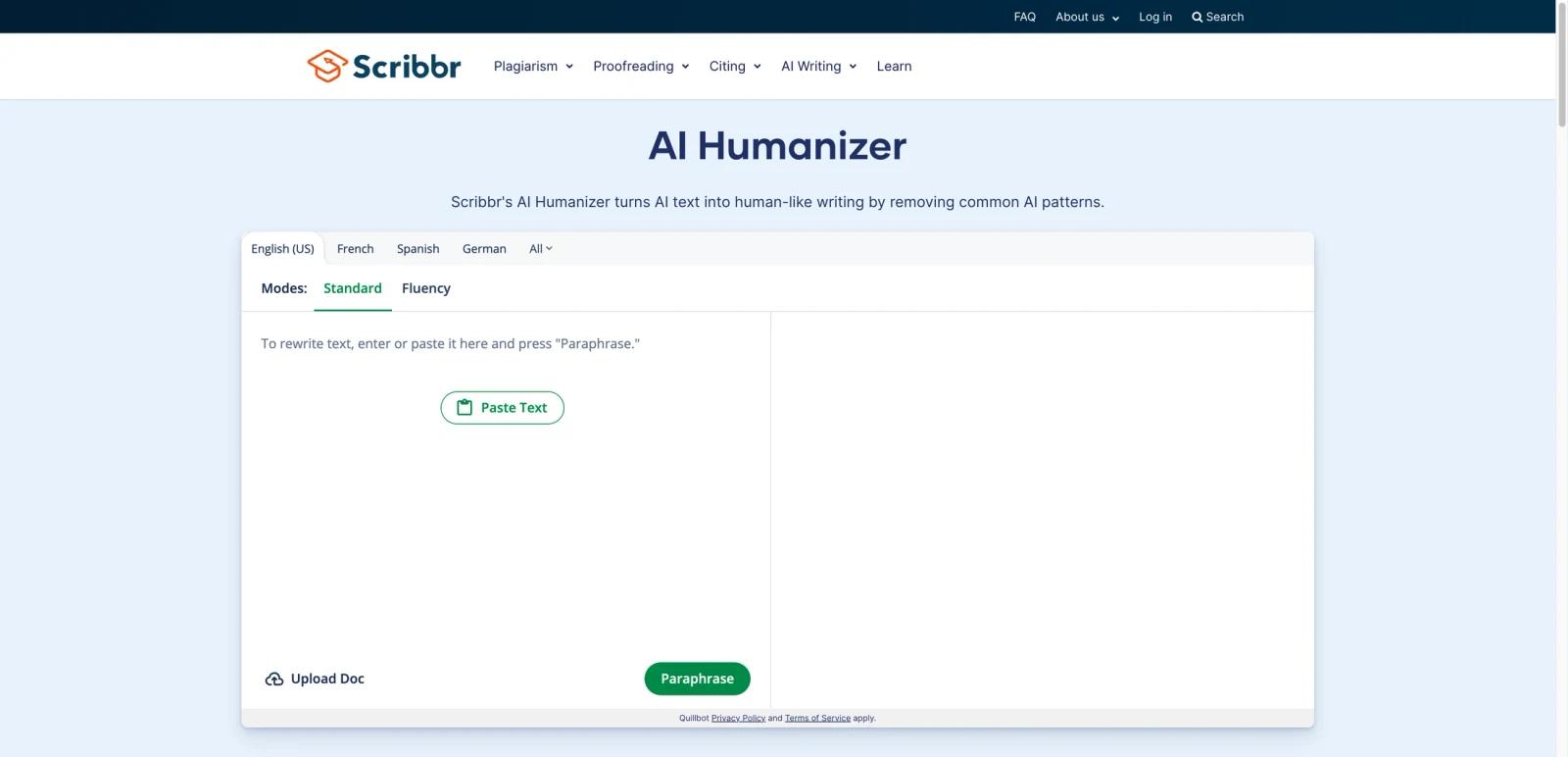
Scribbr AI Humanizer is a browser-based tool for rewriting AI-generated text into more natural wording. Unlike many standalone AI humanizers that market directly to detector anxiety, Scribbr presents the tool in a cleaner, education-friendly environment that feels closer to writing support than to black-box evasion software.
The page is also notable for its relationship to QuillBot. Public policy text indicates that QuillBot’s privacy policy and terms apply, which suggests the tool sits on top of shared underlying infrastructure. In practice, that means Scribbr AI Humanizer is best understood as a branded access point that is especially attractive to users already familiar with Scribbr’s academic writing products.
As of April 26, 2026, Scribbr publicly highlights AI humanization modes such as Standard and Fluency, along with example use cases for professionals, content creators, and job seekers. The tool page emphasizes usability and readability more than pricing, so the main evaluation point is interface fit and brand trust rather than aggressive feature differentiation.
For adjacent research, compare AI design tools, AI UI design tools, AI website design tools.
Key Features
- Academic-friendly interface — Scribbr presents AI humanization in a writing-support context that feels accessible to students and professionals.
- Multiple rewrite modes — Public examples highlight modes such as Standard and Fluency for different cleanup goals.
- Simple browser workflow — Users paste text, select a mode, and get a rewritten output without account-heavy setup.
- QuillBot-linked backend posture — Policy language ties the experience to QuillBot’s terms and privacy framework.
- Use-case framing — The page explicitly mentions professionals, content creators, and job seekers.
- Low-friction entry — Pricing is not the dominant message on the page, which makes the tool easy to test.
Pricing & Plans
Scribbr AI Humanizer is positioned as an easy-access web tool rather than a deeply explained pricing product.
| Plan | Public pricing posture | Best fit |
|---|---|---|
| Free-entry access | Public tool page emphasizes immediate use over plan breakdowns | Casual users testing AI humanization |
| Premium ecosystem access | Likely connected to broader QuillBot premium economics rather than a separate Scribbr-only pricing stack | Users who need heavier usage and broader writing utilities |
The main tradeoff is transparency. Scribbr’s interface is approachable, but buyers who need detailed plan economics will likely need to look at the underlying QuillBot ecosystem rather than relying on the humanizer landing page alone.
Best For
- Students and graduates refining AI-assisted drafts
- Professionals who prefer a cleaner academic-style interface
- Users who want quick text humanization without complex setup
- Buyers who trust Scribbr’s brand more than detector-heavy startups
FAQ
What is Scribbr AI Humanizer?
Scribbr AI Humanizer is a web tool for rewriting AI-generated text into more natural language in Scribbr’s academic-focused interface.
Is Scribbr AI Humanizer free?
The public page is positioned as easy-to-try access, but it does not foreground a detailed pricing table. Heavier premium economics appear tied to the underlying QuillBot ecosystem.
Is Scribbr AI Humanizer different from QuillBot AI Humanizer?
It appears closely connected. Scribbr’s page references QuillBot’s terms and privacy policy, suggesting shared infrastructure with a different brand and presentation layer.
Who is Scribbr AI Humanizer best for?
It is best for students, graduates, professionals, and creators who want a straightforward rewrite tool with a more academic-style user experience.
Who should use Scribbr AI Humanizer?
Scribbr AI Humanizer is best for users who need the workflow described in this review and want to compare it against adjacent AI tools before adopting it.
How much does Scribbr AI Humanizer cost?
Pricing can change by plan, billing term, region, and usage limits. Check the official website for the current plan details before purchase.