

Overview
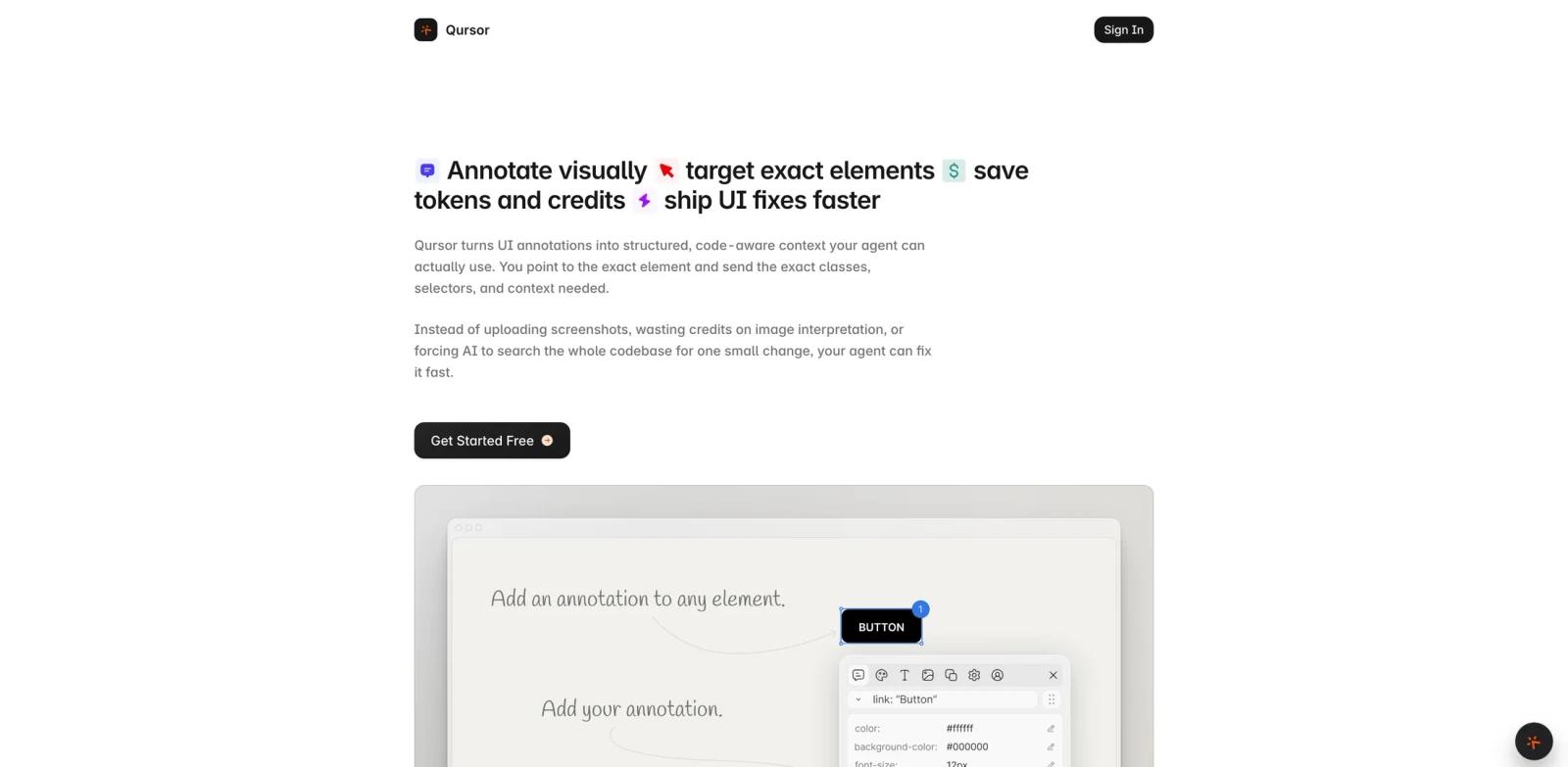
Qursor is a Chrome extension that turns live interface inspection into structured context for AI coding agents. Instead of describing a broken button, mismatched card, wrong font, or off-by-one spacing issue in plain language, developers can point at the exact element and copy selectors, classes, styles, fonts, colors, spacing, assets, and component context into an AI workflow.
The tool is built for frontend developers, designers, QA reviewers, and product teams that already use AI code generator tools but still lose time explaining what part of the UI needs to change. It is especially useful when an AI assistant needs exact browser context before editing code, refactoring a component, or matching a screenshot to an implementation.
Qursor appeared on Product Hunt's June 12, 2026 daily leaderboard with the tagline "Point at any UI to send exact context to your AI." The official site describes it as a visual inspection extension for copying code-aware UI context, reviewing interfaces, and exporting components from websites or local apps; its FAQ notes that it works on most pages opened in Chrome.
Key Features
Exact UI targeting - Select visible elements on most pages opened in Chrome and copy the surrounding selector, class, style, and layout context.
Style inspection - Inspect fonts, colors, spacing, padding, margins, dimensions, and visual properties without manually digging through browser DevTools.
AI-ready clipboard output - Turn a UI selection into structured text that can be pasted into Cursor, Claude Code, ChatGPT, or another AI agent workflow.
Annotation mode - Mark up pages with notes and feedback so design review, QA, and client comments stay connected to the exact interface element.
Component export - Copy selected UI pieces as HTML, CSS, or JSX when you need a fast implementation reference or want an assistant to recreate the component.
Asset, color, and font capture - Use built-in color picking, font detection, and asset download features during frontend QA or design handoff.
How to Get Started
Install Qursor from the Chrome Web Store, pin the extension, and open the website or app you want to inspect. The extension adds a small launcher bubble to the page. Click it, select the target element, and choose whether to inspect, annotate, copy context, or export component code.
For AI-assisted frontend work, the practical workflow is simple: reproduce the issue, select the exact UI element, copy Qursor's structured context, and paste it into your coding assistant with the change you want. This gives the assistant concrete selectors and visual properties instead of vague descriptions.
Qursor also fits design review and AI UX design workflows. A reviewer can mark spacing, font, or color issues directly on the page, then hand the implementation team a context-rich note instead of a separate screenshot with manual arrows.
Pricing & Plans
Qursor has a free plan and paid upgrade options. The official FAQ says the free plan includes 3 picks per day and access to color picker, font detection, asset download, and component copy. Paid plans unlock unlimited picks and the full feature set.
| Plan | Price | Notes |
|---|---|---|
| Free | $0 | 3 picks per day, with core inspection, color picker, font detect, asset download, and component copy |
| Yearly | $29/year | Unlimited picks and full feature access |
| Lifetime | $39 one-time | Permanent access with no recurring fee |
The Product Hunt maker comment also references the free plan and a $39 lifetime deal. Qursor does not appear to require a team contract for the core Chrome extension workflow.
Best For
- Frontend developers who use AI coding assistants for UI fixes and component refactors
- Product teams reviewing staging builds with visual feedback
- Designers who need implementation-ready notes instead of static screenshots
- QA testers who want exact selectors, styles, and visible context in bug reports
- Solo builders using tools like Cursor, Claude Code, or ChatGPT for web app iteration
FAQ
What does Qursor do?
Qursor lets you point at a UI element on a live website and copy structured, code-aware context such as selectors, classes, styles, fonts, colors, spacing, and component snippets.
Is Qursor an AI coding tool?
Qursor is not a coding model by itself. It is a context capture layer for AI coding workflows, helping tools such as Cursor, Claude Code, and ChatGPT understand the exact UI element you want changed.
Does Qursor have a free plan?
Yes. The official FAQ says Qursor has a free plan with 3 picks per day and access to core tools including color picker, font detection, asset download, and component copy.
What are the paid plans?
The official site lists a $29 yearly plan and a $39 lifetime plan. Both give unlimited picks and the full feature set.
Can Qursor export code?
Yes. Qursor can copy selected components as HTML, CSS, or JSX, or download them directly; the official FAQ says there is no Tailwind output.
Who should use Qursor?
Qursor is best for people who already work on frontend UI and want to reduce the back-and-forth required to explain visual changes to an AI agent or developer.