



Overview
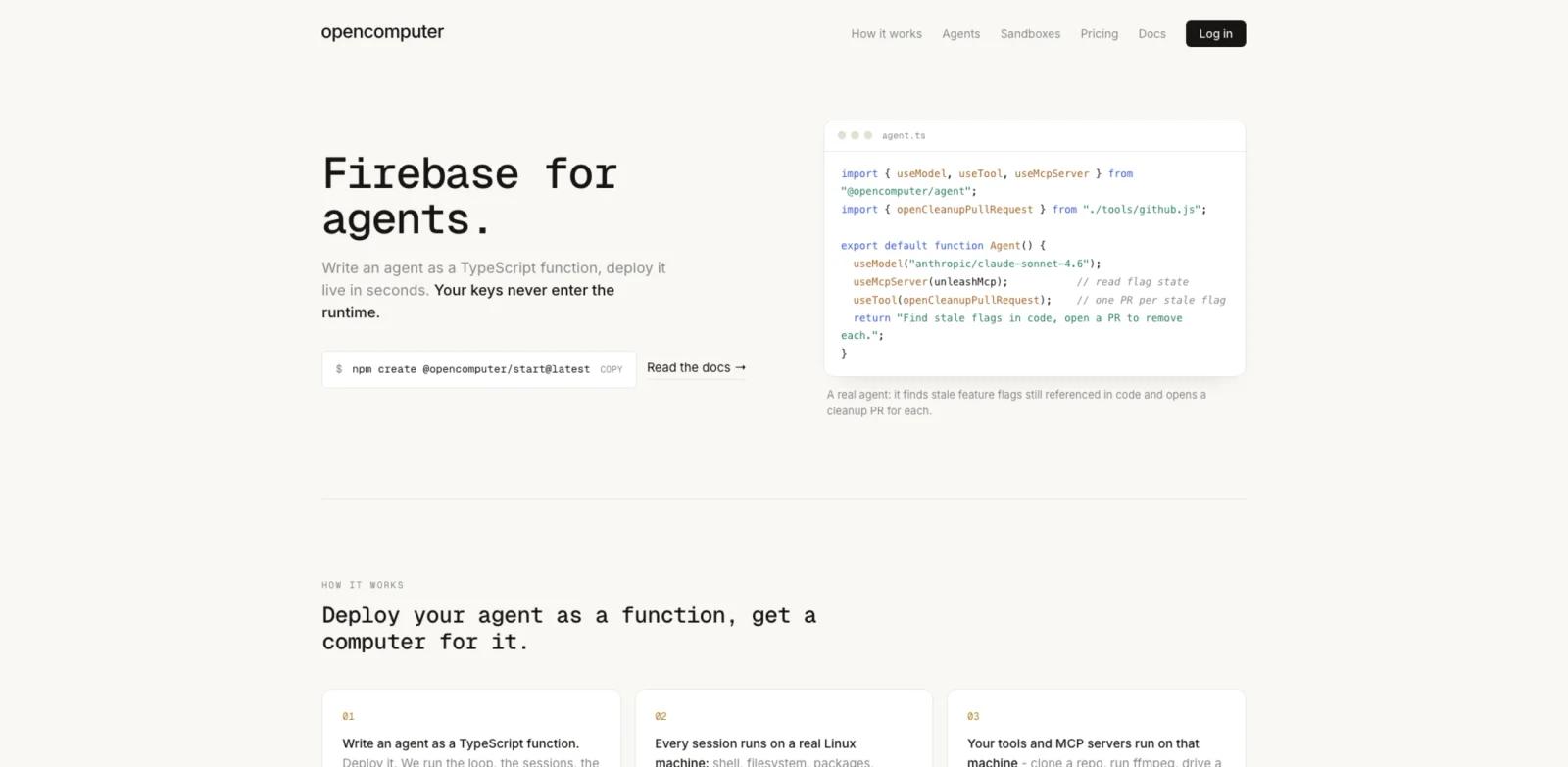
OpenComputer is a cloud runtime for deploying AI agents and giving each run a real Linux computer. Developers write an agent as a TypeScript function, attach models, tools, connections, MCP servers, or subagents, and deploy it through the OpenComputer CLI. The platform manages the agent loop, durable sessions, streaming, versions, schedules, and the machine underneath.
Each session has a writable filesystem, shell, package managers, and network access. That makes OpenComputer useful when an agent must clone a repository, run tests, install dependencies, process media, drive a browser, or maintain state between turns instead of completing a short stateless API request.
For teams comparing AI agent platforms, the main distinction is the combination of an agent framework and a persistent computer. OpenComputer also exposes its Linux machines as bare sandboxes, so developers can bring their own harness when they do not want the managed agent loop.
Key Features
- Agent-as-code deployment - Define an agent with a TypeScript function and hooks, then deploy an immutable version behind an alias through the CLI.
- Full Linux sessions - Give every run shell access, a writable filesystem, package installation, and network access on an isolated virtual machine.
- Durable execution - Stream progress, steer a run while it is active, hibernate idle sessions, and resume work without rebuilding the environment.
- Tools and MCP servers - Attach custom tools and MCP servers to the same machine where the agent executes commands and files.
- Secret-bound connections - Bind a secret to an approved origin and inject it after the request leaves the sandbox, reducing the chance that agent code reads or redirects the credential.
- Direct sandbox control - Create, checkpoint, fork, restore, and resize Linux microVMs when a custom agent harness needs lower-level compute primitives.
How to Get Started
The official quickstart scaffolds an agent and a companion React app. A typical path is:
- Run
npm create @opencomputer/start@latest my-agentand install the generated dependencies. - Sign in with
npx opencomputer login. - Edit the generated agent function and attach only the tools, MCP servers, and connections required for the first workflow.
- Use the development commands to sync agent code to the managed development runtime and run the local web client.
- Deploy a version with the production alias, then review logs, machine usage, and secret scopes before adding a schedule.
Start with a bounded task such as opening cleanup pull requests or running a repeatable repository check. This makes it easier to evaluate resume behavior, tool permissions, runtime cost, and failure recovery before assigning a broad autonomous workflow.
Pricing & Plans
OpenComputer's main homepage lists usage-based billing with prepaid monthly plans; separate official agent pages currently show different agent-specific compute pricing. The main homepage lists $10 in starting credit, passes model calls through at API rates, bills machines by the second, and scales idle sessions to zero. Users can also bring their own model key or a Codex subscription.
| Option | Public Price | Buying Consideration |
|---|---|---|
| PAYG | Usage based | No monthly commitment; model calls and active machine time consume credit |
| Pro | $20/month | The payment becomes 10x prepaid usage credit; excess usage returns to PAYG rates |
| Max | $200/month | The same prepaid-credit model at higher scale, positioned for 10+ default machines |
| Enterprise | Custom | Private cloud or VPC options, volume pricing, SSO, audit logs, and priority support |
The default agent machine is listed as 2 GB RAM and 1 vCPU at $0.00315 per minute, billed to the second, with higher rates when it bursts. Actual cost depends on active machine time, burst size, model usage, and whether the team supplies its own model credentials.
How It Compares
CreateOS Sandbox is a closer fit when a team primarily wants Firecracker microVMs, SDK, CLI, MCP access, and infrastructure-level sandbox control. Construct Computer is oriented toward founders and operators delegating business workflows to AI employees in a shared desktop.
OpenComputer sits between those approaches. It offers lower-level sandbox primitives but also manages agent loops, sessions, streaming, schedules, versions, and secret-aware connections. Teams should choose it when they want to ship their own agent product, not simply rent a remote desktop or buy a ready-made AI coworker.
Best For
- Developer teams building agents that must run commands, manipulate files, install packages, or use browsers
- Agent products that need sessions to survive idle periods, restarts, and human steering
- Teams that want AI workflow automation with code-reviewed functions and scheduled deployments
- Infrastructure teams that need checkpointable Linux sandboxes for a custom agent harness
- Security-conscious builders who want model keys and service credentials kept outside untrusted runtime code
FAQ
What is OpenComputer?
OpenComputer is a managed runtime for AI agents and cloud sandboxes. It combines TypeScript agent deployment, durable sessions, streaming, schedules, tools, MCP servers, protected connections, and isolated Linux machines.
Does every OpenComputer agent get a real computer?
Yes. The official site states that each session runs on a Linux machine with shell, filesystem, package managers, and network access. The sandbox documentation describes full virtual machines with KVM isolation rather than application containers.
Is OpenComputer free to try?
The public pricing section lists $10 in starting credit. After that, PAYG usage or a prepaid monthly plan applies.
How much does OpenComputer cost?
PAYG charges model calls at API rates and machine time by the second. Pro is listed at $20 per month and Max at $200 per month, with each plan converting the payment into multiplied prepaid usage credit.
Can I bring my own model key?
Yes. The official site says developers can bring their own model key or use OpenComputer-managed model access. Supplying your own model key or a Codex subscription can make the platform's model meter read $0, while machine time still applies.
What happens when an agent is idle?
Durable sessions can hibernate while idle and resume later. The public pricing description says idle sessions scale to zero, so active machine time is the primary compute meter.
When should I use a bare sandbox instead of a managed agent?
Use a managed agent when you want OpenComputer to handle the loop, sessions, streaming, schedules, and versions. Use a bare sandbox when you already have an agent harness and primarily need isolated, checkpointable Linux compute.
Who should skip OpenComputer?
Teams that only need stateless model calls or a no-code business assistant may not need a persistent Linux runtime. The platform is most valuable when an agent must execute software, preserve state, or operate for long periods.