

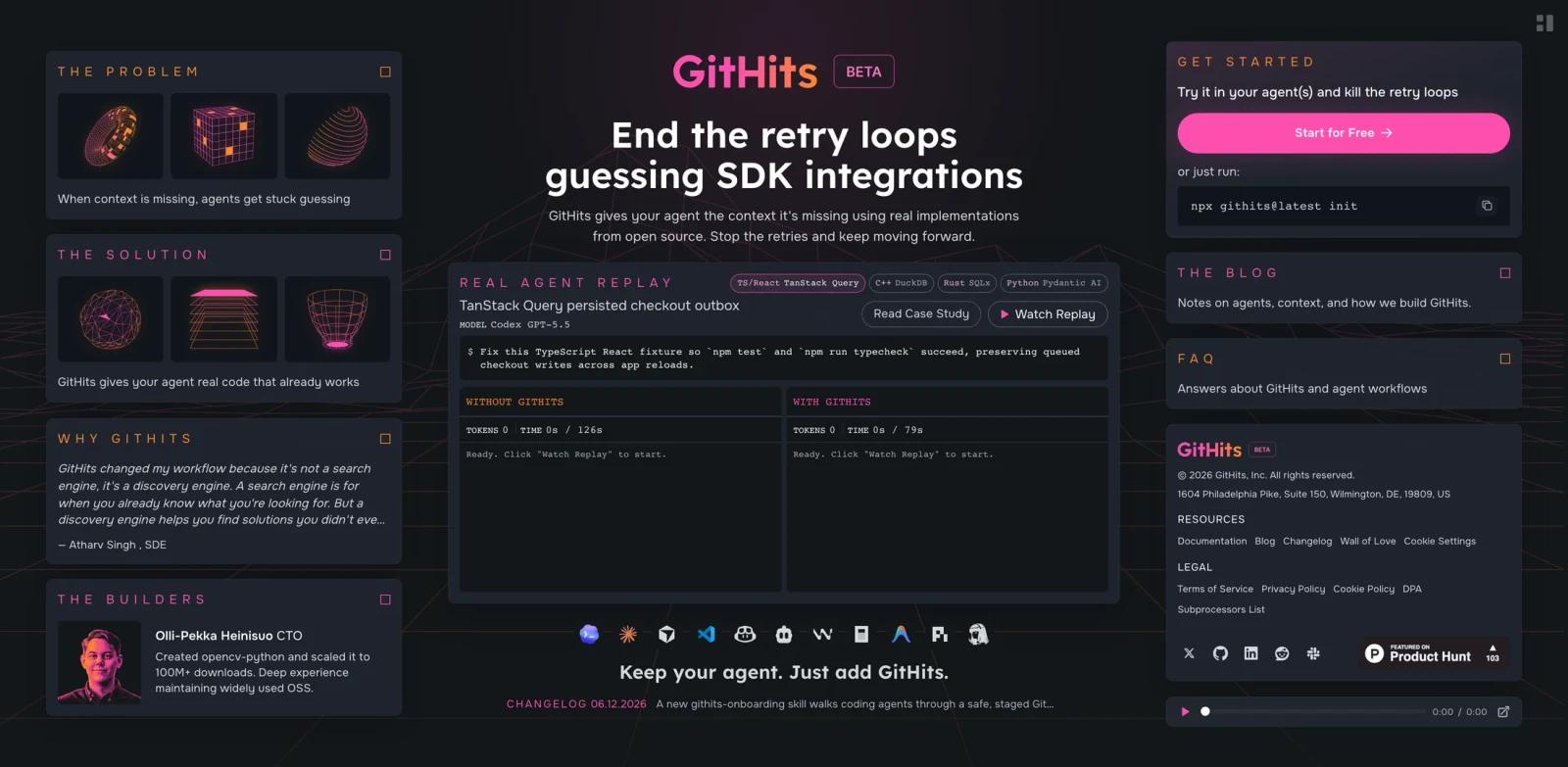


Overview
GitHits is a code-context engine for AI coding agents and developers. Its core promise is simple: when an agent gets stuck guessing SDK integrations, hallucinating APIs, or retrying against stale dependency assumptions, GitHits gives it real implementation examples from open-source repositories, documentation, issues, discussions, pull requests, and package metadata.
The official site describes GitHits as "open-source code as context for AI coding agents." Product Hunt launched GitHits beta 0.9 on June 16, 2026 with the positioning "Give your AI coding agent access to open-source code." That makes it highly relevant for teams evaluating AI code generator workflows that need better grounding than generic web search.
GitHits is not a private repository indexing tool. Its FAQ says it does not access, index, or store private source code. Instead, it complements agents that already have local project access by supplying external open-source context: dependency source, docs, implementation patterns, package evidence, and source links.
Key Features
Real implementation examples - Finds examples from open-source repositories, issues, discussions, and pull requests, then links back to source references.
Code navigation for agents - Provides search, grep, file listing, exact line reads, symbol lookup, imports, call relationships, and repository context without cloning.
Package inspection - Helps agents inspect dependency source, vulnerabilities, changelogs, version changes, package metadata, and licenses.
Docs and repository context - Combines hosted docs with repository-backed documentation so agents can cross-check APIs against actual code.
MCP-friendly workflow - Gives coding tools a way to invoke GitHits automatically or through explicit instructions, depending on the agent environment.
License and safety controls - Supports license filtering and guardrails designed to reduce prompt injection and malicious content risk.
How to Get Started
GitHits has a "Start for Free" entry point at app.githits.com. For manual use, developers can start by searching a dependency or implementation problem directly. For agentic use, the more important setup is connecting GitHits to the coding environment through its documented workflow or MCP tooling.
The best first use case is a specific blocker: an SDK method that keeps failing, a dependency version change, a framework pattern that documentation underspecifies, or a package internals question. Ask the agent to use GitHits for source-backed examples before it writes another guessed implementation.
For teams, define when the agent should use GitHits automatically. Good triggers include repeated test failures, unfamiliar packages, missing API docs, migration tasks, and any code generation that depends on third-party library behavior.
Pricing & Plans
GitHits currently presents a free starting path. The official site includes "Start for Free" CTAs, and its structured data lists an offer price of $0. A public paid plan table was not available on the reviewed website.
Because the product is in beta, teams should verify account limits, private beta availability, and any future paid tiers before standardizing on it for production engineering workflows.
| Plan | Price | Notes |
|---|---|---|
| Beta / Start for Free | $0 | Open-source code context, examples, code navigation, package inspection, documentation access, and source references |
Best For
- Developers who use Codex, Claude Code, Cursor, or other AI agent workflows for real implementation work
- Teams debugging repeated AI-generated mistakes around SDKs, frameworks, and dependency internals
- Engineers who want source-backed examples before modifying unfamiliar packages
- Agent builders who need safer context than arbitrary web browsing
- Teams that care about license filtering and source traceability in AI-assisted development
FAQ
What does GitHits do?
GitHits gives AI coding agents and developers source-backed open-source context, including implementation examples, package evidence, docs, repository metadata, issues, discussions, and pull requests.
Does GitHits access my private repository?
No. The official FAQ says GitHits does not access, index, or store private source code. It provides external open-source context that complements agents already working in your local codebase.
How is GitHits different from web search?
GitHits is designed around code navigation and source evidence. It can search symbols, grep code, read exact files, inspect dependencies, and link back to implementation sources instead of returning general web pages.
Is GitHits free?
The public site currently has "Start for Free" CTAs and structured data listing an offer price of $0. A public paid pricing table was not available on the reviewed page.
Does GitHits handle open-source licenses?
Yes. The official FAQ says GitHits can exclude repositories with specific licenses and that example generation uses strict filtering by default.
Who should use GitHits?
GitHits is best for developers and teams whose coding agents frequently need real source examples for third-party packages, framework patterns, migration tasks, or API behavior.