
Best Fergie Baby AI Tools for the Gate Walk Video
Make the Fergie Baby gate walk from a photo, animate a character with a reference performance, or finish a clip with sound. Compare seven tools across these production paths.
On this page
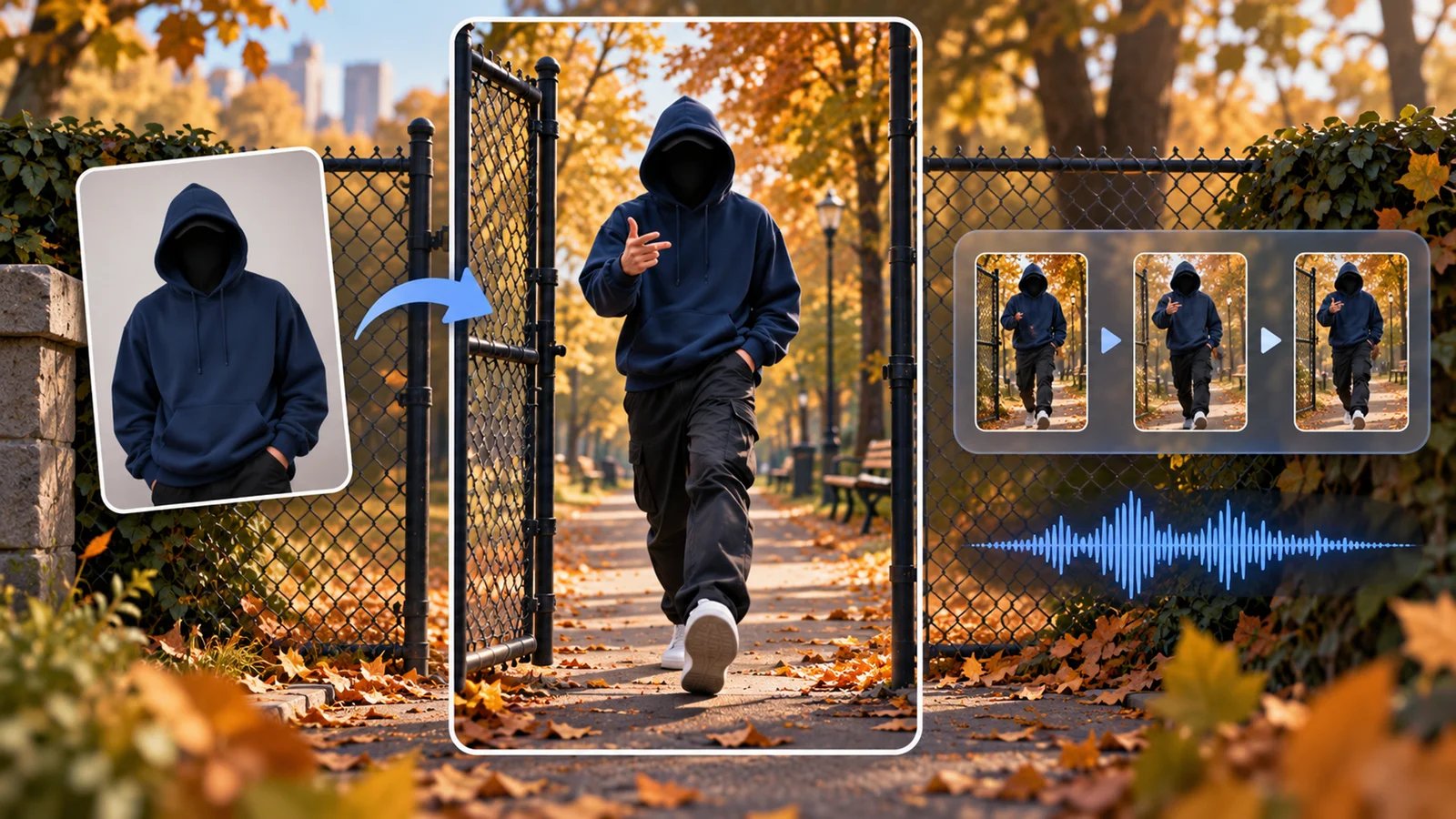
The Fergie Baby AI trend follows a recognizable sequence: open the chain-link park gate, step onto the path, then bounce and gesture toward the camera as it moves backward. The useful question is what you want the tool to supply: the prepared walk, a way to transfer your own reference performance, or the final edit and soundtrack.
Fergie Baby AI is the first choice here for the prepared 20.7-second walk from one photo. MakeViral provides a sound-included trend template; Kavel supplies a shorter photo-driven park-walk variation with a different beat; Viggle and Higgsfield work with motion references; Runway Act-Two transfers a performance; CapCut finishes footage with editing and sound. The comparison below separates these jobs so you can choose the right starting point.
Choose Your Workflow
| Tool and input | Best fit | Delivery or finishing | Payment basis |
|---|---|---|---|
| Fergie Baby AI — one photo | Prepared park-gate walk | 20.7s; up to 720P, optional 480P; vertical + landscape; add sound when posting | One-time: $9.99/1, $19.99/3, $59.99/10 videos |
| MakeViral — one photo | Short trend template within a broader creator platform | 15s, 720p vertical MP4, sound included | 228 credits/run; one-time packs or Starter: $18.99 first month, then $49.99/month |
| Kavel — one photo | Short park-walk variation with a supplied prompt | Default 12s, 720p, 9:16; included hip-hop beat | 925 credits; current $9.99/1,000-credit one-time offer |
| Viggle — character image + motion video | Replace a character in a chosen performance | Mix your image into the reference video | Free: 5 videos/day; paid plans add credits and watermark-free output |
| Higgsfield — image + motion reference | Customize a reference-driven scene | Model and mode determine duration, framing and credit quote | Membership and generation credits |
| Runway — character + performance video | Transfer expressions and upper-body gestures | Act-Two: up to 30s; 9:16 at 720×1280 | Standard or higher; 5 credits/second |
| CapCut — completed video + audio | Trim, frame and finish the post | Assemble the clip, soundtrack and captions | Free basic editing; paid features/assets vary |
Start with a photo template for a supplied gate-walk sequence. Start with motion transfer when you already have a suitable performance reference and want to choose the character or scene. Start with an editor when the footage is ready and the remaining work is timing, framing and sound.
Make the Walk from a Photo

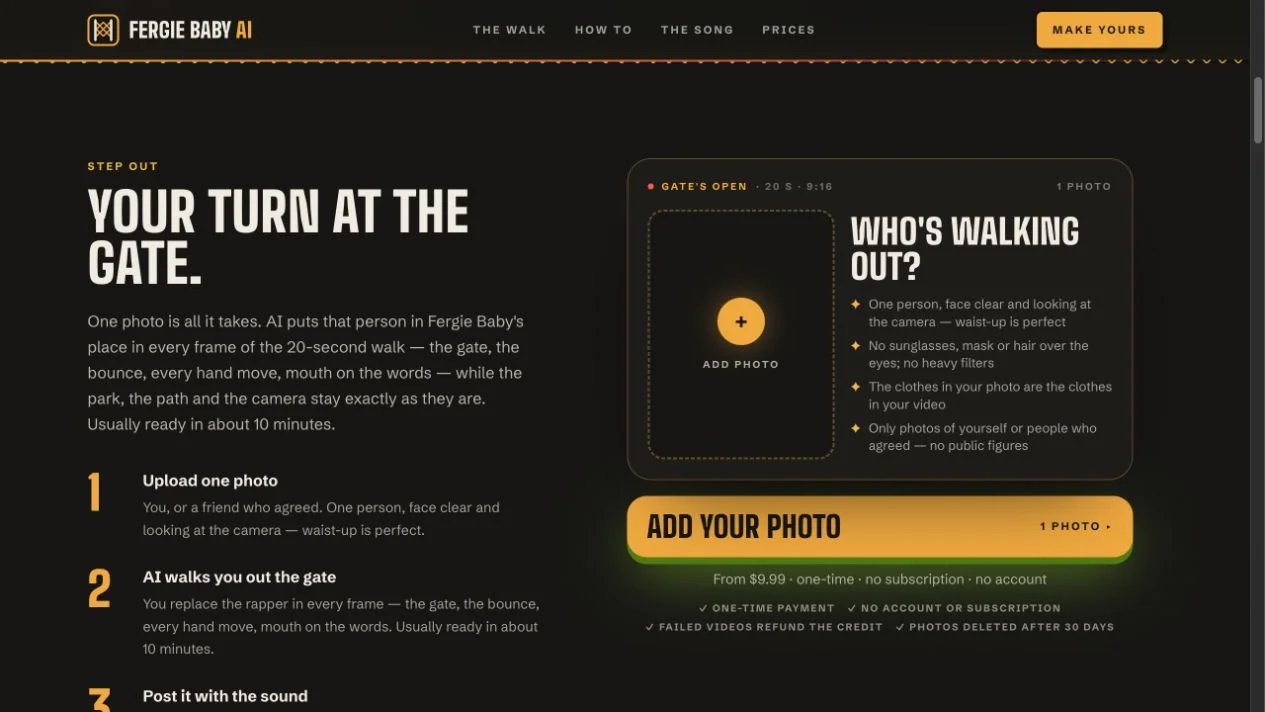
Fergie Baby AI supplies the gate, park path, walk, camera movement and gestures as a prepared sequence. Upload one clear, camera-facing photo of yourself or someone who has agreed. A waist-up image showing the outfit is the recommended input; the photo serves as the reference for the person and outfit.
The 20.7-second video supports up to 720P, with 480P also available. Downloads include a vertical MP4 and a landscape copy with blurred sides. Both are watermark-free and silent. Add the trend sound in TikTok when posting; the provider's guide aligns it with the video from 0:00. The separate full-song option uses an audio starting point of 0:04.
One-time packs: $9.99 for one video, $19.99 for three, or $59.99 for ten. One credit creates one video, unused credits never expire, and the private pack link keeps access to the balance. An account and subscription are unnecessary. The provider estimates about ten minutes and emails a link.
This is the direct route when you want the prepared gate walk with your photo. Its terms cover personal, non-commercial social-media fan content, authorized photos and AI labeling. It is an independently operated fan-made service. The privacy policy states that uploaded photos and videos are deleted after 30 days.
MakeViral
MakeViral's Fergie Baby template provides a shorter variation inside a broader platform for trend videos. Add a photo and use its supplied reference workflow to create a 15-second, 720p, 9:16 MP4. The template page says sound is added to the result and can be turned off.
Choose it when a fifteen-second version suits the post and you also want a shared credit balance for other creator tools. The useful comparison is the specific template's output and debit, rather than the platform's cheapest general generation option.
The page lists 228 credits per run. On the current pricing page, the smallest single one-time pack covering that amount is 450 credits for $39.99. That buys a credit balance; it is not a $39.99 per-video tariff. Starter currently offers 700 credits for the first month at $18.99, then renews at $49.99/month. This is a subscription, while the 450-credit pack is a one-time purchase. The smaller one-time packs are 100 credits for $9.99 and 150 for $14.99; packs feed a shared balance. One-time credits remain available, while subscription credits last for the active plan. Choose the purchase type as well as the credit quantity before paying. Music availability and permissions follow the intended posting platform and use.
Kavel
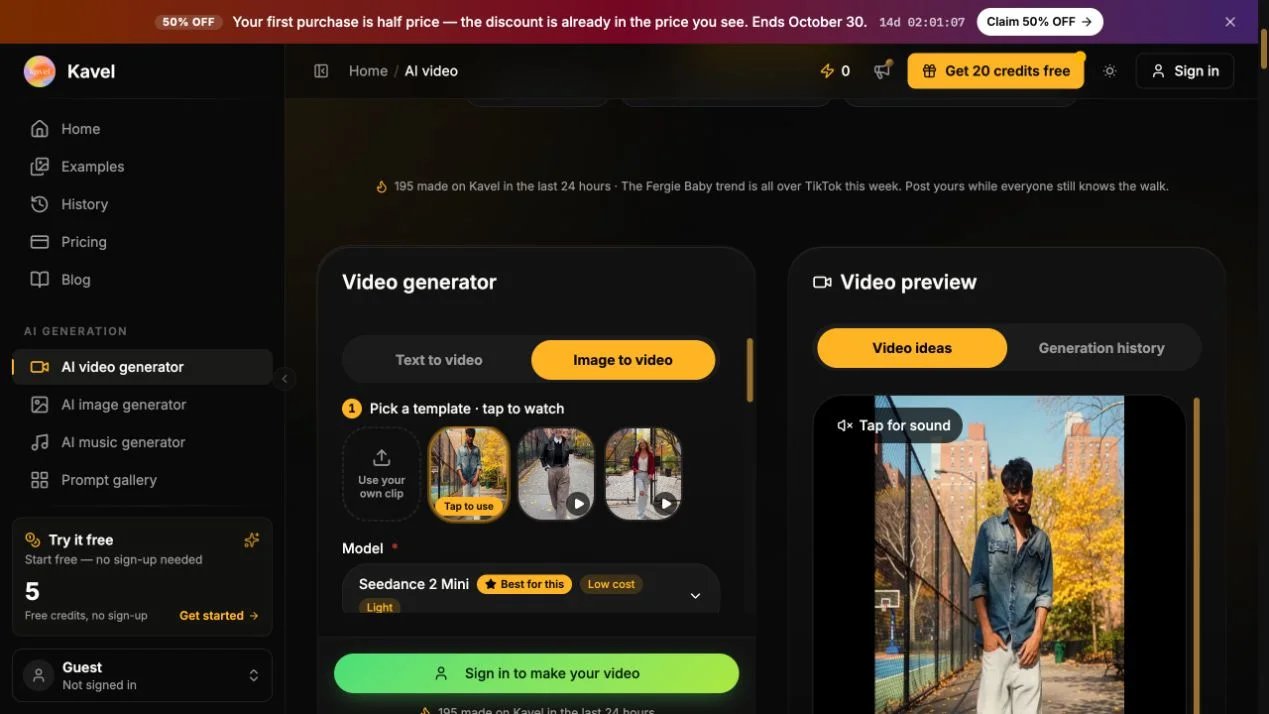
Kavel's Fergie Baby Harlem Walk offers a 12-second, 720p, 9:16 variation from a photo and a supplied prompt. Keep the default park-path walk or select its gate-start example. A knees-up or full-body image supplies the face and outfit reference.
The clip includes its own hip-hop beat; add the trend sound in your posting app when that is the soundtrack you want. This suits a short park-walk variation with an editable prompt and model settings.
The visible Seedance 2 Mini setup quotes 925 credits. The page currently displays a $9.99 one-time, 1,000-credit pack and a first-purchase promotion ending October 30. Pack credits never expire. The selected model requires a Kavel account; confirm the current generation quote and purchase offer for your settings.
Work with Your Own Motion or Performance
Viggle
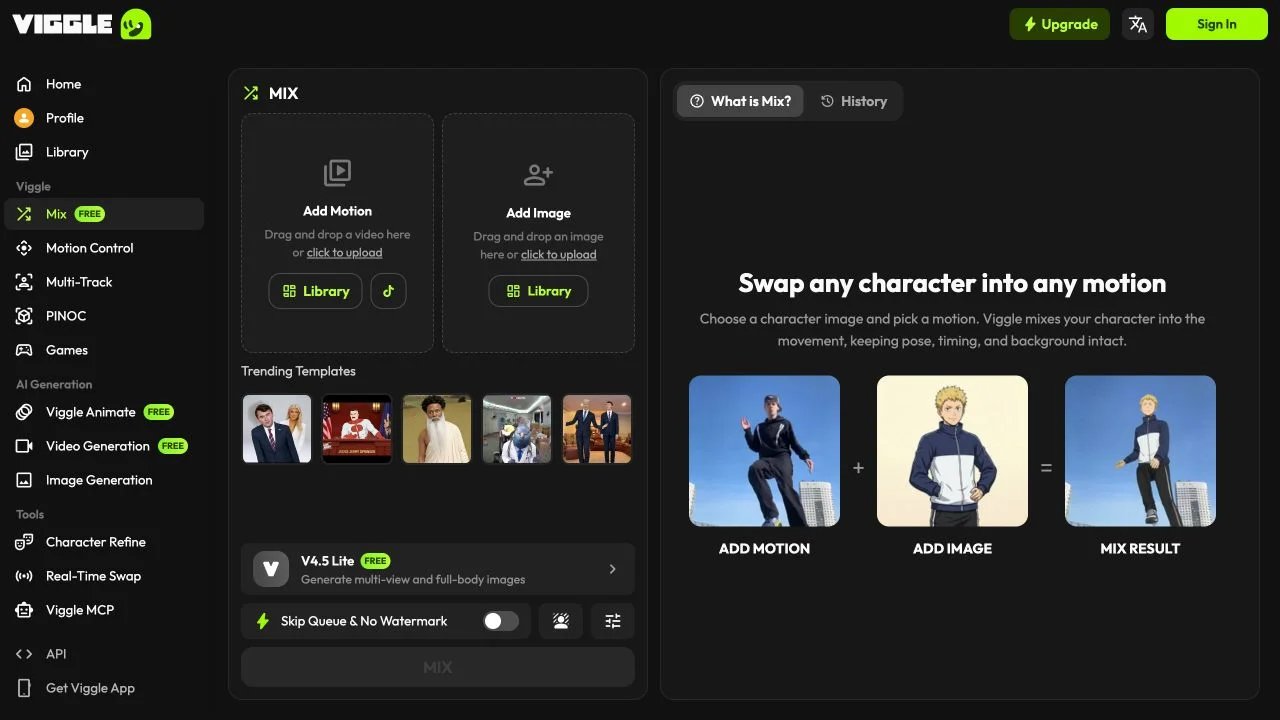
Viggle is useful when you have a character image and a movement reference. Its Mix workflow places the image character into a motion video. The official animation-tools description distinguishes this from Motion Control, which applies reference movement to a character in a static image.
For a gate-walk project, choose Mix when replacing the performer in an existing clip is the job. Choose Motion Control when the starting image's character and scene are the creative starting point. Prepare a reference you have permission to use, with the intended movement visible.
The Free plan lists five videos per day, one generation at a time and seven-day asset storage. Paid plans add credits, longer storage and watermark-free output. Check the selected workflow's quote because credits are shared across tools and models. This suits creators who want to try reference-driven character remixes before choosing a recurring plan.
Higgsfield
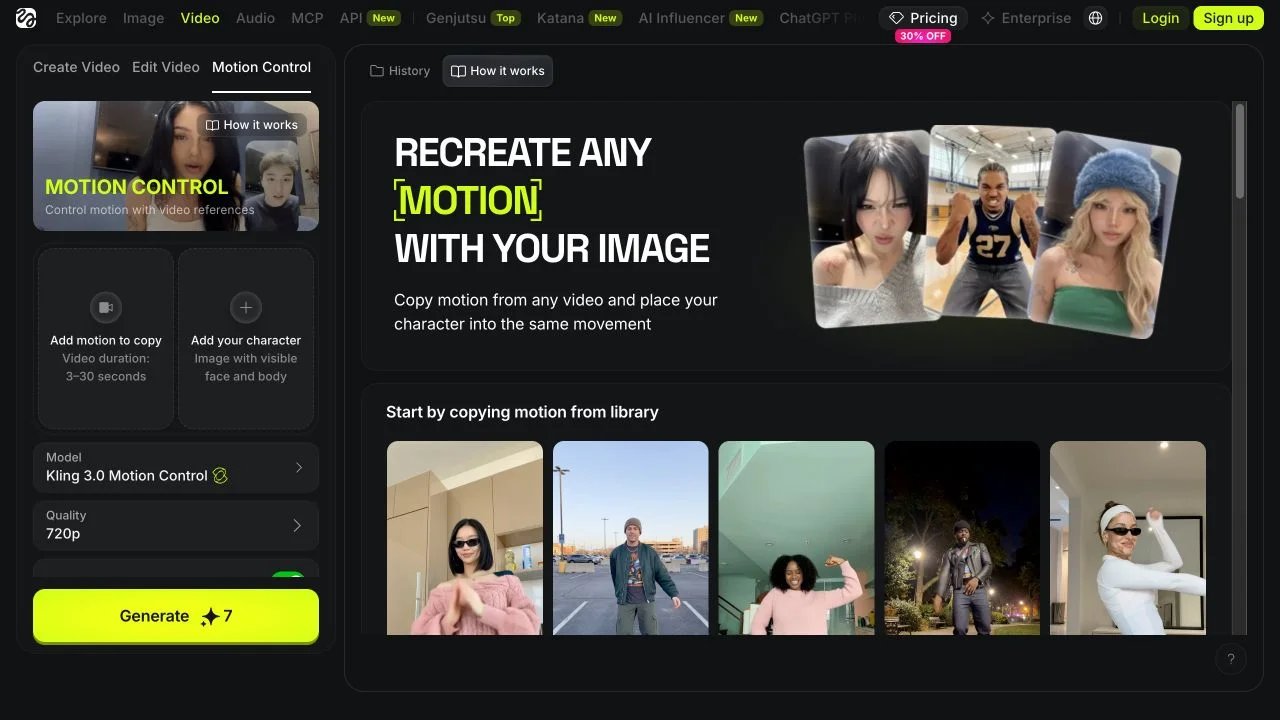
Higgsfield's Motion Control guide describes pairing a character image with a motion-reference video. The reference supplies the movement and pacing; prompts can guide the environment. This is useful for an original setting or a character performance built around a clip you select.
The practical choice is which model and orientation mode to use. Match the visible body framing in the image and reference, then inspect the mode's duration and output settings before generating. A camera preset and a performance-motion reference solve different tasks, so use the reference-motion workflow for a supplied walk.
The platform hosts several video models. Membership and generation credits govern access; the pricing page and selected generation screen provide the current plan and debit. Treat the chosen model's quote as the relevant cost, with room in the balance for revised takes. Choose this route when you want scene and model controls alongside the reference performance.
Runway
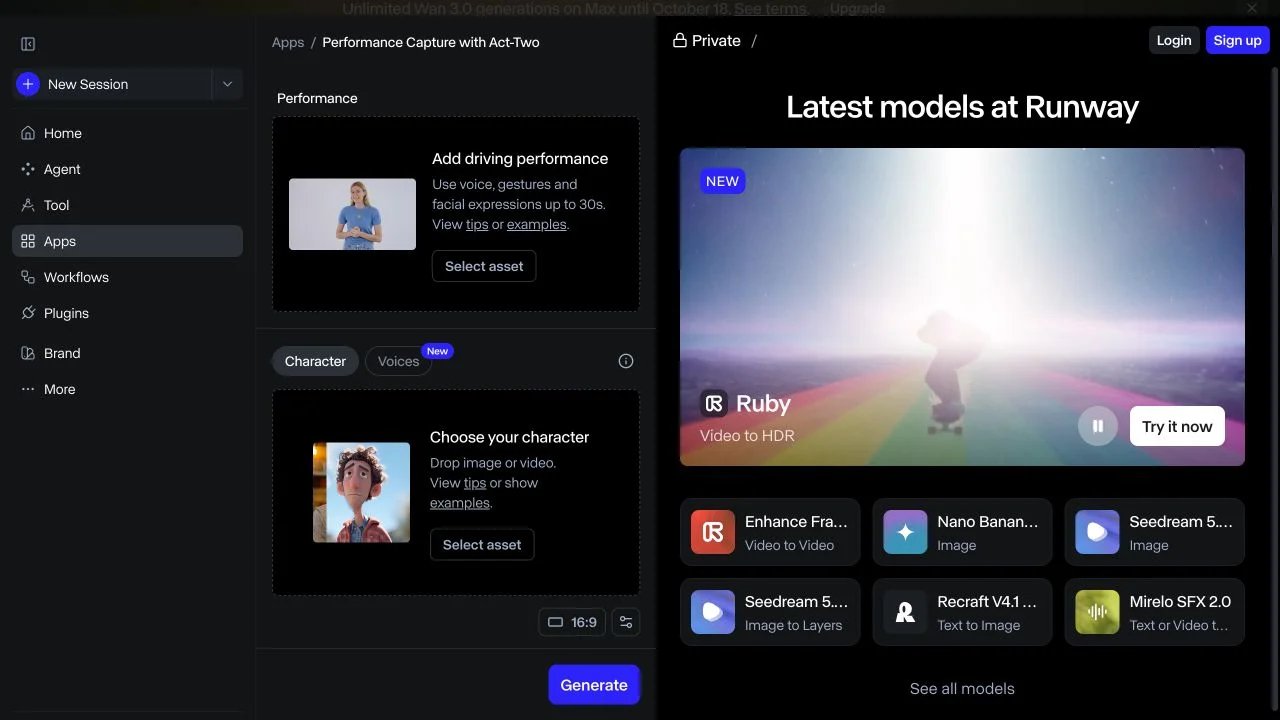
Runway Act-Two transfers a driving performance to a character image or video. It is especially relevant for a custom rap-performance shot centered on expression and upper-body gestures. The image-input route supports gesture control; video input retains that video's existing scene and body movement while transferring facial performance.
Its documented maximum is 30 seconds, with 720×1280 output for 9:16. The recommended framing is waist-up or closer, with a visible face and an uninterrupted performance. Choose it for that performance framing; use the prepared template for the complete supplied park-gate sequence.
Act-Two requires Standard or higher and costs five credits per second, with a three-second minimum. Runway's pricing page lists Standard at $15/month, or $12/month billed annually, including 625 monthly credits. The subscription opens access; individual generations spend those credits. Match duration and gesture settings to the shot you intend to create.
Finish the Clip for Posting

CapCut's audio editor handles the finishing stage: import the completed MP4, trim it, set the framing and place an audio track on the timeline. It is a useful companion to a silent generated clip and to footage you recorded yourself.
Choose it when you want control over the first visible gate movement, the music entry point, captions and the final crop. Those are editing decisions, separate from generating the walk. Keep the gate opening at the start while aligning the chosen sound, then preview the full clip before exporting.
Basic audio addition is offered free; premium effects, assets and other features can have their own access requirements. Use audio permitted for the destination and type of post. This recommendation covers the editor's verified capabilities; a named trend template should be checked separately in the app for its actual movement and duration.
Build the Shortest Useful Production Path
For one recognizable gate-walk post, start with Fergie Baby AI, download the vertical file and add the sound in the posting app. Its prepared 20.7-second sequence and explicit video-count packs make the inputs and purchase straightforward.
For a shorter template inside a creator workspace, compare MakeViral's fifteen-second output and 228-credit quote, including its one-time and subscription options. For a twelve-second park-walk variation with a supplied beat and editable prompt, compare Kavel. For your own motion reference, compare Viggle's character-remix workflow with Higgsfield's model and scene controls. For an expressive upper-body performance, consider Runway Act-Two. Add CapCut when the project needs a separate editing timeline.
These are workflow recommendations based on current official materials, visible product pages and the Fergie Baby AI resolution specifications supplied for this listing, checked October 16, 2026. No paid generation benchmark was performed. For broader discovery beyond this specific trend, browse the AI video generator category; for finishing options, explore the AI video editor category.
Get ToolWorthy Weekly
New AI tools, practical guides, and selected AI signals in one weekly brief.
For AI tool founders
Built a tool that belongs in this decision set?
Request an editorial evaluation for possible inclusion in ToolWorthy.
Submit your tool for reviewPaid submission does not guarantee a ranking, recommendation, inclusion, or editorial outcome.