
10 Best Mobbin Alternatives 2026 — Free, SaaS & Mobile Flow Ready
May 2026 r/UXDesign post says Mobbin's signed-in free view felt more restricted than anonymous browsing. We compare 10 alternatives for SaaS, mobile and Figma work.
On this page
Last week a designer on r/UXDesign posted something that shouldn't be possible: "After signing in… the rest are behind the paywall." The thread was about Mobbin. The complaint was not an official pricing announcement or a confirmed catalog removal; it was a user-reported mismatch between anonymous browsing and the signed-in free experience. You sign up. The library you came to study gets smaller, not bigger. Browse anonymously and you can preview real product screens. Sign in with the same email and the catalog feels gated in ways the marketing page never warned you about.
That single thread, posted on 2026-05-05, is not enough to prove a platform-wide policy change, but it is strong enough to make free-tier transparency a deciding factor when comparing Mobbin alternatives. The 10 alternatives below split into three rough groups: direct same-category replacements (Page Flows, Refero, ScreensDesign), context-specific replacements for SaaS, marketing, or editable Figma work (Land-book, SaaS Landing Page, Figma Community), and free-friendly options that never asked you to gate anything (Godly, Lapa Ninja, Collect UI). Pick by the shape of your work, not the brand familiarity.
| Tool | Best For |
|---|---|
| Page Flows | Real mobile and web user-flow videos |
| Refero | SaaS dashboards, web apps and AI-era UI references |
| ScreensDesign | iOS onboarding, paywall and revenue benchmarks |
| Pttrns | Classic mobile UI pattern research |
| Land-book | Marketing sites, SaaS heroes and pricing pages |
| Godly | High-aesthetic web design taste calibration |
| Lapa Ninja | Free landing-page inspiration at scale |
| SaaS Landing Page | B2B SaaS section-by-section examples |
| Banani | Free mobile app flows and screen references |
| Collect UI | Free Daily UI and pattern inspiration |
How We Selected and Tested
We evaluated each Mobbin alternative against five practical criteria: whether the examples come from real shipped products, whether the catalog covers the user's actual work format, how transparent the free tier and pricing are, how much journey context the product provides beyond static screens, and how easy it is to migrate from Mobbin-style browsing. Pricing and catalog claims were checked against official pricing pages or current public product pages first, then supported with recent community reports only when official pages were incomplete.
Why People Are Leaving Mobbin in 2026
Five themes show up in the threads, and they're not the same complaint with five labels. A pricing argument is different from a trust argument. A mobile-only coverage gap is different from a paywall friction. Treat them separately.
1. The free tier shrinks the moment you sign in. This is the fresh wound, posted 2026-05-05 on r/UXDesign: the designer described browsing Mobbin anonymously, finding examples, then signing up to bookmark them and watching the visible catalog shrink behind a paywall they didn't expect. Mobbin hasn't announced a policy change. There is no version note, no email to existing users. The behavior just is, and the SERP signal is that other designers feel it too: the clearest public evidence is the 2026-05-05 Reddit post; treat the post-login restriction as user-reported behavior, not a confirmed Mobbin policy change. Whether this is a deliberate experiment, a CDN routing quirk, or a slow paywall expansion, the trust crack is what matters. A library that punishes you for becoming a customer is a library you can't recommend at standup.
2. The Pro renewal jumped — and the value didn't move with it. "$25 USD per year… this year's renewal… $120 bill." — r/UXDesign, July 2025. The price increase was real and roughly 4x for legacy users. The complaints aren't about $120 in absolute terms — it's a working-designer expense — but about the gap between the new price and the new content. The catalog hasn't grown 4x. The mobile coverage hasn't 4x'd. The web coverage definitely hasn't. So the renewal feels punitive, especially next to alternatives that are either free (Godly, Lapa Ninja, Collect UI) or roughly half the price (Land-book at $9/mo).
3. It's still mostly mobile — and a lot of design work isn't. "I mostly work on web apps and SaaS-style dashboards." — r/UI_Design, May 2025. Mobbin's original value was the iOS app catalog, and that catalog is still where the depth lives. But more than half of the people studying design in 2026 are building web SaaS, not native iOS apps. Refero, SaaS Landing Page, Land-book, and Page Flows all cover web with depth Mobbin doesn't. If your day job is a dashboard, Mobbin is paying full price for a library where the relevant section is the smaller one.
4. There's no onboarding, paywall, or revenue context. "Specifically need to study onboarding flows." — r/UXDesign, December 2025. Mobbin shows you the screen. It doesn't show you the journey, the conversion logic, or the revenue model the screen is optimized for. Mobile product designers building subscription apps need all three. ScreensDesign and Page Flows both fill exactly this gap — ScreensDesign with revenue/MRR signals and paywall tagging, Page Flows with the full multi-screen flow as video. Mobbin is no longer only a static screenshot library: it now markets screens, UI elements, flows, text-in-screenshot search, videos, prototype mode and copy-to-Figma. The remaining gap is benchmark context — ScreensDesign adds revenue/download and paywall strategy signals that Mobbin does not publish.
5. Screenshots aren't the deliverable anymore. "Instead of screenshots, it's Figma files that you can use to redesign." — r/FigmaDesign, January 2026. The newer workflow is: open a reference, hand the asset to an AI design tool, get an editable Figma starting point in 30 seconds. Mobbin now supports copying designs to Figma through its Figma plugin, so it is not useless for Figma workflows. The limitation is that it remains a reference-first library rather than a source of remixable Figma files, cloneable sites, or editable design-system assets. Figma Community gives you remixable files. Made in Webflow gives you clone-ready sites. Component Gallery indexes real design system components. Designers who have rebuilt their workflow around editable assets describe Mobbin as a step backward, not because the screenshots are bad, but because the format is wrong.
There's a sixth theme that didn't make this list because the evidence is still thin, but it deserves a flag: a small number of designers report that the recommendation surface (the "you might like" suggestions Mobbin shows you while browsing) increasingly recycles the same apps you've already viewed instead of surfacing new ones. If true at scale, it would partially explain the renewal frustration in pain #2 — the catalog feels smaller subjectively even if the absolute size is growing — but the public-thread evidence isn't yet strong enough to call it a real pattern. Note it, watch for it, don't make a decision on it.
These five (or arguably six) pains aren't ranked equally. Number 1 is the freshest and most universal. Number 5 is the lowest weight today but pointing at where the category is going. The 10 alternatives below address different subsets — the comparison table makes the mapping explicit.
Top 10 Mobbin Alternatives Compared
| Tool | Best For | Pricing Shape | Free Access | Coverage |
|---|---|---|---|---|
| Mobbin (anchor) | Baseline comparison | Free; Pro $10/mo billed yearly; Team $12/member/mo billed yearly | Free plan with official content and feature limits | iOS + web apps, sites, screens, flows, animations, Figma copy |
| Page Flows | Flow videos and UX journeys | $13/user/mo quarterly or $8.25/user/mo yearly after trial | 3-day trial; no durable free tier | Mobile, web, email, screens and UI elements |
| Refero | SaaS and web app UI references | Free/basic access; Pro annual shown at $10/mo billed $120/year | Basic/free browsing with Pro-gated pages | Web + iOS references, flows, AI-agent/MCP-oriented research |
| ScreensDesign | iOS subscription app research | ScreensDesign subscription shown at $29/mo | Free previews, paid depth | iOS subscription apps, onboarding, paywalls, revenue/download context |
| Pttrns | Mobile UI patterns | $12/mo, $27/quarter, $72/year | 3-day trial | 7k+ production mobile patterns |
| Land-book | Marketing-site inspiration | Free; Pro $9 monthly or $6/mo billed yearly | Limited free access | Websites, sections, headlines, mobile previews |
| Godly | Curated web aesthetics | Free browsing; sponsorship-supported | Open browse | 1,000+ curated websites |
| Lapa Ninja | Landing pages at scale | Free browsing; donation/sponsor-supported | Open browse | 7,300+ landing pages, 15,000+ full-page screenshots |
| SaaS Landing Page | B2B SaaS page sections | Free browsing | Open browse | 930+ SaaS landing-page examples by section |
| Banani | Free mobile flows | Free references; AI design plans from $0, Plus/Pro paid | Apps, flows and screens viewable without registration | Mobile app flows and AI-to-Figma workflow |
| Collect UI | Daily UI patterns | Free browsing | Open browse | 14,426 Daily UI designs |
All 10 are credible options for someone leaving Mobbin in 2026. The differentiator is fit, not a generic quality ranking — match the column that describes your actual work format to the corresponding row.
Detailed Reviews
Page Flows
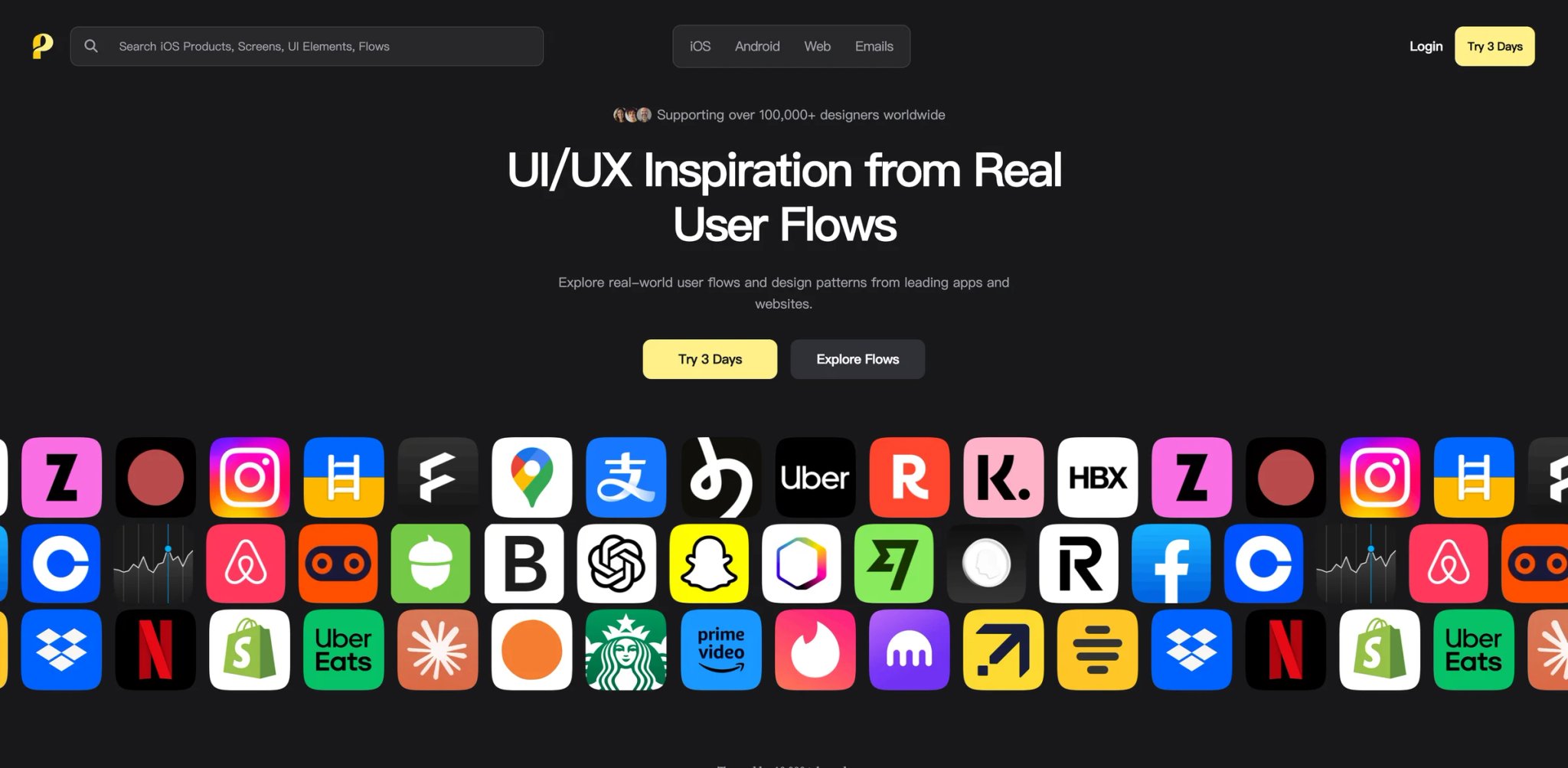
Page Flows is a flow-first UX reference library for mobile, web and email examples, with paid individual plans that unlock unlimited user-flow recordings, emails, screens, UI elements, search, filtering, batch downloads and bookmarks. That positioning is the headline because it's the differentiator: Mobbin shows you the destination, Page Flows shows you the trip.
What "flows" really means: A "flow" on Page Flows is the captured screen-by-screen journey of a real user attempting a real task in a real shipped product. You see the splash, the consent dialog, the field validations, the success state, and the next-step prompt. Mobbin also offers flows, videos and prototype mode, but Page Flows is more explicitly organized around task journeys and screen-recorded flow research. Page Flows binds them. For PMs studying conversion and UX researchers studying drop-off, that's the difference between a reference library and a research library.
Pricing vs Mobbin: 3-day free trial; Quarterly $13/user/mo billed $39 every three months; Yearly $8.25/user/mo. The yearly plan undercuts Mobbin Pro at 2025-2026 prices. The quarterly is slightly more expensive but lets you commit to a project, not a year.
Limitations: Browse-by-flow rather than browse-by-app means worse for designers whose mental model is "Notion has nice settings, let me look at Notion." If you came for app archives, the taxonomy will feel wrong for a week. Do not treat Page Flows as a pure app-archive replacement: its strength is flow capture and journey research, while Mobbin remains stronger for broad screen-by-screen product browsing.
Best for: PMs, UX researchers, growth designers, and conversion specialists who think in journeys. Not the right fit if you want to brand-scroll a curated gallery for visual inspiration.
Get started with Page Flows.
A specific reason Page Flows tends to convert designers off Mobbin in 2026: the second time you study a paywall, you realize the static screenshot doesn't tell you whether the dismissal animation was abrasive, whether the "no thanks" button was hidden in negative space, or whether the upsell modal blocked the back gesture. Mobbin can show flow context, but Page Flows still puts video-based task journeys at the center of the product, which makes friction, sequencing and transition details easier to study. Page Flows shows you the friction the user actually experienced.
Refero
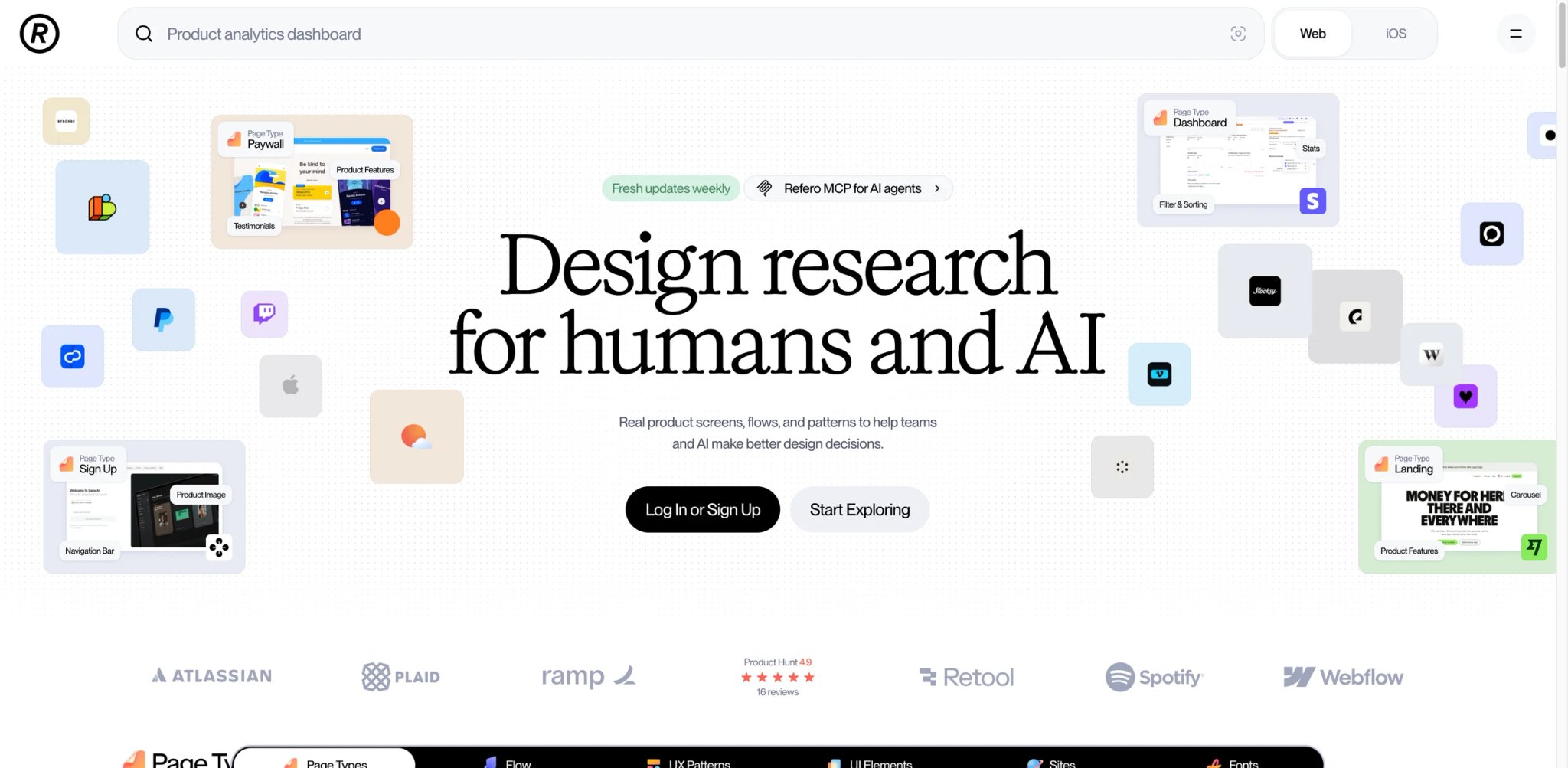
When the question on Reddit is specifically "best Mobbin alternative for SaaS dashboards" or "Mobbin alternative for AI-era app references," Refero is the answer that recurs. It's the closest direct Mobbin replacement that covers the category Mobbin covers weakest: B2B SaaS, internal dashboards, web-first product interfaces, and AI-era app patterns.
What X solves vs Mobbin: The browsing experience is Mobbin-shaped — search, filter, save, export — but the catalog tilts the other way. Where Mobbin's strongest screens are iOS consumer apps, Refero's strongest screens are SaaS dashboards, AI agent interfaces, settings screens, and onboarding flows for web-first products. If 70% of your work happens in a browser, the relevance hit rate is much higher here than on Mobbin.
Pricing transparency caveat: Refero's free index is generous — you can browse a meaningful portion of the catalog without an account. Refero's official pricing index shows a Pro annual option at $10/month billed $120 annually, with monthly, annual and lifetime billing options indicated; verify the final monthly and lifetime checkout prices before subscribing. Verify on refero.design before subscribing. If pricing is what's pushing you off Mobbin, this matters.
Limitations: The mobile catalog is smaller and less deep than Mobbin's iOS archive. If your job is iOS subscription apps, Refero is the wrong tool. Some power-user filters are still being built out — saved searches and tag-based collections aren't as mature as Mobbin's bookmark system.
Best for: SaaS founders, product designers working on dashboards, and AI product teams designing agent UIs. Not the right fit if you're a mobile app designer or you need iOS subscription paywall references.
Get started with Refero.
One sub-pattern worth flagging: Refero's coverage of AI product UX — agent thread layouts, model picker affordances, source-citation chrome, tool-call disclosures — is significantly deeper than Mobbin's. If your work is building AI products in 2026, that gap alone justifies the swap.
ScreensDesign
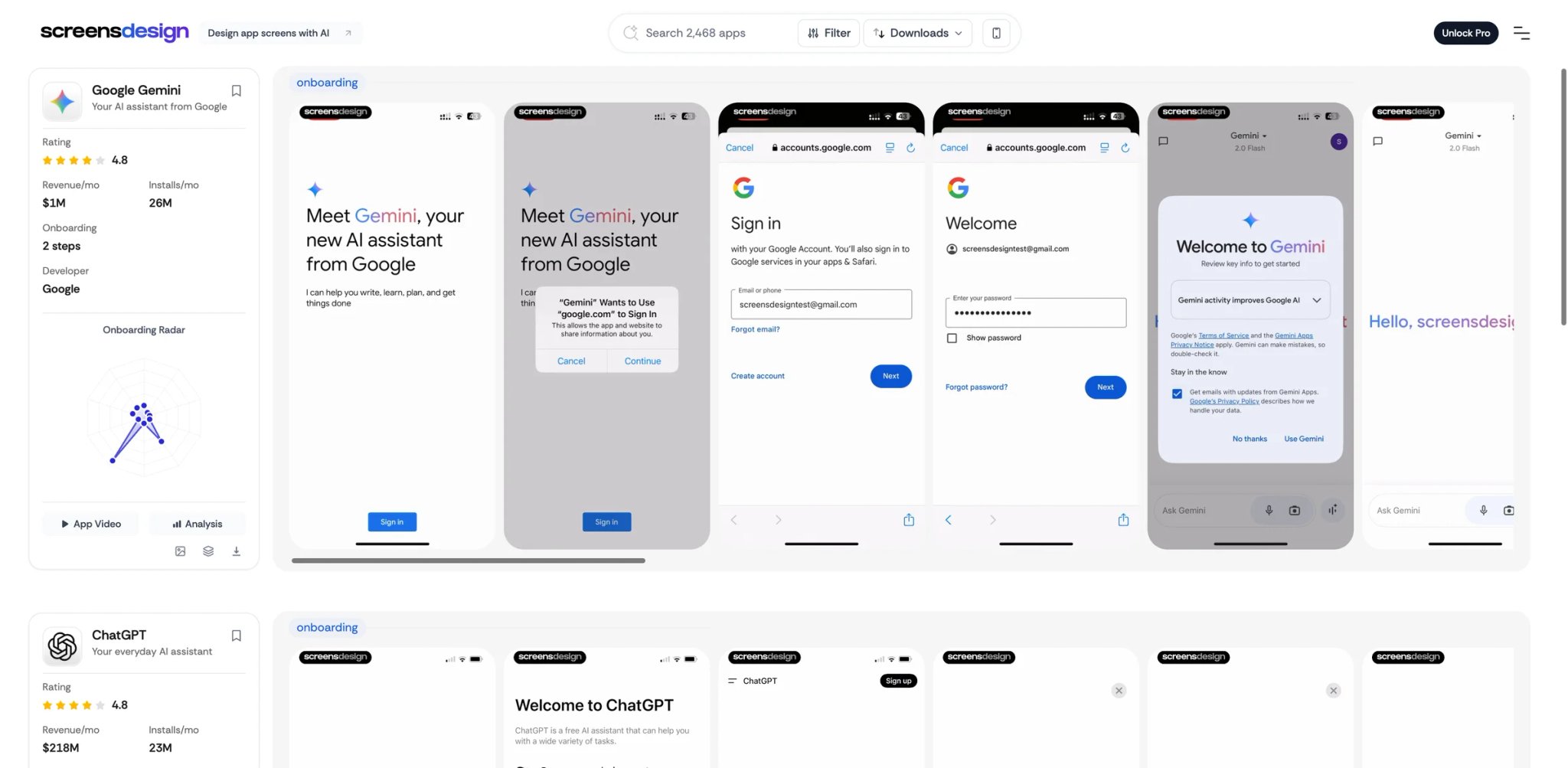
Before pricing, the reality check: when a designer asks on r/UXDesign "Mobbin vs ScreensDesign for subscription apps," the answer in late 2025 has been "go for ScreensDesign — they have video flows, onboarding breakdowns, revenue data." That isn't a marketing claim — it's user-vs-user testimony, and it should make any subscription app designer pay attention.
Mobbin vs ScreensDesign reality check: ScreensDesign isn't just a screenshot gallery. Each iOS app entry includes the onboarding step sequence as a video walkthrough, the paywall type with tagging (hard / soft / metered / freemium / lifetime), and revenue estimates pulled from third-party signal aggregation. Mobbin can show subscription and paywall screens and flows. ScreensDesign goes further by attaching onboarding walkthroughs, paywall categorization and directional revenue/download context around those screens. For a mobile product designer building a subscription app, that's not a small difference.
Pricing vs Mobbin: ScreensDesign's current official surface promotes access to Library and Create in a ScreensDesign subscription at $29/month, making it materially more expensive than Mobbin Pro's $10/month yearly plan. Verify on screensdesign.com before subscribing.
Limitations: iOS-heavy with very limited Android coverage. Web and desktop are not the audience. The breadth of apps catalogued is smaller than Mobbin's iOS archive — depth in onboarding/paywall analysis trades against catalog size.
Best for: Mobile product designers building subscription apps where paywall conversion is the metric that matters. Not the right fit if you're a SaaS web designer or your product doesn't have subscription mechanics.
Get started with ScreensDesign.
Practical note: the revenue estimates on ScreensDesign aren't audited financials and shouldn't be treated as ground truth. They're directional signals — useful for "this paywall type seems to correlate with apps earning at this level" comparisons, not for benchmarking your own MRR against. Treat them like Sensor Tower estimates: imperfect but better than nothing, and useful for relative comparison within the same category.
Pttrns
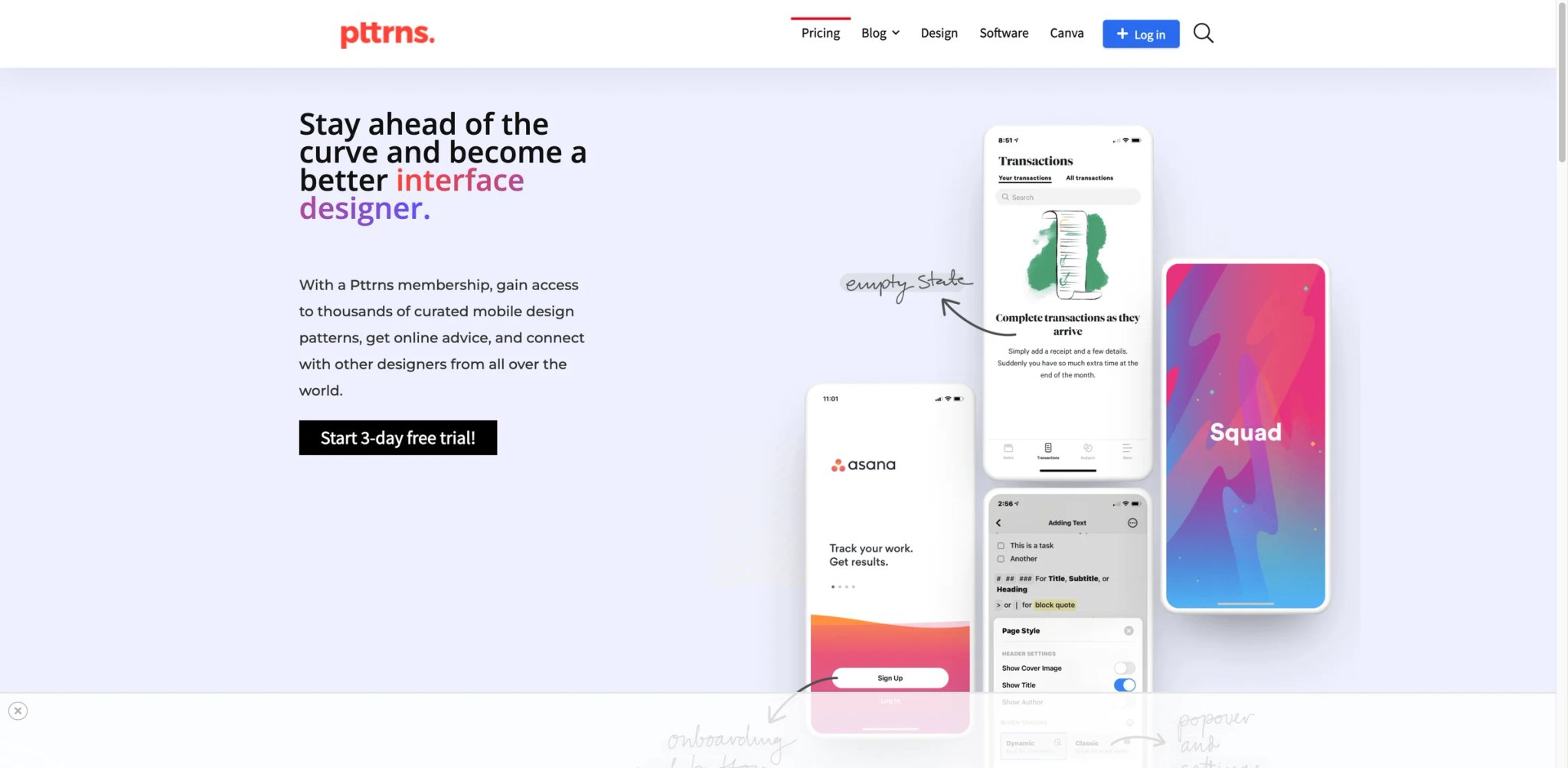
Pttrns has been cataloguing mobile UI patterns since 2010 — older than Mobbin itself by years. That heritage shows up in the taxonomy: you don't browse by "Spotify" or "Instagram," you browse by "Onboarding step 3" or "Empty state for messaging" or "Permission request for camera access." It's pattern-first, app-second, and for designers who think that way, it's the original answer.
What X solves vs Mobbin: Pattern-organized iOS archive going back 14 years. The catalog isn't as fresh as Mobbin's, but the historical depth means you can study how a given pattern (e.g., "settings reset confirmation") has evolved across hundreds of apps over the last decade. That historical view is something Mobbin doesn't sell.
Pricing vs Mobbin: 3-day free trial; $12/mo, $27 quarterly, or $72/year. The monthly and quarterly options are cheaper than Mobbin Pro. The yearly is comparable. If you study iOS patterns intensively for a stretch, the monthly plan is the best deal in the category.
Mobile-only focus: Pttrns is iOS-first and has only ever been iOS-first. No web. No Android. No desktop. That's not a bug — it's the product's whole bet, and it's why the iOS pattern depth is what it is. But if your work isn't iOS, this tool isn't even partially relevant.
Best for: iOS designers studying patterns ("how do other apps handle onboarding step 3?") rather than apps ("show me Notion's onboarding"). Not the right fit if you need web, Android, or non-pattern-organized browsing.
Get started with Pttrns.
The historical view is worth a separate paragraph. Pttrns has been adding apps continuously since 2010, which means you can study how the "empty state" pattern in messaging apps evolved from iOS 4 (heavy gradients, skeuomorphic icons) through iOS 7 flat design through Material-influenced post-2018 cards. Designers studying the history of mobile UI patterns — for talks, teaching, or to understand why current conventions exist — have nowhere else to find that depth.
Land-book
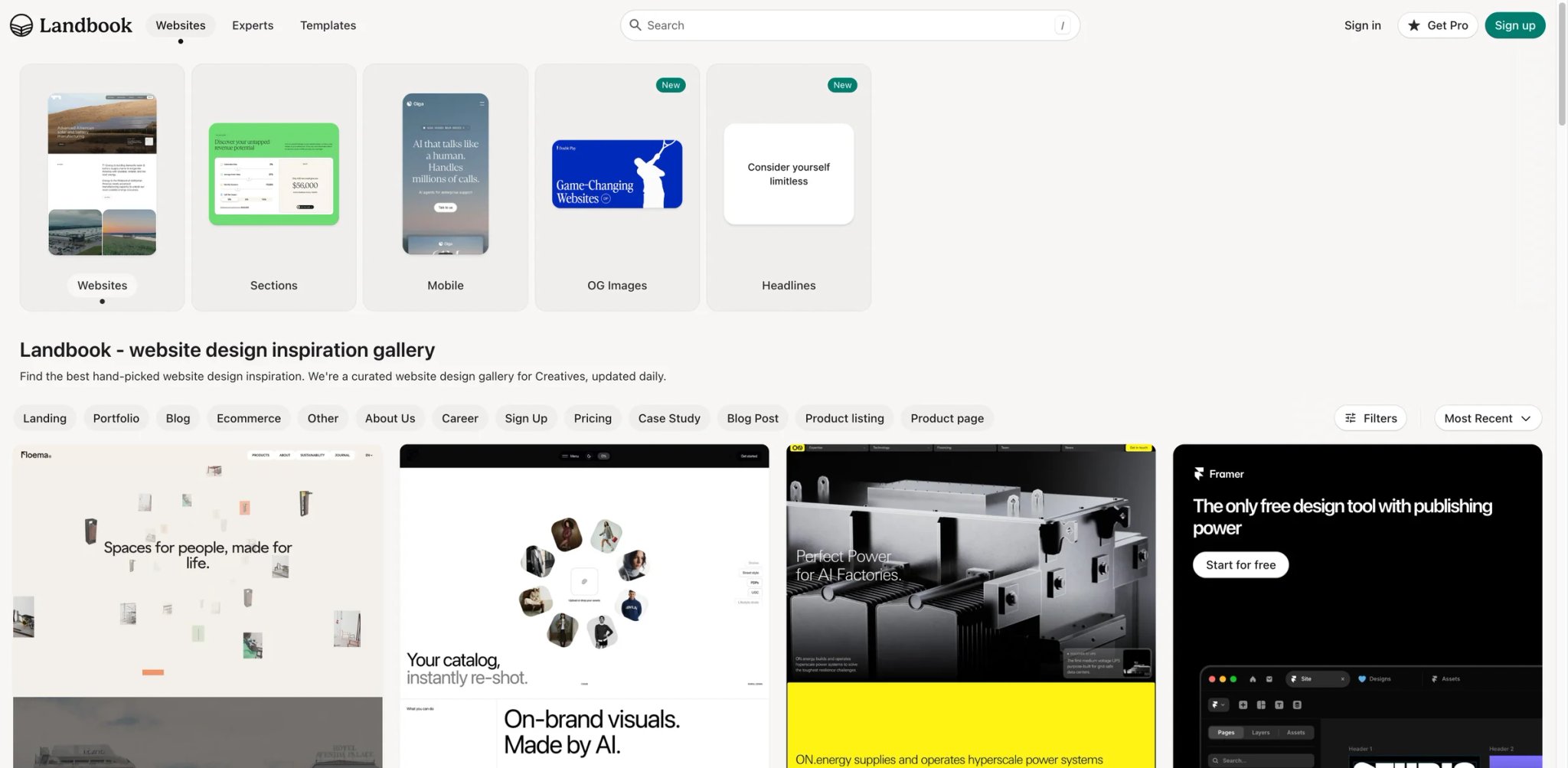
If your Mobbin frustration is really "I'm a marketing designer, not an app designer," Land-book is the gallery built for the work you actually do. Whether your end goal is a hand-coded site or a build using AI website builders like Stitch or Webflow's AI Site Builder, Land-book is the source of truth for what good landing-page execution looks like in 2026. The catalog is curated landing pages: SaaS marketing sites, startup homepages, agency portfolios, indie product launches, ecommerce stores. The visual quality bar is high — every entry has clearly cleared an editorial cut — and the filter system understands sections (hero, features, testimonials, pricing, footer) the way marketing designers think.
What X solves vs Mobbin: Curated marketing-site inspiration that Mobbin doesn't try to cover. Mobbin is product UI; Land-book is marketing UI. They aren't competitors in the strict sense — they're complementary categories you might subscribe to for different reasons.
Pricing vs Mobbin: Basic tier is free with reasonable browsing. Pro is listed at $9/mo on the Pro page, though some official messaging suggests a $6/mo starting price — verify on land-book.com before subscribing. Roughly half of Mobbin Pro at the listed price, possibly cheaper.
Limitations: No app screenshots. No mobile flows. No onboarding context. It's a different category than Mobbin, not a feature-for-feature replacement. If you came to Mobbin for iOS subscription paywall references, Land-book has zero of those.
Best for: Marketing designers, agency teams, founders refining their public-facing site, product marketers benchmarking pricing pages. Not the right fit if you need product UI references at all.
Get started with Land-book.
One under-appreciated value of Land-book is how it indexes by industry and use-case (SaaS, agency, portfolio, startup, ecommerce). That sounds like a small thing, but if you're rebuilding a SaaS pricing page, opening Land-book and filtering to "SaaS → pricing" gives you 100 curated examples in 30 seconds — and the curation means none of them are throwaway templates. Mobbin's tag system can technically do this for product UI, but Land-book's editorial cut is sharper.
Godly
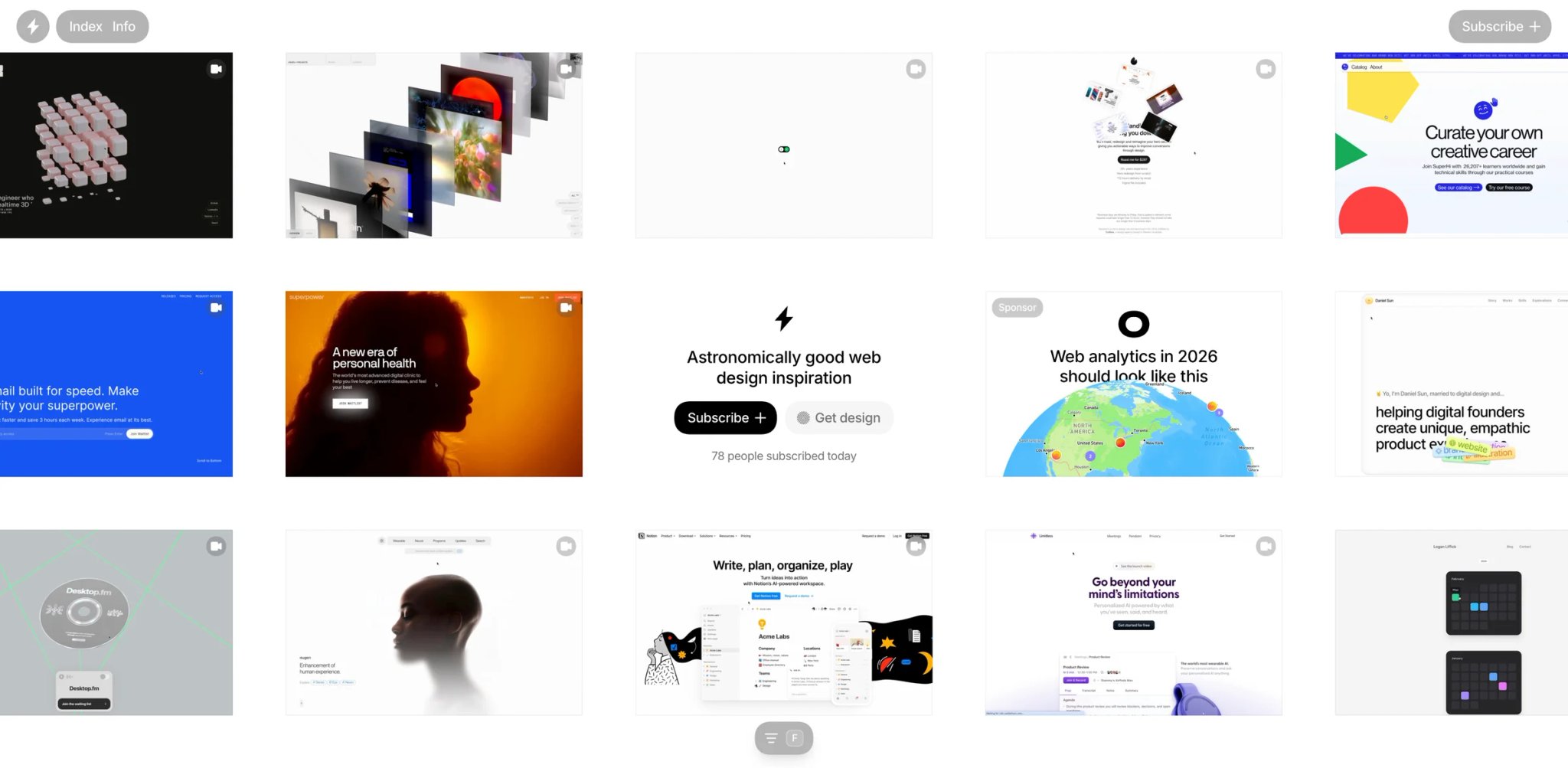
Godly is the gallery you open when the Mobbin browse session has turned into doom-scrolling and you want to remember what beautiful web design feels like. The catalog is small — that's the whole point. Each entry passed an aesthetic filter. There's no taxonomy by industry or section because volume isn't the proposition; quality calibration is.
What X solves vs Mobbin: Highly curated web aesthetics. The opposite of Mobbin's "many real screens" model — Godly is "few extraordinary screens." Useful when you're stuck in a project and need a reminder that the bar is higher than what you're producing today.
Pricing vs Mobbin: Free to browse. No paid plan found on the official site in this pass.
Limitations: Small catalog. Not a research tool — it's a mood board you happen to find online. No filtering, no saved collections, no team features.
Best for: Designers seeking visual taste calibration rather than pattern lookup. Designers between projects, or in the moodboard phase of a project. Not the right fit if you need volume, depth, or any kind of structured browse.
Get started with Godly.
Godly's specific value, hard to articulate but real: it raises the floor of what you think is possible on the web. After 20 minutes of browsing it, the project you were working on yesterday looks worse than it did before. That's not a comfortable feeling, but it's a productive one — design quality is calibrated by exposure, and Godly is concentrated exposure to a high bar.
Lapa Ninja
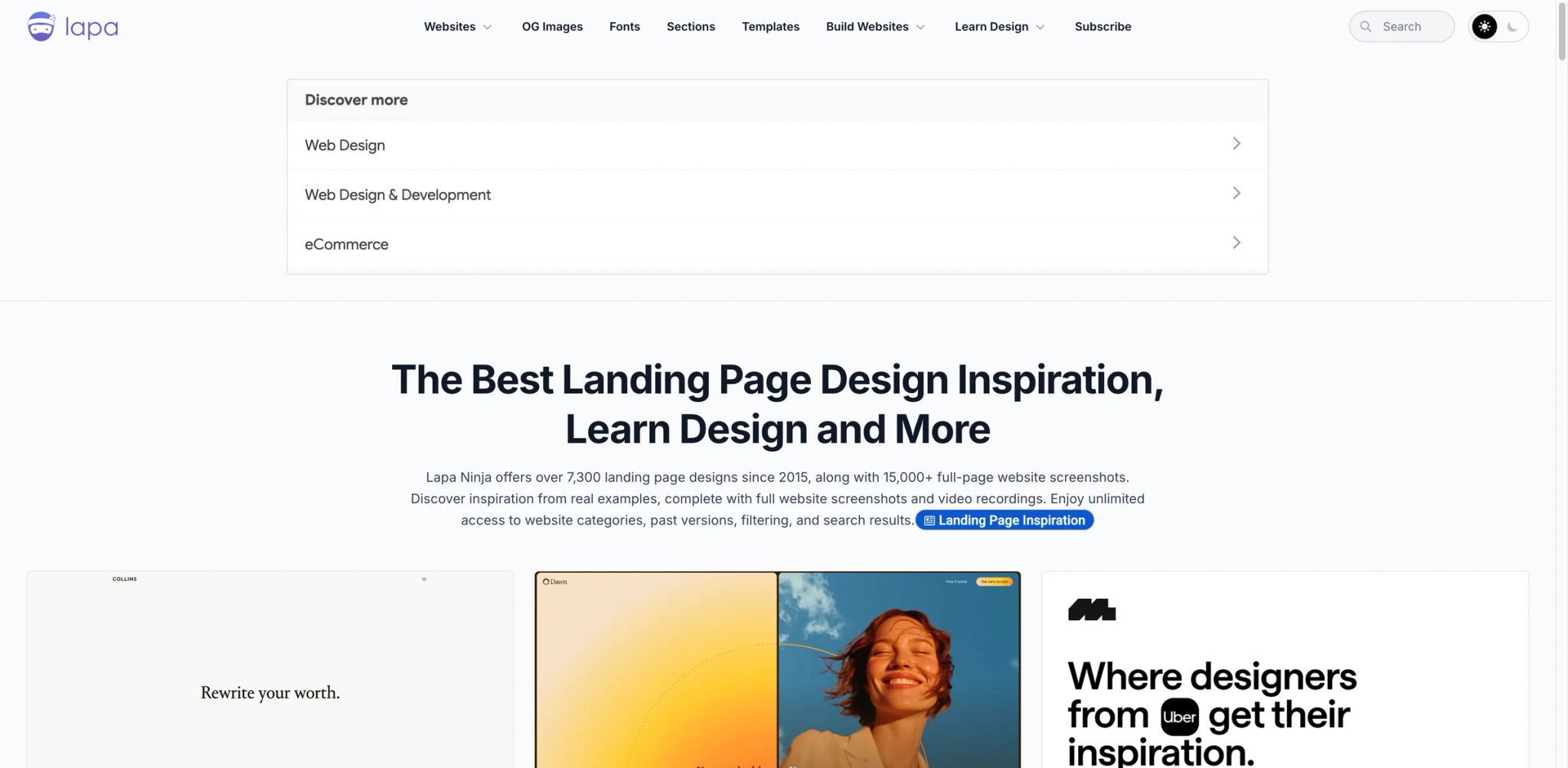
Lapa Ninja lists 7,300+ landing page designs since 2015 and 15,000+ full-page website screenshots, with open browsing and no subscription wall for the core gallery. Lapa Ninja is what a landing-page-focused Mobbin would have looked like if Mobbin had never invented the paywall. The catalog is big, the filters are functional, and the friction to start using it is near zero.
What X solves vs Mobbin: Marketing page volume in a single browse-able archive. Hero sections, pricing pages, feature pages, full-page captures. Where Mobbin has 5-10 examples of any given pattern, Lapa Ninja often has 50-100.
Pricing vs Mobbin: Free. No paid tier exists on the official site at the time of writing.
Limitations: No app coverage. No mobile flows. Landing-page-only and unapologetic about it. Filters are less refined than Mobbin's tag system — you'll find what you need, but with more scrolling.
Best for: Anyone benchmarking a SaaS hero or pricing page, marketing designers building a new homepage, founders studying competitive positioning through hero copy. Not the right fit if you're a mobile app designer.
Get started with Lapa Ninja.
Worth knowing: Lapa Ninja captures full-page rather than viewport-only screenshots, which is rare in this category. That sounds boring until you're trying to study how a hero transitions into the social-proof section, or how the pricing section sets up the closing CTA. The full-page format means you can study these transitions without leaving the gallery to visit the live site — useful when you're going through 30 examples in a single session.
SaaS Landing Page
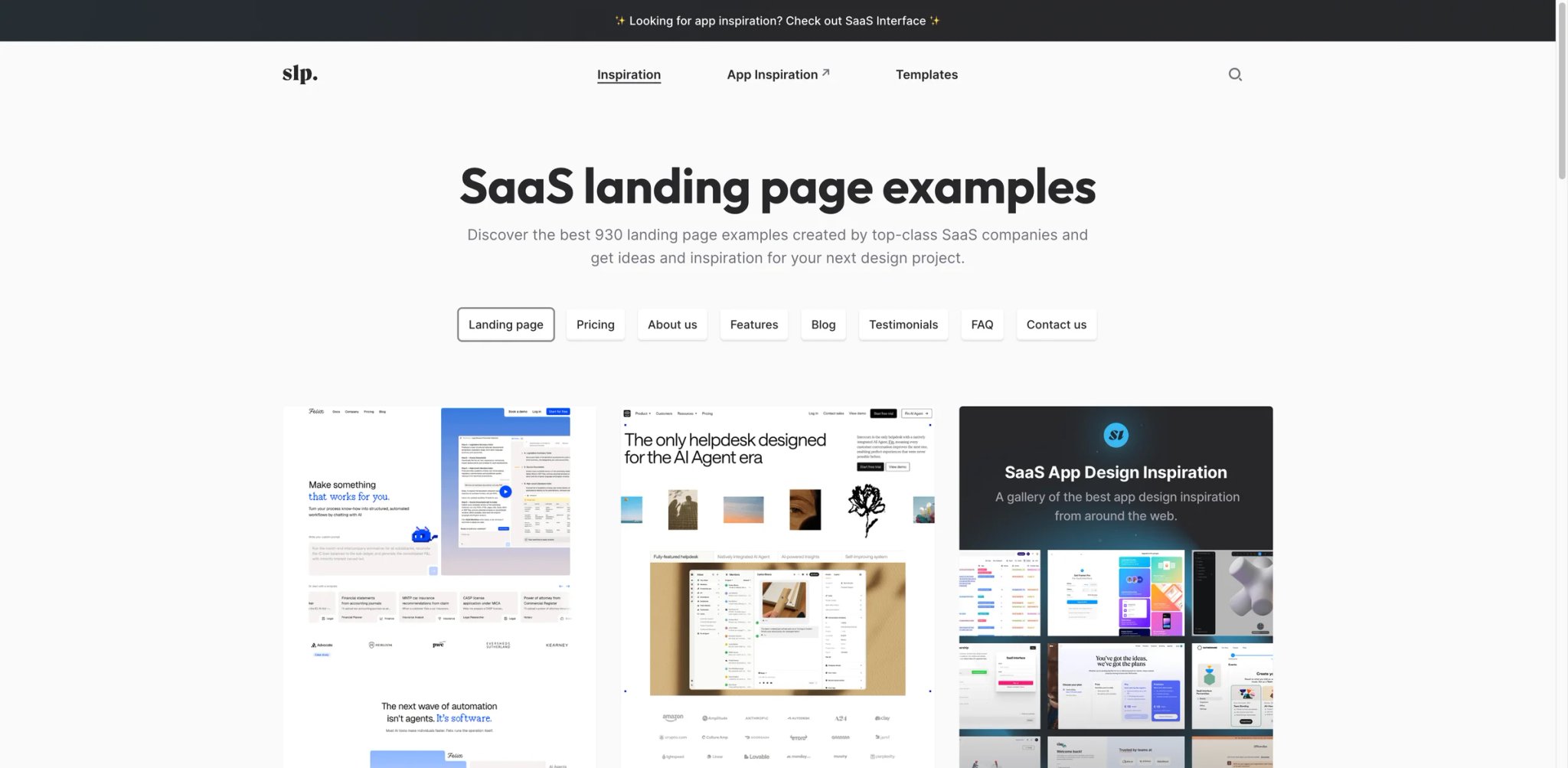
A site that does exactly one thing: B2B SaaS landing pages, indexed by section. You don't browse by company — you browse by what you're trying to design today. Stuck on a pricing page? Open the pricing section, scroll through the site's curated pricing-page examples — currently shown as 65 pricing pages — from real SaaS companies and see how different teams structure offers, tiers and proof. The site's discipline (only B2B SaaS, only landing pages, indexed by section) is its strength.
What X solves vs Mobbin: Tear-down by section, not by brand. When you're stuck on a specific section (pricing, testimonials, features), this is the fastest way to see 50 versions of that section in 5 minutes. Mobbin's tag system can do this for product UI but not as cleanly for marketing sites.
Pricing vs Mobbin: Free. No paid plan found on the official site.
Limitations: B2B SaaS only — no consumer SaaS, no DTC, no marketplaces, no apps. The catalog reflects North American and European SaaS aesthetic conventions; if you're designing for other markets, the visual language may not transfer.
Best for: B2B SaaS founders and designers rebuilding their marketing site section by section. Product marketers benchmarking pricing positioning. Not the right fit if you need app coverage or non-SaaS examples.
Get started with SaaS Landing Page.
A useful workflow it enables: when a stakeholder pushes back on a section ("our pricing page feels generic"), you can open SaaS Landing Page → pricing, share three or four strong examples, and have a concrete conversation about which direction to lean. Mobbin doesn't enable that conversation for marketing sites because the catalog is product UI, not marketing UI.
Banani
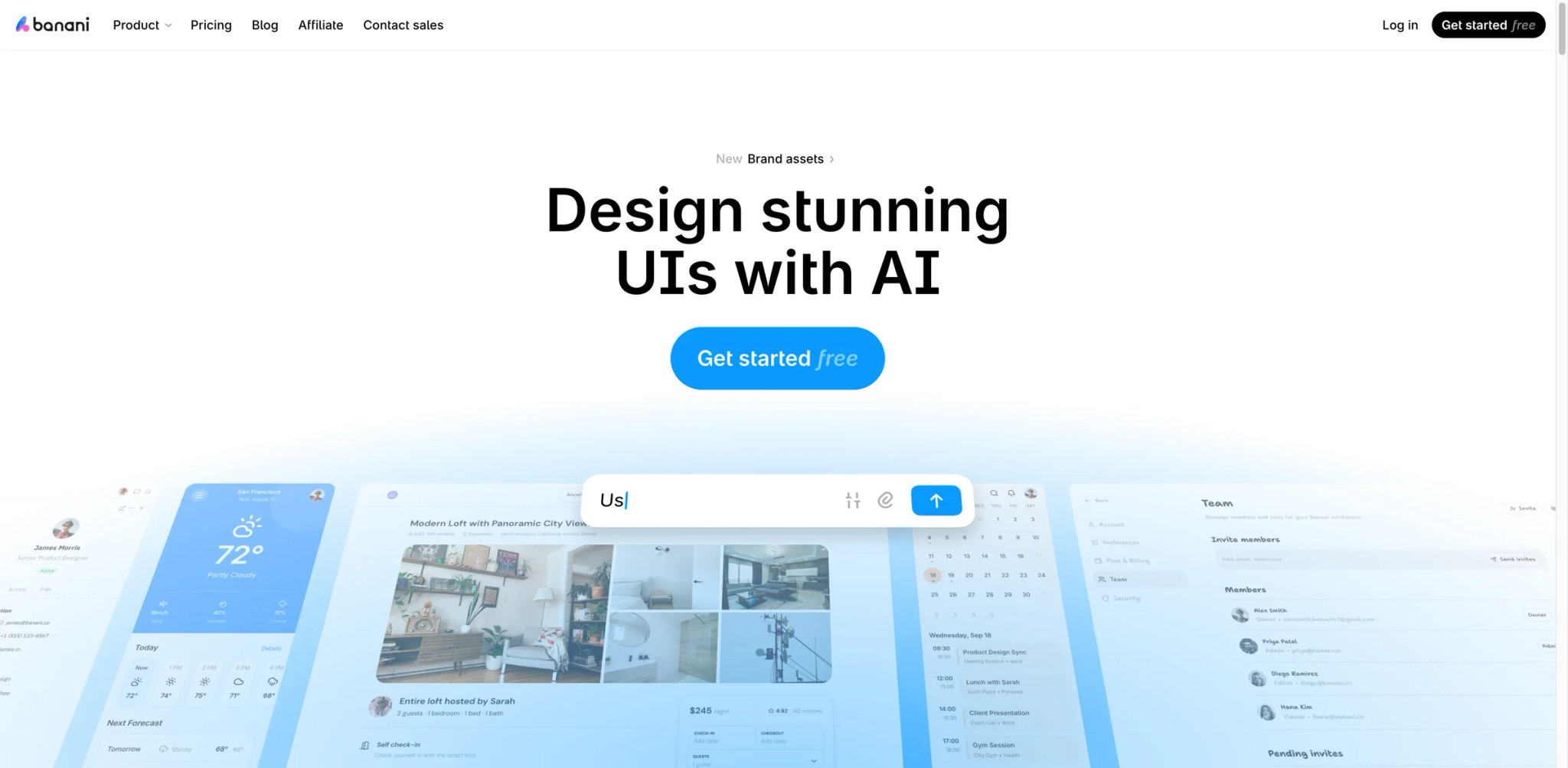
Banani is the safer free mobile-flow replacement to include in 2026 because screenlane.com currently redirects to Page Flows. Banani's reference library lets users view apps, flows and screens without registration, and its broader product also offers AI design generation and Figma export plans.
What X solves vs Mobbin: Free access to mobile app references — apps, flows, and screens — viewable without an account. Banani is positioned as "an open library of mobile app references and AI design tools," which means the reference catalog stays browseable even if you never enter the AI generation product.
Pricing vs Mobbin: Reference library is free with no signup required. AI design generation runs on a separate plan stack (Free $0; Plus $12/mo billed yearly or $20 monthly; Pro $30/mo billed yearly or $50 monthly). Verify on banani.co for the most current details.
Limitations: The reference catalog is narrower than Mobbin's iOS+Android+web sprawl, and the depth-by-app coverage is lighter. Banani is best understood as "free mobile flow viewer + adjacent AI design product," not as a like-for-like Mobbin catalog clone.
Best for: Designers who want a no-cost way to browse real mobile app flows without subscribing, and teams who might also experiment with AI-generated designs and Figma export on the same site. Not the right fit if you need exhaustive iOS coverage at Mobbin scale.
Get started with Banani.
The honest framing: Banani made this list specifically because screenlane.com — a previously common free Mobbin alternative — now redirects to Page Flows, leaving a gap for "free mobile-flow browsing." Banani fills that gap reasonably well in 2026, with the caveat that its reference catalog is smaller and its commercial focus is on AI design generation, not curating an ever-growing screen library.
Collect UI
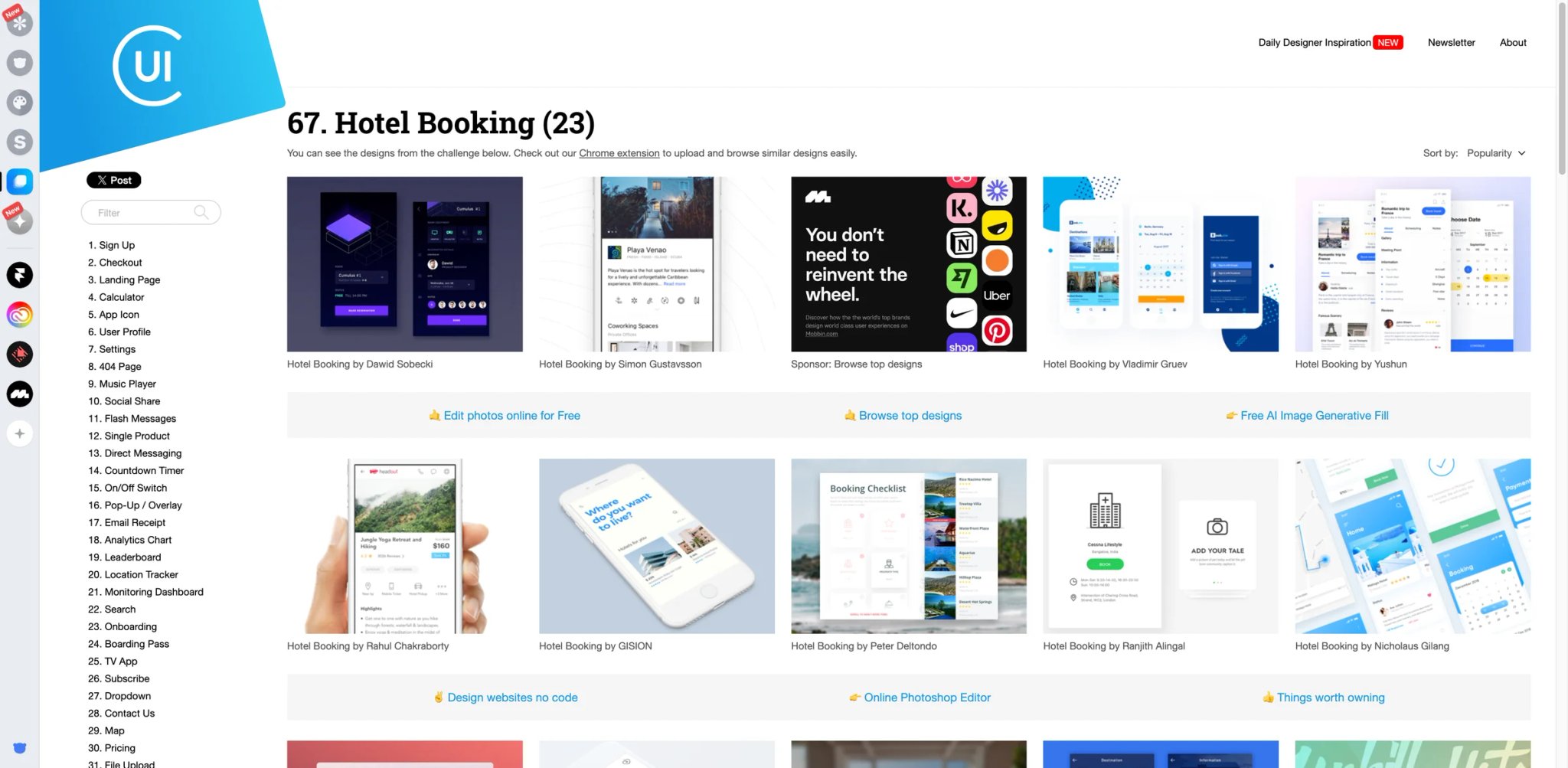
Collect UI started as a Daily UI archive — the design challenge where designers post one new UI mockup every day — and grew into a 14,000+ design reference library. It's free, fast, pattern-organized, and built on the Dribbble shot ecosystem rather than real shipped apps. That last point is both the limitation and, for some uses, the appeal.
What X solves vs Mobbin: Free, fast, pattern-organized inspiration with strong coverage of single-screen UI challenges (sign-up, calendar, profile, empty state, search). The Daily UI heritage means designers were given creative latitude, so the patterns you'll find are often more imaginative than the iterate-and-ship designs Mobbin catalogs.
Pricing vs Mobbin: Free. The site lists 14,426 designs at time of writing. No paid plan in this pass.
Limitations: The designs are Dribbble shots — concepts, often not shipped products. Less authoritative than Mobbin's real-app archive. Some shots are explicitly speculative redesigns that never made it to production.
Best for: Students, solo designers, anyone exploring patterns on a budget, designers who want creative range rather than shipped-product references. Not the right fit if you need to point a stakeholder at real apps as evidence.
Get started with Collect UI.
A reasonable two-site combo for cost-sensitive designers in 2026: Collect UI for pattern inspiration plus one of the marketing-focused free sites (Lapa Ninja or SaaS Landing Page) for marketing UI. The pair covers most of what Mobbin Pro covers for $0/mo. The gap that remains is real shipped iOS subscription apps, but if your work isn't iOS subscription apps, that gap doesn't cost you anything.
Honorable Mentions
Figma Community is free to browse and contains thousands of remixable Figma files — UI kits, design systems, templates, mockups. Paid tier ($16/mo for Professional) gets you full editing rights and team features. It's not a screenshot library, which makes it a different category from Mobbin entirely, but for designers who want to start from an editable file instead of a reference image, it's the answer. The broader category of AI UI design tools increasingly assumes editable starting material rather than reference screenshots, which is part of why Figma Community has gained ground as a Mobbin-adjacent destination.
Behance is free to browse with a paid Pro tier at $9.99/mo. More creative portfolio platform than product research tool, but a useful complement when you're defining a visual direction before going to Mobbin-style references. It surfaces visual trends and craft-level execution that more research-focused tools miss.
Awwwards is free to browse with paid tiers starting at $6.70/mo annually. High-end web design and interactive sites — different audience than Mobbin. Useful for designers chasing the kind of award-tier execution that gets your work on the front page of design Twitter, less useful for studying day-to-day product UI.
Made in Webflow is free to browse with clone-ready sites that take a separate Webflow subscription to publish. The closest "inspiration to implementation" path on this list — you don't just see the site, you can clone it into your Webflow workspace and ship a derivative. For founders and indie designers who use Webflow already, this is the most efficient reference-to-ship workflow. If you're evaluating Webflow against newer AI website design tools (Stitch, V0, Galileo, etc.), the Made in Webflow gallery is also a useful answer to "what does an experienced builder actually produce in this tool."
Component Gallery is free and indexes 60+ components and 95+ design systems with 2,672+ examples. Not a screenshot library — a component-level reference for designers working inside real design systems. Useful when the question isn't "what does a profile page look like" but "how do real design systems handle the disabled button state."
One pattern worth noting across all five Honorable Mentions: each is essentially free at the level of value most working designers extract. The Pro tiers exist, but they unlock team features or specific premium content rather than gating the core utility. That's a different posture than Mobbin's where the paid tier increasingly seems to gate the catalog itself. If the core value is browseable for free, the renewal calculus is automatically easier.
Migrating from Mobbin — A Practical Guide
Data and Account Migration
Mobbin doesn't expose a public API to export your saved collections or favorited screens. If you've built up bookmarked screens you want to keep, screenshot or manually save them to a folder before downgrading — once you cancel Pro, you keep account access but the gated content goes back behind the paywall. To cancel, go to account settings → subscription and turn off auto-renew. You can keep using the (newly thinner) free tier for as long as you want. If you're switching to multiple alternatives, each one has its own "save to collection" system — those don't sync with each other and they definitely don't sync from Mobbin, so plan to rebuild your reference library once per tool you adopt.
Learning Curve by Alternative
- Near-zero: Lapa Ninja, Godly, Collect UI, SaaS Landing Page, Land-book. Open the site and start scrolling. There's no taxonomy to learn, no filter system to master. If you can use Pinterest, you can use these.
- Medium: Page Flows, Refero, Banani, Pttrns. Each has a taxonomy that takes 15-30 minutes to internalize. Page Flows wants you to think in flows, not apps. Pttrns wants you to think in patterns, not products. The taxonomy is the value — but the first session feels slow.
- High: ScreensDesign. The revenue and paywall tagging system has its own conceptual model — what counts as a "soft paywall," how revenue estimates are derived, when onboarding step boundaries are marked. To get the full value, you need to understand the framework, and that's a real onboarding cost. Pay it once.
Pricing Brackets vs Mobbin Pro
- Free or near-free: Godly, Lapa Ninja, Collect UI, SaaS Landing Page, Figma Community basic, Made in Webflow (clone-only). All zero-dollar to evaluate.
- Cheaper than Mobbin: Pttrns ($12/mo), Land-book ($9/mo), Behance ($9.99/mo), Awwwards Basic ($6.70/mo). Roughly half to two-thirds of Mobbin Pro at 2025-2026 prices.
- Same bracket as Mobbin: Page Flows ($8.25-$13/user/mo depending on plan). The yearly is cheaper, the quarterly slightly more, the value proposition different.
- More expensive: Figma Professional ($16/mo) — but that's a different category (editable assets) and is usually paid for by the company anyway, not by the individual designer.
The cleanest savings story is: drop Mobbin, add Page Flows yearly ($8.25/mo), keep Land-book as a free Basic browse for marketing-site work, and use Godly + Lapa Ninja + Collect UI for free supplementary inspiration. Total monthly spend ends below where Mobbin Pro started, and the coverage is broader.
If you specifically need iOS subscription app benchmarking, the substitution gets pricier: add ScreensDesign as the second paid subscription. That stacks Page Flows + ScreensDesign, which together cost more than Mobbin Pro at official 2026 yearly pricing, but may be worth it if your work specifically needs flow videos plus paywall/revenue context — flow video plus paywall/revenue context. The savings narrative depends on what you replace; the breadth narrative is more durable. Either way, the question to ask before renewing Mobbin is "which alternative stack covers my actual work better at the same or lower price." Most working designers in 2026 can build that stack.
Best Mobbin Alternatives by Use Case
If Your Reason Is "I Just Want a Free Mobbin Alternative"
Start with Godly for taste calibration, Lapa Ninja for landing page volume, Collect UI for pattern depth, and SaaS Landing Page for B2B section tear-downs. Together they cover marketing sites, pattern inspiration, and aesthetic reference with zero dollars spent. The gap they don't fill is iOS app subscription flows — if that's your work, the free combo isn't enough and you'll need ScreensDesign or Page Flows on top. Realistically, most designers who left Mobbin specifically because of the price-to-value gap end up here, and they stay because the free stack is genuinely sufficient. The trick is letting go of the "one site does everything" mental model that Mobbin trained into the category.
If Your Reason Is "I Need Mobile Onboarding, Paywall, and Subscription Benchmark Data"
ScreensDesign is the primary answer — its revenue and paywall tagging framework is what other tools don't have. Page Flows is the secondary — the user-flow video format captures onboarding sequence quality even when the paywall data isn't tagged. Pttrns as a pattern reference layer underneath. Skip Mobbin entirely; this stack is purpose-built for subscription app work in a way Mobbin never tried to be. The most common upgrade story from Mobbin into this stack: a mobile PM who'd been using Mobbin to study competitors' paywalls realizes they've been guessing at conversion drivers the whole time. ScreensDesign's revenue tagging — even if directionally imperfect — replaces guessing with structured comparison.
If Your Reason Is "I Mostly Design SaaS Dashboards and Web Apps"
Refero as the primary — it's the only same-shape replacement that covers SaaS web with the depth Mobbin covers iOS with. Page Flows for cross-product flow research. SaaS Landing Page for the public marketing side of SaaS work. Land-book for hero and pricing page benchmarks. This combination gives you product UI, marketing UI, and flow research in one stack. The honest comparison: this stack costs less than Mobbin Pro on yearly billing, and the coverage for SaaS-specific work is dramatically deeper. If 70% or more of your design work happens inside a browser tab rather than a phone screen, this is the migration that actually pays off in productivity.
If Your Reason Is "I Need Full Journey Videos, Not Static Screenshots"
Page Flows is the category leader for cross-product flow videos. ScreensDesign for iOS-specific onboarding video walkthroughs. Both stop being optional once you've worked with flow video — going back to static screenshots feels like reading a transcript of a podcast you wanted to hear.
If Your Reason Is "I Want Editable Figma Files or Build-Ready References"
Figma Community for free remixable files at scale, with the Professional tier for full editing if you need team features. Made in Webflow when the deliverable is a website you can clone-and-customize. Component Gallery when you're building inside or against a real design system. None of these are Mobbin replacements in category — they're an upgrade to a different workflow that Mobbin can't support. The pattern in 2026 is clear: designers using AI tools to accelerate from inspiration to deliverable increasingly prefer editable or cloneable starting material, even though Mobbin's Figma-copy feature makes it more useful than a screenshot-only archive. Mobbin's screenshot-first model was right for 2018-2023. For the workflow most product designers will be using by 2027, the source material needs to be remixable. That's a category-level shift Mobbin hasn't responded to.
If Your Reason Is "I Want Landing Page and Marketing Page Inspiration"
Lapa Ninja for breadth, Land-book for curation, SaaS Landing Page for B2B section depth, Godly for the aesthetic ceiling. Together they cover everything Mobbin doesn't try to cover, and three out of four are free.
If Your Reason Is "I'm Price-Sensitive but Still Need UI Pattern References"
Collect UI for free pattern inspiration with Dribbble shot heritage. Godly for free aesthetic reference. Lapa Ninja for free landing page volume. Land-book Basic for free marketing-site browsing with Pro at $9/mo if you find yourself unlocking constantly. This stack costs $0-$9/mo total and serves a working designer well unless they're specifically doing iOS subscription app research. A frequent failure mode of cost-optimization in this category is keeping Mobbin Pro out of habit while never actually using it — the renewal lands, you tell yourself you'll use it next month, and another year passes. If you go three months without opening Mobbin Pro for paid-only content, the price-sensitive stack above is already where you'd be by behavior. Make the switch explicit.
How to Choose the Right Mobbin Alternative
1. Name the real reason you're leaving Mobbin. Is it the May 2026 paywall friction? The 4x price renewal? The web/SaaS coverage gap? The onboarding/paywall data you can't get? Different reasons map to different tools — Page Flows fixes the flow-research gap, Refero fixes the SaaS web gap, ScreensDesign fixes the subscription benchmark gap, the free options fix the price/trust gap. Don't pick a generic alternative. Pick the one that addresses your specific complaint.
2. Verify pricing reality on the actual site. Refero, ScreensDesign, Banani, and Land-book all had inconsistent pricing visibility in our research pass — community-reported pricing didn't always match what the official pricing page showed (when the pricing page was visible at all). Open the real site, find the real pricing, before you put a card down. This is true for any subscription product but especially true in the inspiration-library category where opaque pricing is endemic.
3. Run the "shipped product" test. Open one alternative and one Mobbin tab side-by-side, search the same flow — for example "checkout" or "settings" or "onboarding step 3." If the alternative shows real shipped apps, not concept shots or speculative redesigns, it passes the relevance test for product research. If the alternative shows mostly Dribbble shots or moodboard images, it's still useful, but for a different stage of your work (early ideation, not late-stage reference).
4. Two-week mixed period. Cancel Mobbin auto-renew but keep your saved screens until the existing access lapses. Run the alternative for two weeks alongside Mobbin. If you don't reach for Mobbin once in that period, the migration sticks. If you reach for it three or more times — the migration is incomplete and you need to either supplement with a second alternative or reconsider whether the price was the real issue. The two-week test is more rigorous than it sounds. Most subscription products' value reveals itself in narrow workflow moments — the specific Tuesday afternoon you're stuck on a settings screen design and you instinctively reach for a tool. If during your test period the alternative is what you reach for, the verdict is real. If you reach for Mobbin instead, the alternative isn't covering enough of your actual workflow, regardless of how good its catalog looks on paper.
One more sanity check before you commit: read your own browser history for the past month and count how often you opened Mobbin versus how often you opened it productively. Many designers discover the gap between these two numbers is wider than they'd guess. The renewal decision should weight productive opens, not total opens — opening a tool out of habit is not the same as using it for work.
Frequently Asked Questions
What is the best free alternative to Mobbin?
Is Mobbin still worth paying for in 2026?
Is Mobbin reducing free access in 2026?
What is the best Mobbin alternative for mobile app onboarding flows?
What is the best Mobbin alternative for SaaS dashboards and web apps?
Is ScreensDesign better than Mobbin for subscription apps?
Which Mobbin alternative gives editable Figma or cloneable assets?
Should students and solo designers pay for Mobbin or use free inspiration sites?
Are there any Mobbin alternatives that include AI-generated examples or speculative redesigns?
How often is the Mobbin catalog updated compared to alternatives?
Get ToolWorthy Weekly
New AI tools, practical guides, and selected AI signals in one weekly brief.
For AI tool founders
Built a tool that belongs in this decision set?
Request an editorial evaluation for possible inclusion in ToolWorthy.
Submit your tool for reviewPaid submission does not guarantee a ranking, recommendation, inclusion, or editorial outcome.