

Overview
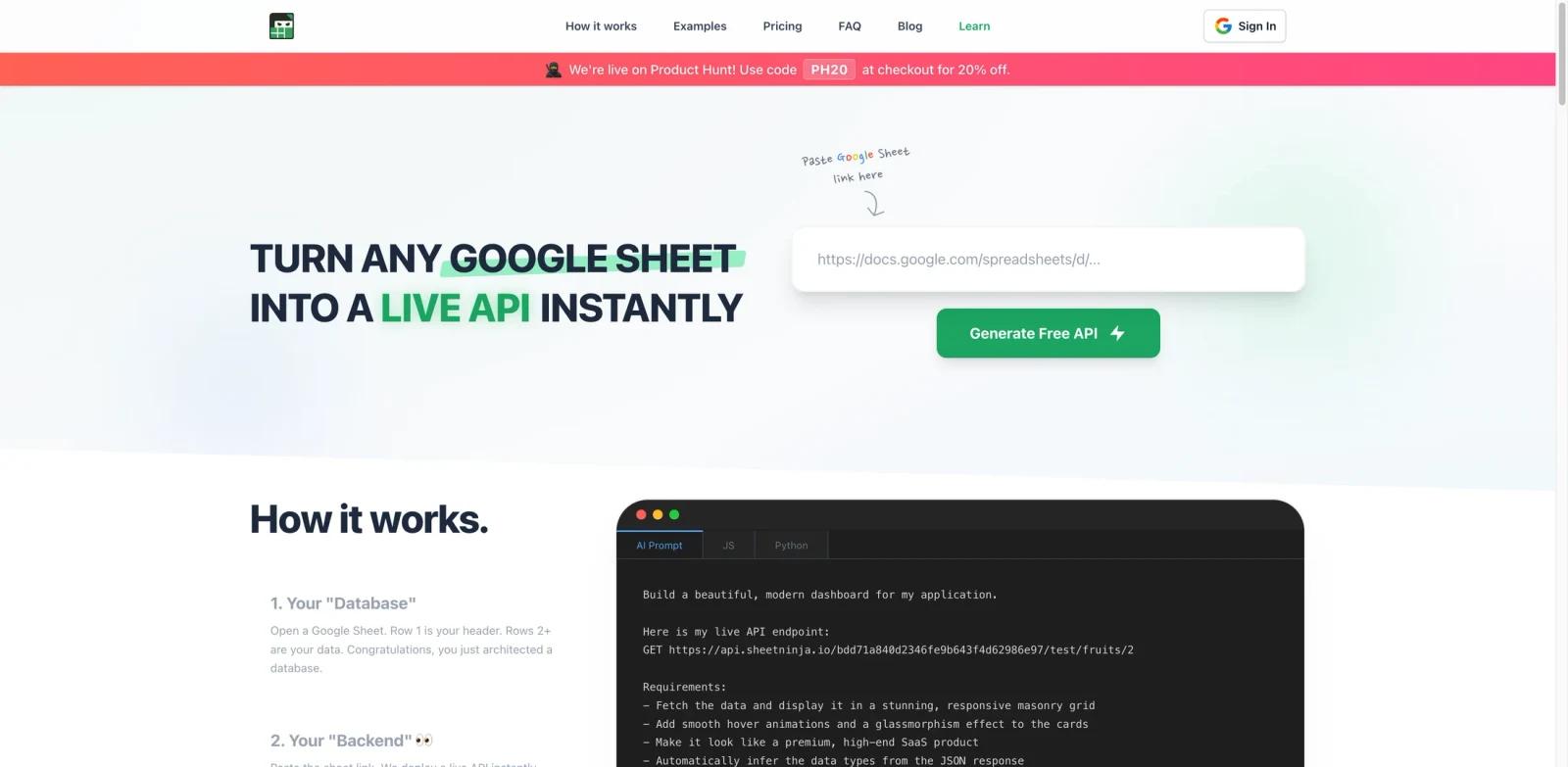
Sheet Ninja turns any Google Sheet into a live API in seconds. Paste a Google Sheet link, and you get full CRUD endpoints — read, write, update, and delete rows — without setting up servers, databases, or backend infrastructure.
The platform is designed for vibe coders and AI-assisted builders who want to ship apps fast without getting stuck on backend setup. Your data stays in Google Sheets where you can edit it manually, while Sheet Ninja handles the API layer. Changes to cells reflect in the API within seconds, so there are no redeployments when you update content.
Sheet Ninja integrates directly with AI coding tools like Replit, Lovable, Cursor, Bolt.new, and V0, providing copy-paste prompts so your AI assistant knows exactly how to connect. It launched on March 29, 2026 and reached #3 on Product Hunt with over 330 upvotes.
Key Features
Instant API from any Google Sheet — Paste a sheet link and get live REST endpoints immediately, turning your spreadsheet into a fully functional backend without writing server code.
Full CRUD operations — Read, add, edit, and delete rows programmatically through the API, supporting everything from simple reads to bulk adds. Batch size depends on plan: Starter users can add up to 10 rows per request, Pro up to 100, and Max up to 1,000.
Real-time data sync — Edit a cell in Google Sheets and the change appears in your API within seconds, eliminating the deploy-wait-test cycle that slows down development.
Dynamic column mapping — JSON keys automatically derive from your sheet headers. Rename a column in your spreadsheet and the API schema updates instantly — no manual configuration needed.
AI tool integrations — Works out of the box with Replit, Lovable, Cursor, ChatGPT, Claude, Gemini, V0, Bolt.new, and Windsurf through pre-built copy-paste prompts.
Secure Google OAuth access — Connects via Google OAuth and only accesses sheets you explicitly share with Sheet Ninja's service account. No access to other Google Drive files.
Integration Guide
Sheet Ninja is built to work seamlessly with AI coding platforms. Each integration includes ready-made prompts you can paste into your AI tool:
Replit / Lovable / Bolt.new — Paste the Sheet Ninja prompt into your AI coding session. The AI generates frontend code that reads and writes to your Google Sheet through the API.
Cursor / Windsurf / V0 — Use Sheet Ninja's copy-paste prompts in your coding tool so the model has the right endpoint context and can generate the correct API calls.
ChatGPT / Claude / Gemini — Copy the integration prompt to have these models generate working code that connects to your Sheet Ninja API for prototyping or production use.
The workflow is the same across tools: create your Google Sheet, connect it to Sheet Ninja, copy the integration prompt for your AI tool, and start building.
How to Get Started
Create your Google Sheet — Set up a spreadsheet with column headers as your data schema. Each header becomes a JSON key in your API.
Connect to Sheet Ninja — Go to sheetninja.io, sign in with Google OAuth, and paste your sheet link. Sheet Ninja generates API endpoints instantly.
Get your API key — Copy your unique API key from the dashboard. All requests require this key for authentication.
Start building — Use the auto-generated endpoints directly, or paste the integration prompt into your AI coding tool (Replit, Lovable, Cursor, etc.) to have the AI build your frontend automatically.
Pricing & Plans
Sheet Ninja offers a free tier with paid plans for higher usage:
| Plan | Price | Included Usage | Key Limits |
|---|---|---|---|
| Starter | Free | 250 requests | Unlimited rows and sheets |
| Pro | $9/mo | 10,000 | Bulk add up to 100 rows, priority support |
| Max | $49/mo | 750,000 | Bulk add up to 1,000 rows, dedicated support |
All plans include unlimited rows and sheets. For projects exceeding 750,000 requests per month, custom enterprise pricing is available by contacting the team. A 20% discount is available for Product Hunt users with code "PH20."
Note: Google Sheets itself has a rate limit of 60 requests per minute per user and a 10 million cell limit. Google Sheets itself imposes the underlying API quota and 10 million cell limit, so higher-traffic use cases should validate performance carefully.
Best For
- Vibe coders and AI-assisted developers building MVPs who need a backend without infrastructure overhead
- Non-technical founders prototyping apps with tools like Lovable, Bolt.new, or Replit
- Marketing teams managing CMS content, landing pages, or waitlists directly from Google Sheets
- Indie hackers building niche job boards, directories, or crowdsourced data projects
- Internal tools teams creating dashboards backed by spreadsheets that stakeholders already maintain
FAQ
Is Sheet Ninja free?
Yes. The Starter plan is free and includes 250 requests, plus unlimited rows and unlimited sheets. Paid plans start at $9/month for higher request volumes.
Does my data leave Google Sheets?
No. Your data stays in Google Sheets at all times. Sheet Ninja acts as an API bridge — it reads from and writes to your spreadsheet without migrating data to a separate database.
What happens if I rename or add columns?
The API schema updates automatically. JSON keys derive from your sheet headers, so renaming a column changes the API response instantly with no manual reconfiguration.
Is my spreadsheet data secure?
Sheet Ninja connects via Google OAuth and only accesses sheets you explicitly share with its service account. It does not access other files in your Google Drive. All API requests require an API key for authentication.
Which AI coding tools work with Sheet Ninja?
Sheet Ninja provides pre-built integration prompts for Replit, Lovable, Cursor, ChatGPT, Claude, Gemini, V0, Bolt.new, and Windsurf. You paste the prompt into your AI tool and it generates the correct API calls automatically.
Can I use Sheet Ninja for production apps?
Yes, but consider the Google Sheets rate limit of 60 requests per minute per user. The Max plan supports up to 750,000 requests per month. Whether that is enough depends on your traffic pattern and Google Sheets limits. For higher-traffic needs, contact the team for custom enterprise plans.
What types of operations does the API support?
Full CRUD: read rows, add new rows (single or bulk), update existing rows, and delete rows. The Pro plan supports bulk adding up to 100 rows per request, and the Max plan supports up to 1,000.
How fast do changes sync?
Changes to Google Sheets cells are reflected in the API within seconds. There is no deployment step — edit a cell and the API response updates in near real-time.