

Overview
Nitrosend is an email platform built for AI agents. It gives agents a way to sign up, onboard, send marketing and transactional email, create inboxes, and operate through MCP, API, CLI, and agent-friendly documentation.
The product is different from a normal email marketing platform with a few AI writing features. Nitrosend's "Email for Agents" page is designed around Claude, Codex, Cursor, and other agents reading a skill file, connecting to MCP, setting up an account, and running email workflows with human approval gates where needed.
That makes Nitrosend relevant to AI email generator and AI agent readers, but it also raises a higher bar for governance. Letting agents send email touches deliverability, brand reputation, consent, privacy, and compliance. Nitrosend is strongest for teams that want agent-native email operations and are willing to configure approvals, domains, and sending rules carefully.
Key Features
- Agent-native onboarding - Nitrosend publishes a
SKILL.mdfile so an agent can learn the platform and walk from signup to first send. - MCP, API, and CLI access - All plans, including Free, include MCP/API/CLI access according to the pricing page.
- Marketing and transactional email - Plans include full-stack emailing across flows, newsletter campaigns, and transactional email.
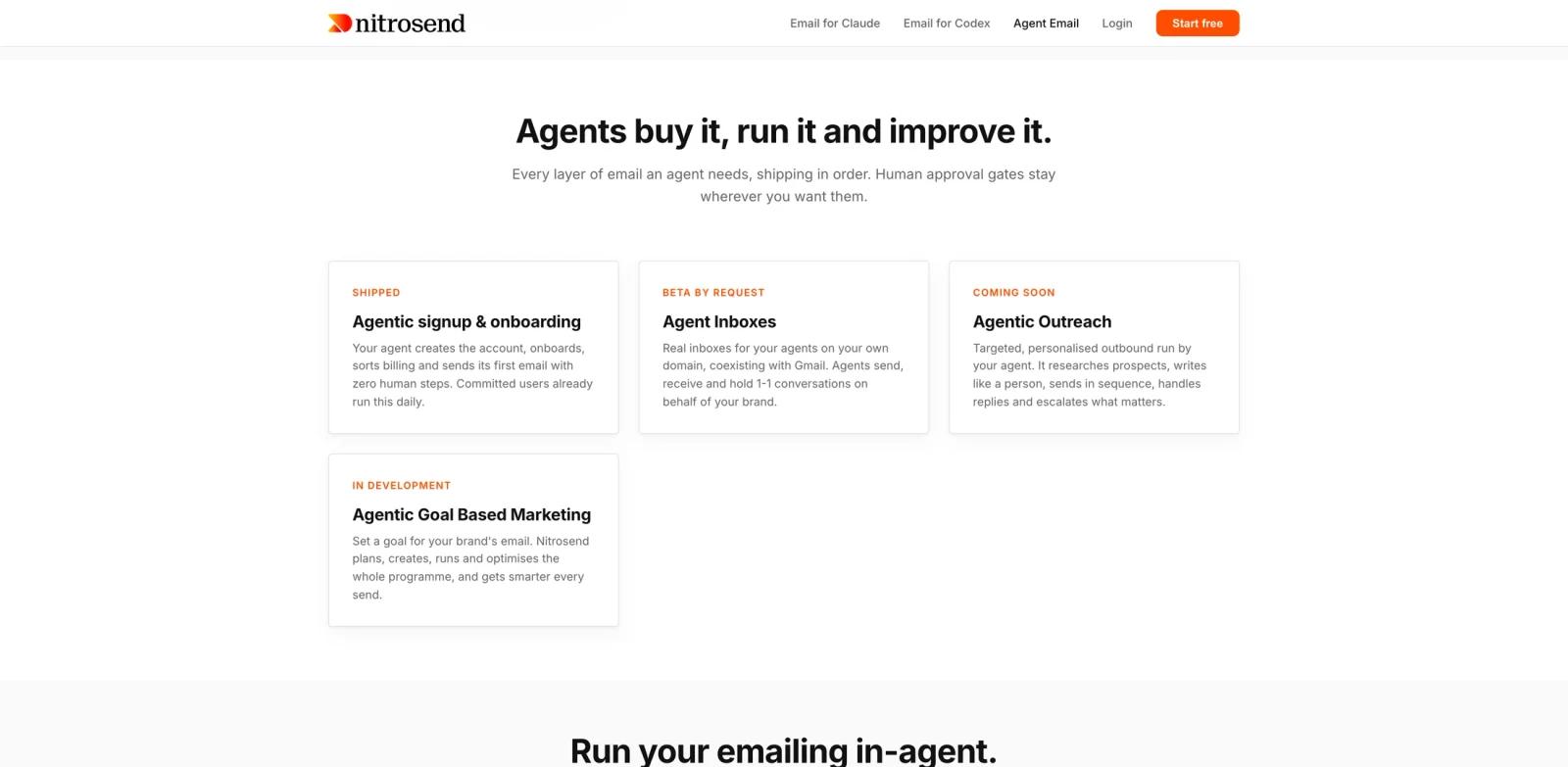
- Agent inboxes - Inboxes are in beta by request, allowing agents to hold real addresses on a company's own domain and handle replies.
- Human approval gates - Nitrosend emphasizes humans approving while agents operate, which is essential for outbound messaging.
- Bring-your-own keys on paid plans - Pro, Ultra, and Enterprise support BYO sending infrastructure keys and AI provider keys.
Nitrosend should be evaluated as infrastructure for AI productivity workflows, not just as copy generation. The operational questions are who can send, what requires approval, and how deliverability is protected.
Integration Guide
Nitrosend's agent flow starts with the skill file and MCP endpoint. The official page shows examples for connecting Claude and Codex:
claude mcp add --transport http nitrosend https://api.nitrosend.com/mcp
codex mcp add nitrosend --url https://api.nitrosend.com/mcp
Before letting an agent send real messages, teams should configure domain authentication, sender identity, approval gates, unsubscribe handling, and escalation rules. Agents can draft, segment, or prepare campaigns, but high-risk sends should require human approval until the team has strong evidence that the workflow is safe.
For teams evaluating outbound workflows, compare Nitrosend with broader AI sales assistant and marketing automation tools. Nitrosend's differentiator is email infrastructure that agents can operate directly.
Pricing & Plans
Nitrosend publishes free and paid plans with unlimited contacts. Pricing is based on email volume, AI actions, seats, brands, and domains rather than contact count.
| Plan | Price | Included usage |
|---|---|---|
| Free | $0 | 8,000 initial emails, then 500/month; transactional and marketing email; unlimited contacts; 20 AI actions/month; 1 seat, 1 brand, 1 domain; Nitrosend branding shown |
| Pro | $20/month | 20,000 emails/month; 1,000 AI actions/month; unlimited contacts; BYO sending and AI keys; removable branding; extra emails at $0.19 per 100 |
| Ultra | $100/month | 125,000 emails/month; 5,000 AI actions/month; 10 seats, 5 brands, 3 domains; extra emails at $0.15 per 100 |
| Enterprise | $300/month | Custom scale with unlimited brands, seats, and domains; contact for extra pricing and enterprise needs |
Dedicated IPs are listed as available on Ultra and Enterprise at $50 per IP per month with automatic warmup.
Best For
- Teams building agent workflows that need to send or receive email
- Developers using Claude, Codex, Cursor, or other agents to run operations
- Startups that want transactional and marketing email with agent-native controls
- Operators who want agents to draft, route, and triage email while humans approve risky sends
- Teams comparing AI chatbots with email-first agent workflows
FAQ
What is Nitrosend?
Nitrosend is an AI-native email platform that lets agents onboard, send, receive, and manage email through MCP, API, CLI, and human approval gates.
Which agents can use Nitrosend?
The official site names Claude, Codex, Cursor, ChatGPT, and other agent integrations. It also publishes MCP and API access.
Does Nitrosend have a free plan?
Yes. The Free plan includes 8,000 initial emails, then 500 emails per month, unlimited contacts, and MCP/API/CLI access.
How much does Nitrosend cost?
Paid plans start at $20/month for Pro. Ultra is $100/month and Enterprise is listed at $300/month.
Can agents receive email in Nitrosend?
Nitrosend lists agent inboxes as beta by request. The feature is intended to give agents real inboxes on a company's own domain.
What should teams set up before agentic sending?
Teams should configure sender authentication, approvals, unsubscribe handling, suppression lists, escalation rules, and review workflows before letting agents send real marketing or customer email.