



Overview
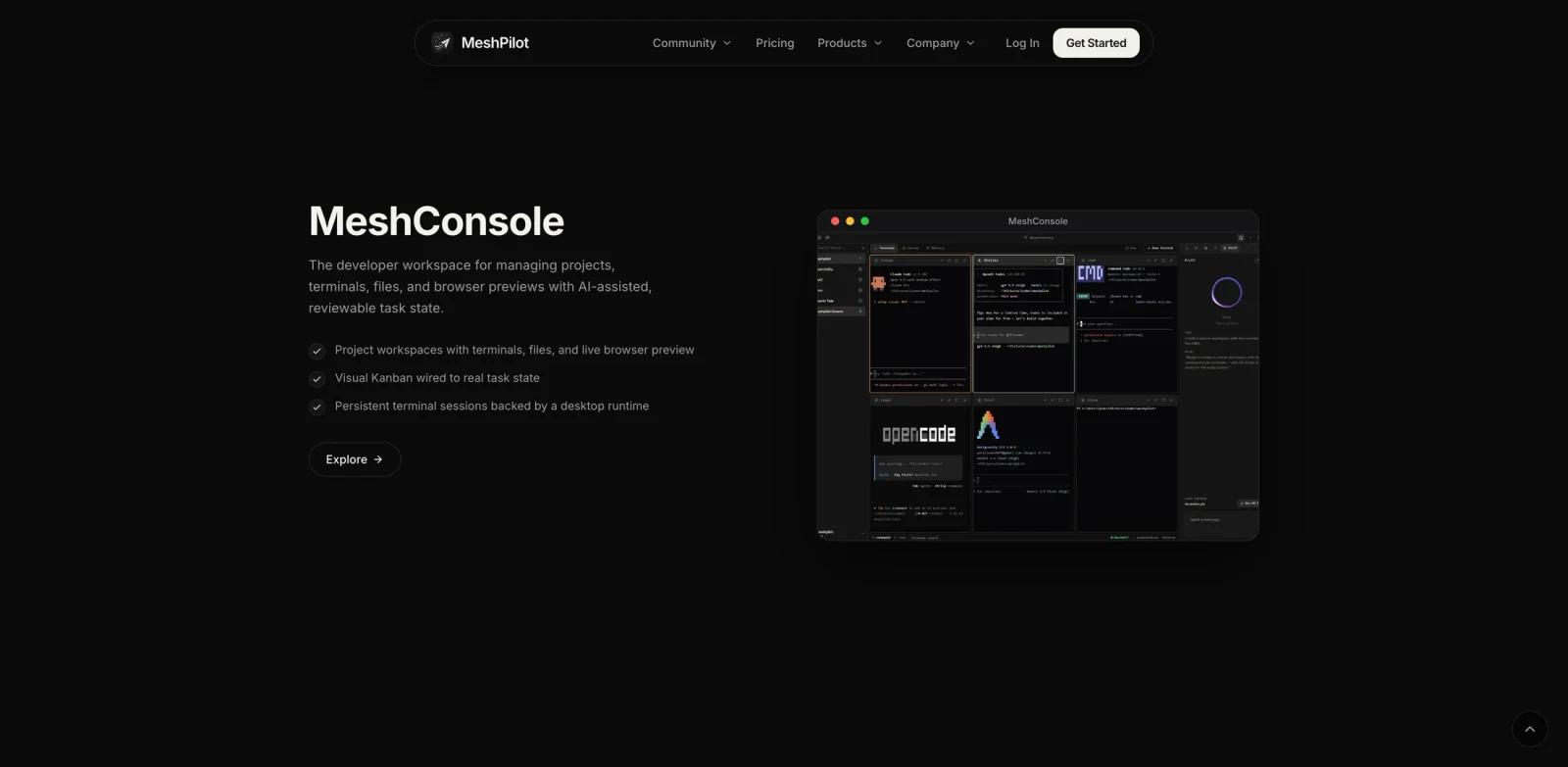
MeshPilot is an agentic development environment that brings terminals, files, browser previews, task boards, voice input, and project memory into one workspace. It is designed for developers running autonomous CLI coding agents who want to watch work, review task state, and step in when human judgment is needed.
The broader product family includes MeshConsole for project workspaces, MeshUtility for local or cloud dictation and prompt rewriting, and MeshMCP for local and hosted project context. MeshConsole and hosted MeshMCP features are still described as coming soon. This positioning makes MeshPilot closer to an operating surface for coding agents than a conventional editor. Readers comparing related products can browse ToolWorthy's AI agent tools and AI productivity tools.
The public site currently describes MeshConsole access and paid plans as coming soon, so buyers should treat the published pricing as launch-stage information rather than a mature generally available subscription.
Key Features
Unified developer workspace - Keeps terminals, files, live browser previews, and project context visible in one place.
Agent supervision - Lets developers run autonomous CLI agents while monitoring output and intervening when a decision needs review.
Visual task state - A Kanban-style board connects planning and task progress to the actual development workflow.
Persistent terminals - Desktop-backed sessions preserve working state instead of forcing every task to start from a fresh terminal.
MeshMemory - Local memory retains project context. Plus lists AI-curated memory and notes, while hosted sync and API-key availability should be treated as launch-stage because official page details are not fully consistent.
Voice and prompt utilities - MeshUtility provides push-to-talk dictation and AI prompt rewriting for text fields across the desktop.
How to Get Started
Join the early-access flow from the official site and start with one non-critical project. Connect a coding agent using a limited account, review file changes and commands before merging, and use the task board to keep the agent's plan visible.
MeshUtility is separately described as free and open source, so developers can evaluate the voice and prompt workflow while waiting for broader MeshConsole availability. Teams already working with agent memory may also compare MeshPilot with MemOS.
Pricing & Plans
MeshPilot's current public pricing section lists the following launch-stage plans, both marked “Coming soon.”
| Plan | Price | Notes |
|---|---|---|
| Starter | $5/month | 7-day free trial, MeshConsole ADE, local MeshMemory, Pilot Assistant, MeshUtility dictation and MeshPrompt, email support; exact workspace and MeshMCP limits should be verified at checkout |
| Plus | $20/month | Starter features plus MeshMemory Cortex for AI-curated memory and notes, priority support, and early access; verify hosted sync and API-key availability because the official page language varies |
| Credits | Flexible | Optional usage top-ups are listed as coming soon |
The site also advertises the code FOREVER for 50% off Plus, reducing it to $10/month while the offer remains active. ToolWorthy uses the standard Starter price of $5/month rather than a temporary launch discount.
Best For
- Developers coordinating several CLI coding-agent sessions
- Small teams that want visible task state beside agent execution
- Builders who use voice prompts while coding
- Users who repeatedly lose context between development sessions
- Teams willing to evaluate an early-access agentic workspace
FAQ
What does MeshPilot do?
MeshPilot combines coding agents, terminals, files, browser previews, task boards, voice input, and persistent project context in one developer workspace.
Is MeshPilot generally available?
The official site describes MeshConsole as early access and marks both paid plans as coming soon.
How much does MeshPilot cost?
Published standard pricing starts at $5 per month for Starter and $20 per month for Plus, each with a seven-day trial once available.
Is there a free product?
MeshUtility is described as free and open source. It provides desktop dictation and AI prompt rewriting, but it is not the complete MeshConsole workspace.
Which platforms are supported?
The official FAQ lists Windows, macOS, and Linux.
What is MeshMemory?
MeshMemory stores project context, notes, and task progress. Plus lists an AI-curated Cortex layer; hosted context sync should be verified while the product remains in early access.
Does MeshPilot replace a code editor?
It is positioned as an agentic development environment and workspace. Developers should evaluate how it fits beside their current editor, repository, and review process.
Should agents receive unrestricted access?
No. Start with limited credentials and test command execution, file changes, and approval boundaries before using it on sensitive repositories.