



Overview
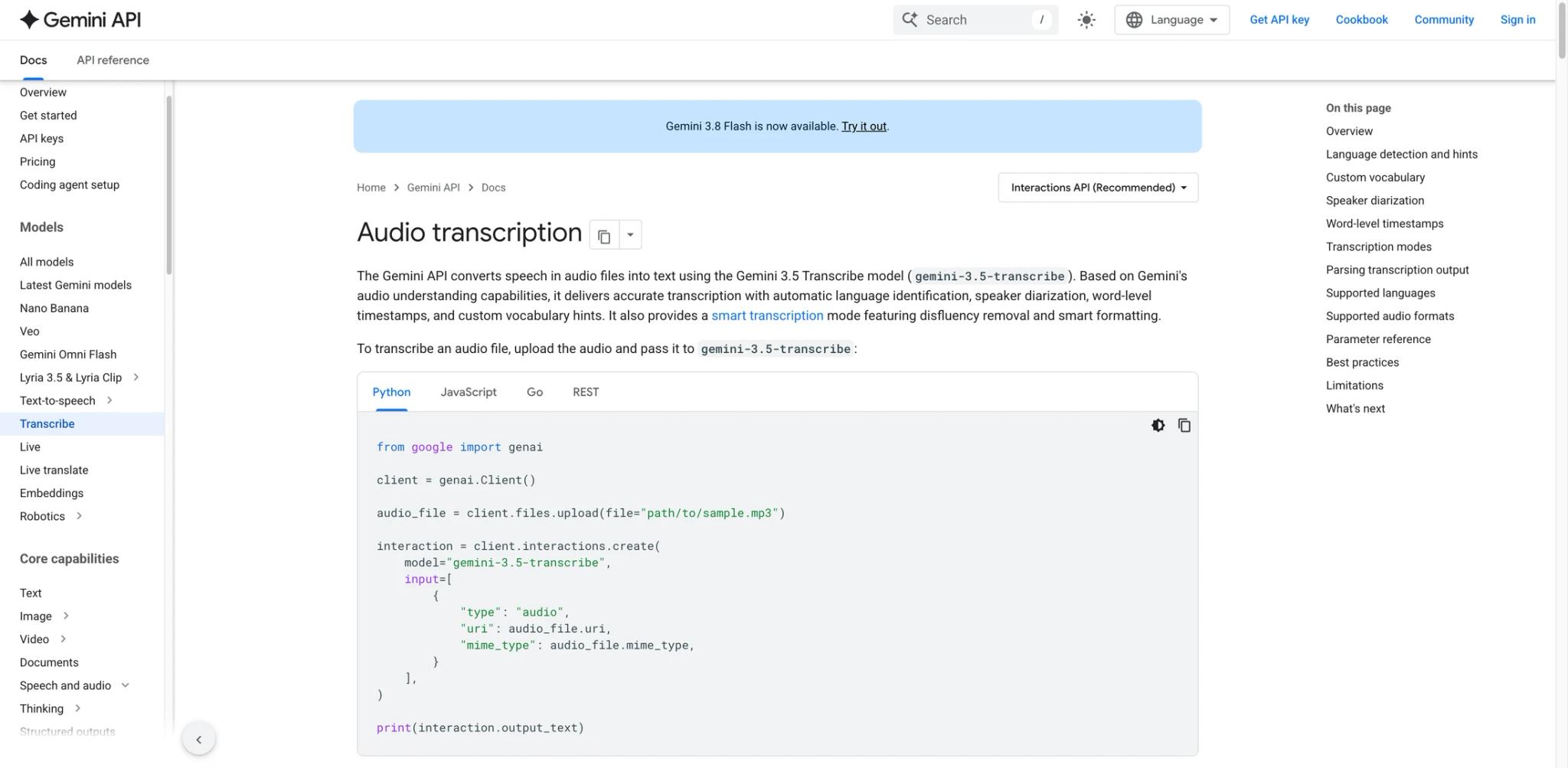
Gemini Transcribe is Google's dedicated speech-to-text model family for converting recorded and streaming audio into text. It is separate from the general Gemini chatbot and from conversational voice agents: the output is a transcript, not an AI-generated spoken response. The first Gemini-branded release, Gemini 3.5 Transcribe, became generally available in the Gemini API on August 26, 2026 with non-streaming and live model endpoints.
The family succeeds Google's Chirp speech-recognition models and brings two workflows under one product. The non-streaming model processes uploaded or inline audio with unary requests, while the live model returns partial and final transcripts over a persistent WebSocket connection. Both target developers building meeting notes, captions, call analytics, media indexing, and voice-input features.
For buyers comparing AI transcription tools, Gemini Transcribe is primarily an API rather than a finished meeting-notes app. Its advantages are multilingual coverage, code-switching, promptable vocabulary, and access to Google's current speech model; teams that need calendars, summaries, action items, and a user-facing workspace will still need to build those layers or use an AI meeting-notes product.
Key Features
- Non-streaming and live endpoints — Use
gemini-3.5-transcribefor standard unary file transcription orgemini-3.5-transcribe-livefor continuous streaming transcription. Google's dedicated Gemini Batch API is not supported for Gemini 3.5 Transcribe. - 85+ languages with automatic detection — The model can identify supported languages and transcribe multilingual audio, including code-switching within a recording.
- Custom vocabulary — Supply up to 1,000 words or phrases to improve recognition of product names, acronyms, technical terminology, and domain-specific entities; Google says lists of 100 or fewer usually work best.
- Speaker diarization — Label speakers in multi-person non-streaming audio for interviews, meetings, podcasts, and support-call analysis. Google documents up to eight speakers, while attribution with three or more speakers remains experimental.
- Word-level timestamps — Available for non-streaming
gemini-3.5-transcribe, notgemini-3.5-transcribe-live. Enabling word-level timestamps reduces the documented file-processing limit to 30 minutes and may degrade overall transcription accuracy. - Smart transcription — Remove disfluencies, resolve self-corrections, and format spoken language into cleaner readable text when verbatim output is not required.
How to Get Started
- Create a Gemini API key in Google AI Studio and choose the non-streaming or live workflow.
- For a recording, send supported audio to the Interactions API with
gemini-3.5-transcribe; add a language hint, vocabulary list, diarization, or timestamps only when needed. - For a microphone or live call, open a Live API WebSocket session with
gemini-3.5-transcribe-live, stream audio chunks, and consume partial and final transcript events. - Store both the transcript and model configuration so quality issues can be reproduced during evaluation.
- Test real accents, background noise, domain terms, overlapping speech, and speaker counts before production rollout.
Start with clean representative recordings, then introduce the difficult audio conditions your application must handle. Smart transcription cannot be combined with diarization or word-level timestamps, so choose readable prose or detailed alignment per request rather than expecting every feature at once.
Pricing & Plans
The Gemini API offers a free tier and usage-based paid pricing. Google states that free-tier usage may be used to improve its products, while paid-tier usage is not; rate limits also vary by project and usage tier and should be checked in Google AI Studio.
| Mode | Input | Output | Approximate combined cost |
|---|---|---|---|
| Non-streaming transcription | $2.00 / 1M audio tokens, about $0.003/min | $12.00 / 1M text tokens, about $0.002/min | About $0.005/audio minute |
| Live transcription | $3.50 / 1M audio tokens, about $0.005/min | $21.00 / 1M text tokens, about $0.004/min | About $0.009/audio minute |
Non-streaming requests support up to one hour of audio. Enabling speaker diarization or word-level timestamps reduces the documented maximum to 30 minutes. Live transcription sessions support continuous streaming for up to 10 minutes, so production applications should implement session rollover or reconnection handling. Enterprise access through Gemini Enterprise Agent Platform is a separate channel that Google's launch material describes as public preview; verify its pricing, quotas, regional availability, and endpoint identifiers separately.
How It Compares
Deepgram, AssemblyAI, and AWS Transcribe are alternative transcription APIs. Gemini Transcribe provides 85+ language detection, code-switching, custom vocabulary, and non-streaming and live transcription within the Gemini API.
Gemini Transcribe should not be evaluated like a general chatbot. A voice agent such as Vapi or Retell AI orchestrates turn-taking, language-model responses, telephony, and synthesized speech. Gemini Transcribe covers the recognition stage only, which gives developers more control but also leaves agent orchestration and end-user workflow design to the application.
Best For
- Developers adding transcription to media, support, education, accessibility, or productivity products
- Multilingual applications that encounter code-switching and changing accents
- Meeting, interview, and podcast pipelines needing speaker labels or timestamps
- Live captioning and voice-input experiences that need partial results over WebSockets
- Existing Gemini API teams that want speech recognition without adding another AI vendor
FAQ
What is Gemini Transcribe?
Gemini Transcribe is Google's dedicated speech-to-text model family. It converts recorded or streaming audio to text and is distinct from the Gemini chatbot and from Live Agent models that generate conversational responses.
Is Gemini 3.5 Transcribe generally available?
Yes in the Gemini API. Google's August 26, 2026 changelog lists both gemini-3.5-transcribe and gemini-3.5-transcribe-live as generally available. The Gemini Enterprise Agent Platform currently documents separate -preview endpoints, so deployment stage depends on the access channel.
What languages does Gemini Transcribe support?
Google documents automatic detection and transcription for more than 85 languages, including code-switching. Quality still varies by language, accent, audio quality, domain vocabulary, and speaker overlap.
Does it support speaker diarization and timestamps?
The non-streaming model supports speaker diarization and word-level timestamps. Enabling either reduces the maximum audio length to 30 minutes, and smart transcription cannot be used in the same request.
How much does Gemini Transcribe cost?
Google estimates about $0.005 per audio minute for non-streaming transcription and $0.009 per audio minute for live transcription, combining input-audio and output-text charges. A free tier is available for evaluation.
Is Gemini Transcribe the same as Gemini Live?
No. Gemini Transcribe Live streams speech-to-text results. Gemini Live Agent models listen, reason, call tools, and generate responses for a two-way conversation.
What came before Gemini Transcribe?
Gemini Transcribe follows Google's Chirp speech-model line: Chirp, Chirp 2, and Chirp 3. The dedicated Gemini 3.5 Transcribe release is the next major generation and Google's official launch comparison uses Chirp 3 as its predecessor.