



Overview
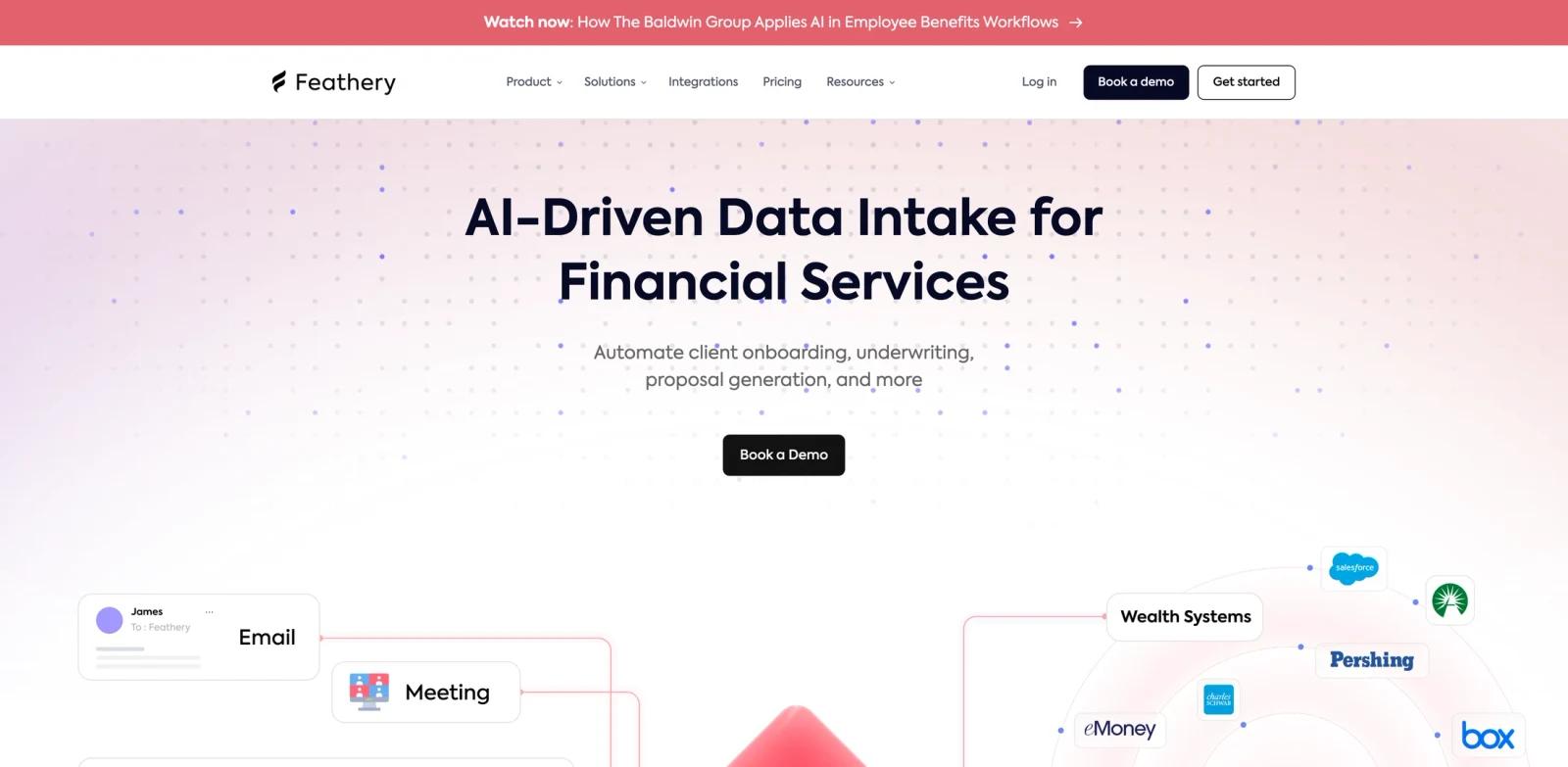
Feathery is a document workflow tool for operations teams, legal teams, sales teams, developers, finance teams, and document-heavy businesses. The official page describes the product around "AI-Driven Data Intake for Financial Services", and the surrounding product copy highlights themes such as over 10 million+ workflows processed, built for financial services, insurance, wealth management, automate the work behind every workflow, trusted to power critical workflows, powerful vertical integrations, start building today. That positioning makes Feathery most relevant for teams comparing AI document generators rather than for users who only need a generic prompt box.
The practical value of Feathery is that it packages a repeatable workflow into a product surface: users get screens, templates, integrations, exports, or guided steps instead of starting from scratch every time. The public meta description summarizes the promise as: "Automate client onboarding, underwriting, proposal generation, and more.". For buyers, the question is not whether the product mentions AI, but whether it can reduce the manual work, review cycles, and operational friction in a specific process.
Use Feathery when your team can define a clear before-and-after workflow. For example, compare the time it takes to create a form, clean an audio clip, build a governed data inventory, produce a product image, plan a trip, generate a document, or process a transcript before and after introducing the tool. If the result is faster, easier to review, and easier to repeat, Feathery can earn a place in a broader stack alongside AI form generators and AI productivity tools.
Key Features
Template-driven documents - Turns structured data into PDFs, agreements, invoices, labels, contracts, or reusable documents.
Workflow automation - Reduces manual document creation, copy-paste work, approvals, and follow-up.
Editor or API surface - Supports no-code template editing, developer APIs, embedded editors, or agreement workflows.
Data and system integrations - Connects documents to forms, CRM records, app data, databases, or business systems.
Security and compliance - Adds audit trails, permissions, certificates, or compliance options where required.
Scalable output - Helps teams generate consistent documents at high volume without rebuilding layouts for each customer.
How to Get Started
- Confirm the primary workflow - Decide whether the first use case is AI document generation, reporting, automation, content creation, data intake, or another concrete job.
- Start with a narrow pilot - Use one team, one dataset, one content workflow, or one operational process so the output can be judged quickly.
- Connect the minimum required systems - Add only the accounts, files, databases, forms, audio, or product assets needed for the first workflow.
- Define quality checks - Review accuracy, formatting, permissions, approval paths, and edge cases before scaling the workflow to more users.
- Document ownership - Assign the person responsible for templates, prompts, data sources, billing, governance, and vendor administration.
- Scale after the first result is repeatable - Expand to more teams or higher volume only after the pilot produces reliable output and a clear operating pattern.
Pricing & Plans
Feathery pricing depends on workflow volume, AI document processing, integrations, compliance, and financial-services deployment requirements.
| Option | Public pricing signal | Best fit |
|---|---|---|
| Core access | Paid or quote-based | Teams or individuals evaluating AI document generation workflows |
| Expanded use | Feathery pricing depends on workflow volume, AI document processing, integrations, compliance, and financial-services deployment requirements. | Users who need higher limits, more integrations, stronger controls, or production support |
| Enterprise or regulated use | Confirm directly with the vendor | Organizations that need security review, procurement, custom deployment, or contractual terms |
Pricing can change quickly, especially when products mix trials, free tiers, usage-based billing, enterprise quotes, and promotional discounts. Treat the pricing field above as a structured starting point, then confirm the current plan page before making a procurement or production decision.
Best For
- Operations teams, legal teams, sales teams, developers, finance teams, and document-heavy businesses evaluating AI document generation workflows.
- Teams that want a practical product workflow rather than a blank general-purpose chatbot.
- Operators who need repeatable output, reviewable steps, and clearer ownership.
- Organizations comparing specialist tools against broader productivity or data platforms.
- Users who are willing to verify pricing, limits, and integrations before depending on the tool in production.
Feathery is also worth shortlisting when you are comparing specialist products against broader AI data analysis. Specialist tools usually win when the workflow is narrow and repeated; broad platforms win when one team wants many loosely related jobs in a single environment.
FAQ
What is Feathery?
Feathery is a document workflow tool for operations teams, legal teams, sales teams, developers, finance teams, and document-heavy businesses. Its public website positions it around AI document generation workflows, with features that help users move from manual work to a more structured, repeatable process.
Who should use Feathery?
Feathery is best for operations teams, legal teams, sales teams, developers, finance teams, and document-heavy businesses that have a real workflow to improve, such as planning, creation, governance, intake, reporting, cleanup, or document generation.
Is Feathery free?
Feathery is treated as a paid product here. It may offer a trial, demo, or custom quote, but users should confirm current pricing with the vendor.
What makes Feathery different from a general AI chatbot?
A general chatbot can answer prompts, but Feathery is built around a specific AI document generation workflow, with product screens, integrations, templates, exports, governance, or domain-specific controls depending on the plan.
Does Feathery need setup?
Yes. Even simple tools need a setup pass: connect the right accounts or files, define the first workflow, check output quality, and decide who owns ongoing changes.
What should teams verify before buying Feathery?
Verify pricing, usage limits, data handling, export formats, integrations, support, cancellation terms, and whether the tool fits the exact workflow you plan to run.
How should I compare Feathery with alternatives?
Compare it against other AI document generators by testing the same real task in each product. Track setup time, output quality, collaboration, pricing, integrations, and how much manual cleanup remains.
