

Overview
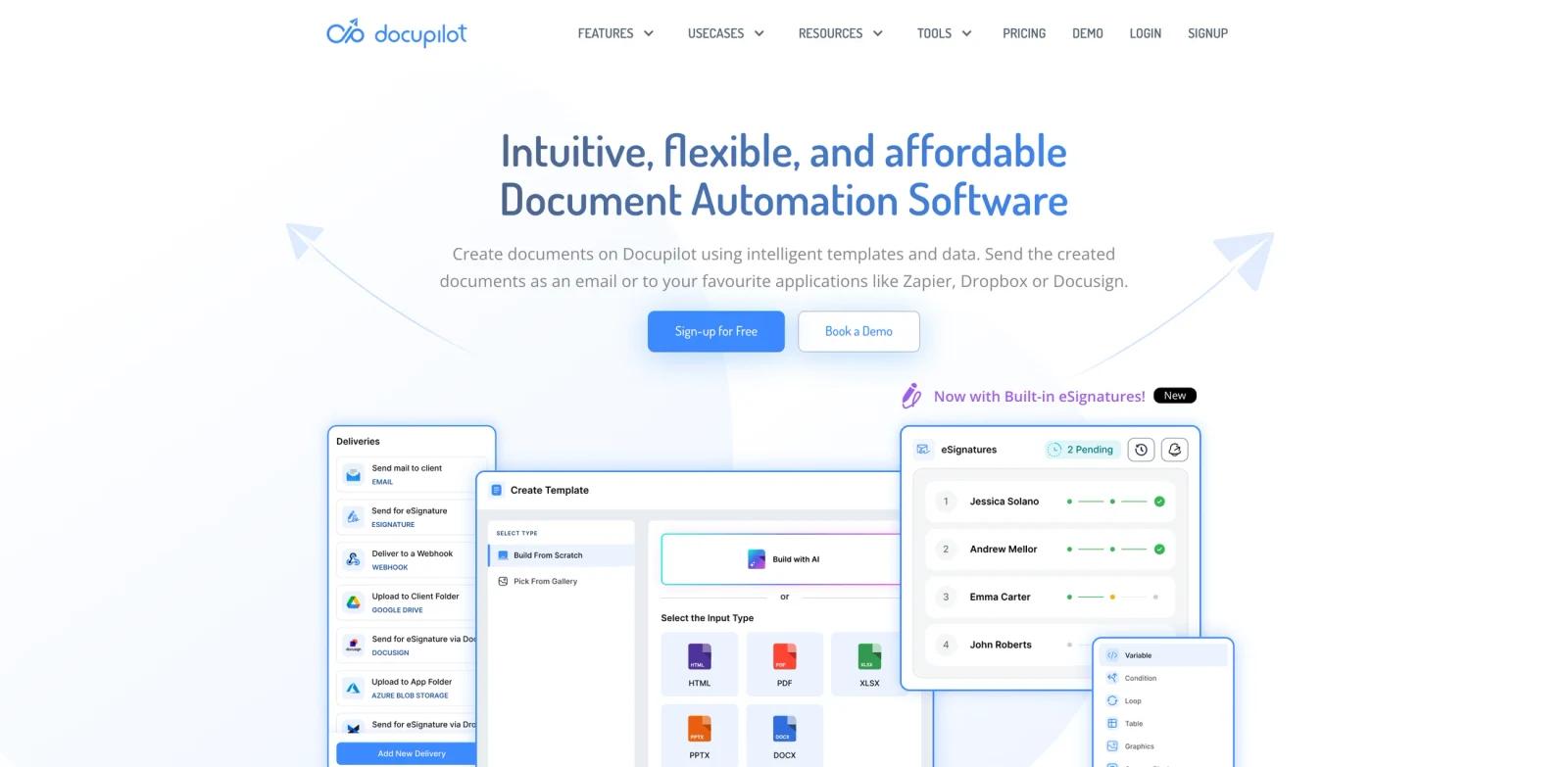
Docupilot is a document automation platform aimed at operations teams, sales teams, legal teams, finance teams, developers, and document-heavy businesses. The official page positions the product around "Intuitive, flexible, and affordable Document Automation Software", and the page copy emphasizes are you manually creating business documents repeatedly?, our features, build a document workflow seamlessly with docupilot, integrate data from popular third-party tools, create dynamic prop|, compliant with global security standards, trusted by our users. In practical terms, it belongs in the AI document generators evaluation set because it gives users a product workflow for creating, automating, planning, visualizing, or improving work instead of leaving them with a blank AI prompt.
The strongest reason to consider Docupilot is workflow compression. Document automation, document assembly, document generation, involves generating and automating documents in large quantities based on predefined rules. A good pilot should compare the current manual process with the product's output on the same task: how long setup takes, how much cleanup remains, whether teammates can review the result, and whether the pricing model still makes sense after real usage limits are applied.
Docupilot is also worth comparing with adjacent categories such as AI form generators and AI productivity tools. Specialist tools usually win when the job is repeated, domain-specific, and tied to exports or integrations. Broader platforms win when the team wants one shared place for many loosely related tasks.
Key Features
Template-based generation - Merges structured data into reusable templates for proposals, contracts, invoices, letters, reports, or PDFs.
Workflow automation - Reduces manual copy-paste work by connecting document creation to forms, CRMs, databases, APIs, or business apps.
Multi-format output - Produces PDF, DOCX, HTML, Word, PowerPoint, or other business formats depending on the platform.
Delivery and signature paths - Can send completed files by email, cloud storage, CRM, eSignature platform, or API callback.
Conditional content logic - Supports dynamic clauses, repeating tables, calculations, images, or rules based on incoming data.
Security and compliance controls - Adds encryption, audit trails, permissions, or enterprise deployment options where needed.
How to Get Started
- Define the first workflow - Pick one concrete AI document generation task rather than trying to transform every related process at once.
- Prepare the input material - Gather the source files, prompts, templates, URLs, sketches, tasks, products, documents, or datasets needed for a realistic test.
- Run a narrow pilot - Use the tool on a small but real example and compare the result with your current manual workflow.
- Review output quality - Check accuracy, formatting, visual quality, permissions, privacy implications, and the amount of cleanup still required.
- Connect adjacent systems - Only after the first output works, connect the calendar, CRM, CMS, file store, design library, API, or team workspace.
- Create an operating rule - Document who owns prompts, templates, billing, approvals, and review so the workflow remains reliable after the first trial.
Pricing & Plans
Docupilot offers free signup and paid document automation plans. Confirm current template, delivery, API, and eSignature limits before purchase.
| Option | Pricing signal | Best fit |
|---|---|---|
| Starter use | Paid or quote-based | Users testing whether AI document generation fits the workflow |
| Production use | Docupilot offers free signup and paid document automation plans. Confirm current template, delivery, API, and eSignature limits before purchase. | Teams that need higher limits, collaboration, integrations, API access, or support |
| Enterprise use | Confirm directly with the vendor | Organizations needing procurement, security review, SSO, compliance, custom deployment, or service-level terms |
Pricing changes often, especially when free tiers, trials, API usage, subscriptions, enterprise quotes, and promotional offers are involved. Use the structured price field as a directory signal, then confirm the current official pricing page before buying or building a workflow around Docupilot.
Best For
- Operations teams, sales teams, legal teams, finance teams, developers, and document-heavy businesses evaluating AI document generation workflows.
- Teams that want a purpose-built product workflow instead of a blank general AI prompt.
- Operators who need repeatable output, reviewable steps, and clearer ownership.
- Organizations comparing specialist tools against broader productivity, design, data, or automation platforms.
- Users willing to verify limits, pricing, integrations, and output quality before depending on the tool in production.
For buyers comparing multiple tools, the most useful test is a same-input benchmark. Give every option the same brief, document, dataset, video, design task, workflow, or product requirement and record which one produces the most usable output with the least governance risk. That comparison is usually more reliable than feature-list matching across AI data analysis.
FAQ
What is Docupilot?
Docupilot is a document automation platform for operations teams, sales teams, legal teams, finance teams, developers, and document-heavy businesses. It is most useful when the team has a defined AI document generation workflow and wants a repeatable product surface rather than an ad hoc chatbot conversation.
Who should use Docupilot?
Docupilot fits operations teams, sales teams, legal teams, finance teams, developers, and document-heavy businesses that need to create, automate, visualize, summarize, generate, or manage work in a more structured way.
Is Docupilot free?
Docupilot is treated as a paid product here. It may offer a trial or demo, but teams should confirm current plan details directly.
What makes Docupilot different from a general AI chatbot?
A general chatbot can draft or answer prompts, but Docupilot adds workflow-specific screens, templates, exports, integrations, collaboration, or domain logic for AI document generation.
What should I test first in Docupilot?
Use one realistic task with real inputs. Measure setup time, output quality, manual cleanup, collaboration, pricing fit, and whether the result can be repeated.
Does Docupilot replace human review?
No. Teams should still review facts, formatting, rights, data handling, accessibility, and final business decisions before publishing or operationalizing the output.
How should I compare Docupilot with alternatives?
Run the same task through other AI document generators. Compare the quality of the first draft, the editing workflow, integrations, limits, pricing, and how much governance the tool provides.