

Overview
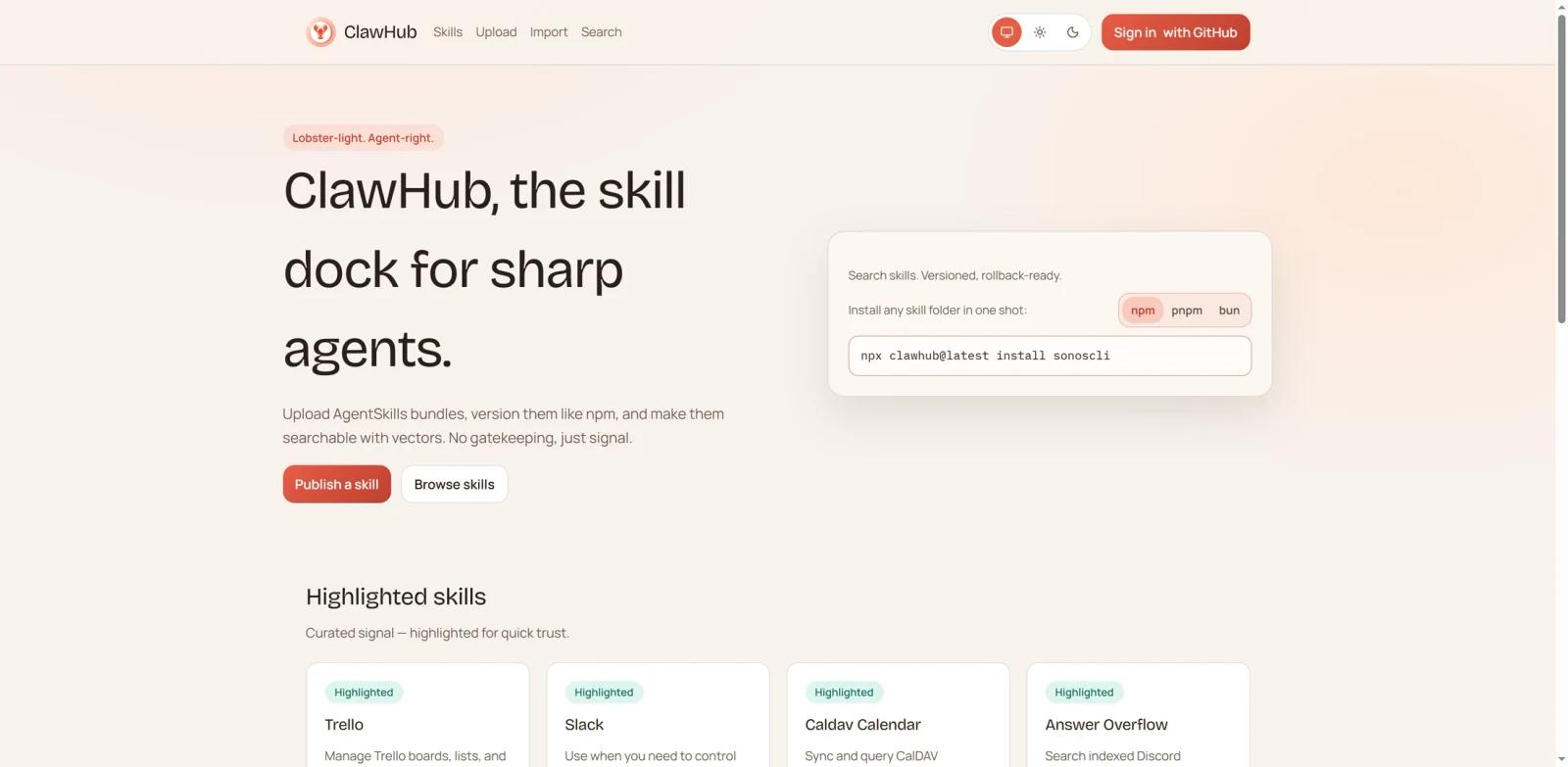
ClawHub (clawhub.ai) is the official public skill registry for OpenClaw, an open-source AI agent platform with hundreds of thousands of GitHub stars. Often described as "npm for AI agents," ClawHub lets developers publish, discover, version, and install reusable skill bundles that expand what OpenClaw agents can do—from automating emails and managing calendars to controlling smart home devices and reviewing GitHub pull requests.
At its core, a ClawHub skill is a versioned folder containing a SKILL.md file written in plain Markdown. Because a ClawHub skill is centered on a human-readable SKILL.md, users can inspect it before use—but skills may also include supporting files, scripts, and runtime requirements. The registry hosts thousands of community-built skills across categories like productivity, development, smart home, and AI model integration. The catalog is growing quickly, though exact totals and daily additions change rapidly.
ClawHub is completely free. All skills are public and open for anyone to browse, install, and publish. The registry is maintained by the OpenClaw team and is designed to work seamlessly with the clawhub CLI.
Key Features
Semantic Vector Search — Finds skills by natural language intent rather than exact keywords, so a query like "I need something that summarizes my emails" surfaces relevant results even without knowing exact skill names.
CLI-First Workflow — Install the
clawhubCLI via npm, then search, install, update, publish, and sync skills entirely from the terminal—ideal for scripting and CI/CD pipelines.Semantic Versioning (SemVer) — Every skill publish creates a new versioned bundle with optional changelogs and tags (including
latest), so you can pin to a specific version or always pull the newest update.Community Ratings & Feedback — Skills display stars, usage signals such as install/download counts, and user comments, giving you practical discovery signals before installing.
Moderation & Reporting System — Any signed-in user can report suspicious or abusive skills; skills with more than three unique reports are auto-hidden pending moderator review. This provides a community safety layer for an open registry.
Sync & Backup — The
clawhub synccommand scans your local skill folders, detects new or updated skills, and publishes them to the registry—making it easy to back up and share your own work.
Pricing & Plans
ClawHub is entirely free to use. There are no paid tiers, no usage caps on browsing or installing skills, and no subscription required to publish your own skills.
| What you get | Cost |
|---|---|
| Browse & search all skills | Free |
| Install unlimited skills via CLI | Free |
| Publish skills to the registry | Free (GitHub account required) |
| Community ratings & comments | Free |
The only costs associated with the broader OpenClaw ecosystem come from running OpenClaw itself and any AI model API calls (e.g., Claude, GPT-4o) you configure as the agent's reasoning backend—neither of which is billed by ClawHub.
Best For
- OpenClaw users who want to extend their AI agent's capabilities beyond the default feature set
- Developers building multi-step automation workflows that interact with GitHub, email, calendars, or messaging platforms
- Teams looking for reusable, version-controlled AI agent skill components they can share across projects
- Researchers and hobbyists exploring the composable AI agent paradigm
- Anyone who wants to back up and publish their own OpenClaw skill configurations to the community
FAQ
What is ClawHub and how is it different from OpenClaw?
OpenClaw is an open-source AI agent framework that runs on your local machine and can automate tasks across email, messaging platforms, browsers, and the command line. ClawHub is the official skill registry for OpenClaw—a separate website where developers publish and discover "skills" (instruction bundles) that extend what OpenClaw can do. Think of it like the relationship between Node.js (the runtime) and npm (the package registry).
How do I install the ClawHub CLI?
Run npm i -g clawhub (or pnpm add -g clawhub) in your terminal. Once installed, you can run clawhub search "your query" to find skills and clawhub install <skill-slug> to install them into your OpenClaw workspace.
Is ClawHub free to use?
Yes, ClawHub is completely free. All skills are publicly accessible, and there are no paid tiers for browsing, installing, or publishing skills. You need a GitHub account (at least one week old) to publish skills.
Are ClawHub skills safe to install?
ClawHub is an open registry with a low barrier to publish, which means skills are not pre-screened. In January 2026, a supply chain attack called "ClawHavoc" introduced over 1,100 malicious skills disguised as cryptocurrency tools. Before installing any skill, open its SKILL.md file and manually review it for suspicious shell commands or unexpected network requests. Prioritize skills with high download counts and positive community reviews.
What AI models does ClawHub support?
ClawHub skills are executed by OpenClaw, which supports multiple AI backends including Anthropic Claude (via Claude Code), OpenAI GPT-4o, and locally hosted models via Ollama. The skill itself is model-agnostic—the LLM backend is configured in your OpenClaw setup, not in the skill.
Can I use ClawHub skills with Claude Code directly?
Not directly. ClawHub skills are Markdown instruction files designed specifically for the OpenClaw agent runtime. However, through MCP (Model Context Protocol) bridge projects like openclaw-mcp or openclaw-claude-code-skill, you can enable OpenClaw and Claude Code to call upon each other's capabilities. If you're interested in AI agent protocols more broadly, the A2A protocol guide provides a useful overview of how agents communicate.
How do I publish my own skill to ClawHub?
Navigate to your skill folder and run clawhub publish ./my-skill/ --slug my-skill --name "My Skill" --version 1.0.0 --tags latest. You'll need to authenticate via GitHub OAuth the first time. For multiple skills, clawhub sync --all scans your workspace and uploads any new or updated skills at once.
How does ClawHub's search work?
ClawHub uses vector embeddings (semantic search) rather than simple keyword matching. This means you can describe what you need in plain language—such as "schedule a meeting from a Slack message"—and the registry returns semantically relevant skills even if the exact words don't appear in the skill name or description.
What categories of skills are available?
The registry covers a broad range of categories including Developer Tools (GitHub integration, CI/CD monitoring, AI code generation), Productivity (email automation, calendar management, Notion integration), Communication (WhatsApp, Telegram, Slack, Discord bridges), Smart Home (IoT device control), and AI Model Access (model switching, usage tracking). The developer category is currently the largest, with over 1,400 skills.