



Overview
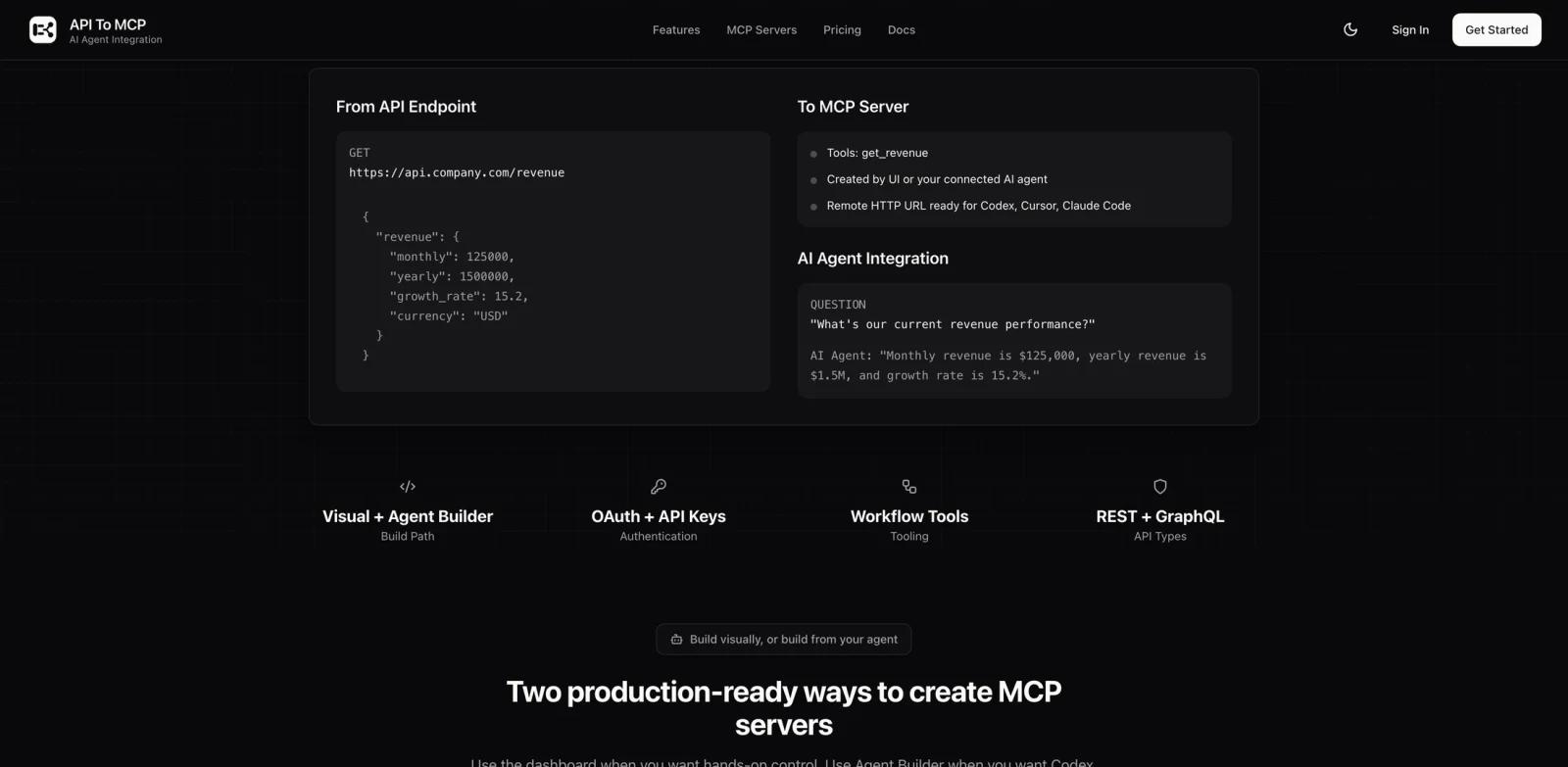
API to MCP is a hosted platform for turning REST, GraphQL, SaaS, and internal business APIs into Model Context Protocol servers. It is aimed at developers and operations teams that want AI agents to call real systems without building and maintaining a custom MCP server for every integration.
Users can configure tools in a visual dashboard or let a compatible coding agent create, test, and deploy them from API documentation. The resulting server uses Streamable HTTP and can connect to ChatGPT, Claude, Claude Code, Codex, Cursor, VS Code, Antigravity, or custom clients. For readers evaluating the wider ecosystem, ToolWorthy's MCP beginner guide explains why a standard tool interface matters.
The product is a practical fit for teams exploring AI agents because it combines hosted deployment, authentication, response mapping, workflows, and usage analytics rather than stopping at code generation.
Key Features
Visual MCP builder - Configure API endpoints, parameters, schemas, and tool descriptions in a dashboard without writing a server from scratch.
REST and GraphQL support - Wrap public, SaaS, or internal APIs and expose selected operations as MCP tools.
Authentication controls - Supports API keys, Bearer and Basic authentication, OAuth2 client credentials, and per-user OAuth authorization flows.
Hosted Streamable HTTP servers - Deploy remote MCP URLs with SSL so supported AI clients can connect without a local stdio bridge.
Workflow and response mapping - Chain operations and use JMESPath to reduce or reshape noisy API responses before they reach an agent.
Live and forkable configurations - Use a live server or fork a snapshot before adding separate credentials and custom changes.
How to Get Started
Create a free account, enter an API base URL, choose the endpoints that should become tools, and configure the required authentication. Test each tool with non-sensitive data before connecting it to an agent that can take actions.
For internal systems, expose the smallest useful permission scope and avoid putting unrestricted production credentials into a broad agent workspace. Teams comparing integration standards can also review MCP versus A2A before deciding where API to MCP belongs in their architecture.
Pricing & Plans
API to MCP publishes monthly and yearly plans. The prices below show the standard monthly rates and the 30% Product Hunt launch offer announced by the maker, while that temporary promotion remains available.
| Plan | Price | Main limits |
|---|---|---|
| Free | $0/month | 1 MCP server, 3,000 API calls/month, 15 tools per server |
| Starter | $6.99/month launch offer; $9.99 standard | 3 active servers, 10,000 API calls/month, unlimited tools per server, workflows, 30 OAuth user connections |
| Professional | $20.99/month launch offer; $29.99 standard | 15 active servers, 50,000 API calls/month, unlimited tools per server, workflows, 300 OAuth user connections |
| Business | $41.30/month launch offer; $59 standard | Unlimited active servers, API calls, and tools; 3,000 OAuth user connections; priority support |
All plans include hosted deployment, SSL endpoints, analytics, visual building, and email support. Enterprise or custom limits require contacting the vendor.
Best For
- Developers converting existing REST or GraphQL services into agent tools
- SaaS teams adding MCP access without operating separate server infrastructure
- Internal platform teams that need controlled access to business APIs
- Builders who want a visual alternative to hand-coding every MCP integration
- Teams standardizing tools for multiple AI clients
FAQ
What does API to MCP do?
It converts selected operations from REST and GraphQL APIs into tools on a hosted MCP server that compatible AI agents can call.
Is API to MCP free?
Yes. The Free plan includes one active server, 3,000 API calls per month, and up to 15 tools per server. Starter is normally $9.99 per month and was discounted to $6.99 for the Product Hunt launch period.
Which AI clients can connect?
The official site lists ChatGPT, Claude, Claude Code, Codex, Cursor, VS Code, Antigravity, and custom agents that support remote MCP servers.
What MCP transport does it use?
The documentation specifies Streamable HTTP with JSON-RPC 2.0 over HTTP POST.
Does it support OAuth?
Yes. Available options include OAuth2 client credentials and OAuth authorization code flows, with connection limits varying by plan.
Can it transform API responses?
Yes. JMESPath expressions can extract, rename, or reshape fields before returning the response to the AI client.
Is it safe for internal APIs?
It provides authentication and hosted SSL endpoints, but customers remain responsible for credential scope, endpoint selection, approval rules, and testing.
What counts as an API call?
The pricing FAQ says each agent request to list or execute MCP tools counts toward the monthly API call allowance.