What Is superbot?
superbot is a personal AI agent from EZO Labs that combines media creation, web tasks and management of existing AI apps. Its official materials show image, video, music, 3D and app creation alongside browser and computer actions. It is offered through desktop and phone apps, a web interface and an API.
Its distinguishing use case is keeping AI work together: people who move between multiple assistants can connect apps and bring chat history and project context into one workspace. Someone looking only for an image generator may need fewer of these integration features.
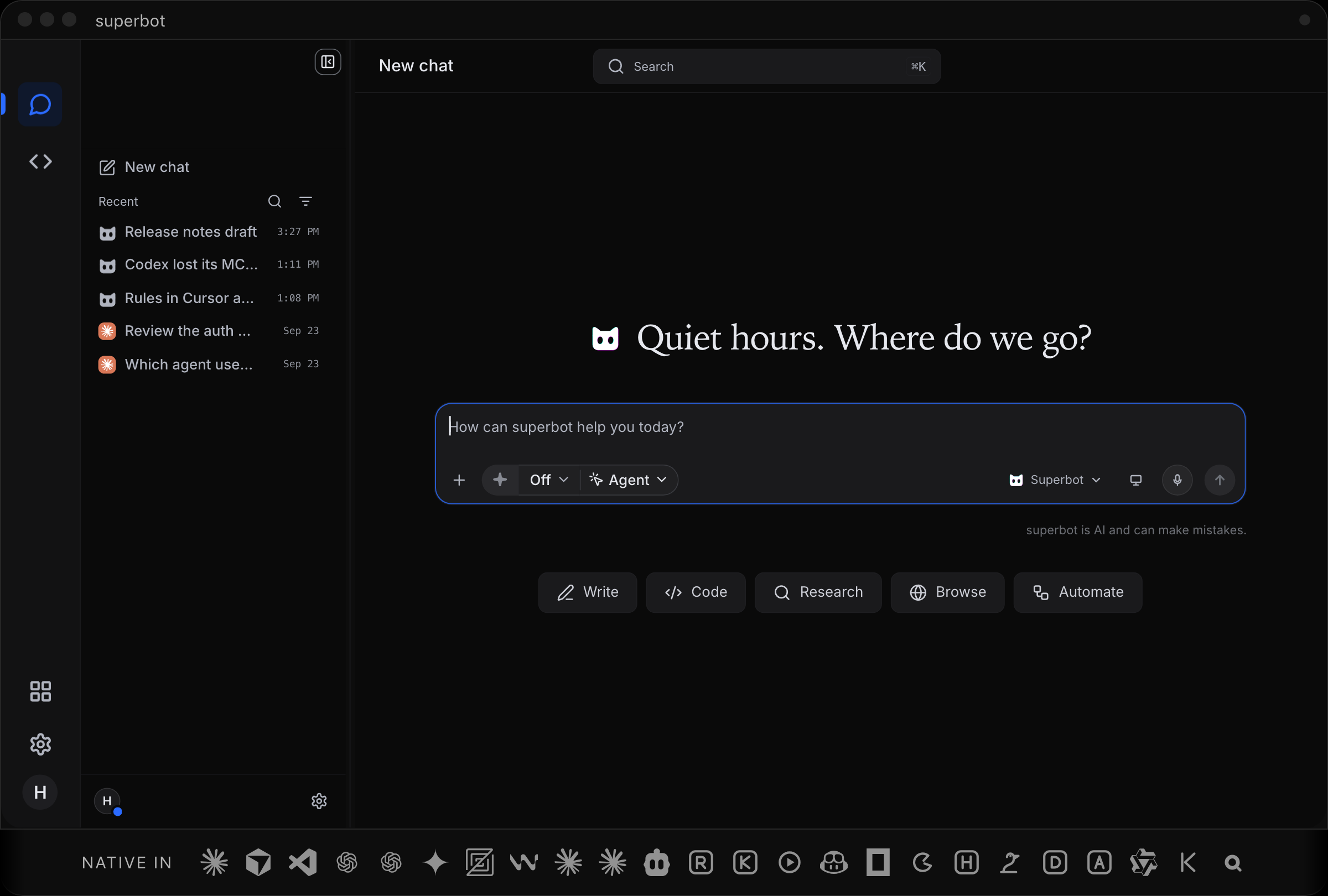
Official superbot desktop interface. View full size
Capabilities and Setup Boundaries
- Create and continue in one conversation. The official media kit shows generated media and follow-up work inside the chat. These are vendor demonstrations, not independent quality tests.
- Browse and act. Browser and computer tools extend the agent beyond text answers. Desktop computer use has Off, Ask and Always controls; the documentation says it starts Off.
- Connect apps and devices. The Helper supports connections to existing AI clients. Cross-device history depends on the relevant sync settings and an account on the devices involved.
- Use an API or an existing provider account. Routing can use connected subscriptions, vendor keys or superbot credits. Supported routes and available models depend on the connected account and configuration.
For desktop integrations, start with the official setup documentation. Installing the Helper and connecting an existing app are separate choices; an integration appearing in the documentation does not establish that every account can use every provider or feature.
Free Access, Credits and Paid Plans
superbot has a free tier and paid subscriptions. The free allowance is limited, and paid tiers include different usage allowances. Credit packs are another purchase option.
Calls using connected provider accounts consume those providers' allowances; eligible routes using superbot credits draw from its balance. API and MCP use can have different rates from the superbot apps. A free download therefore does not mean unlimited generation or API usage. Check the current plans and billing documentation for the route and workload being considered.
Privacy and Fit
Cross-device sync stores chat history on superbot's servers. Its privacy notice distinguishes device-held credentials, synced content, operational logs and Model API requests. Avoid treating these as one universal local-only or no-training promise; the API provisions and their effective dates need separate attention.
Avoid If
- The requirement is an entirely local workflow with no server-stored chat history: enabled cross-device sync uses server storage.
- The expectation is unlimited free media or API usage: allowances, route selection and billing matter.
- The purchase depends on independently measured output quality or automation reliability: this page does not establish either.
Sources & Verification
- Last verified: 2026-10-21
- Evaluation scope: Public product, setup, billing, media and privacy materials. No account was created, software installed or paid generation triggered.
- Method: Source-based research from the official product materials below. No hands-on testing was performed for this update.
- Official sources: Product, Documentation, Media kit, Privacy.