
11 Best AI Image Editor Tools 2026 - Complete Comparison
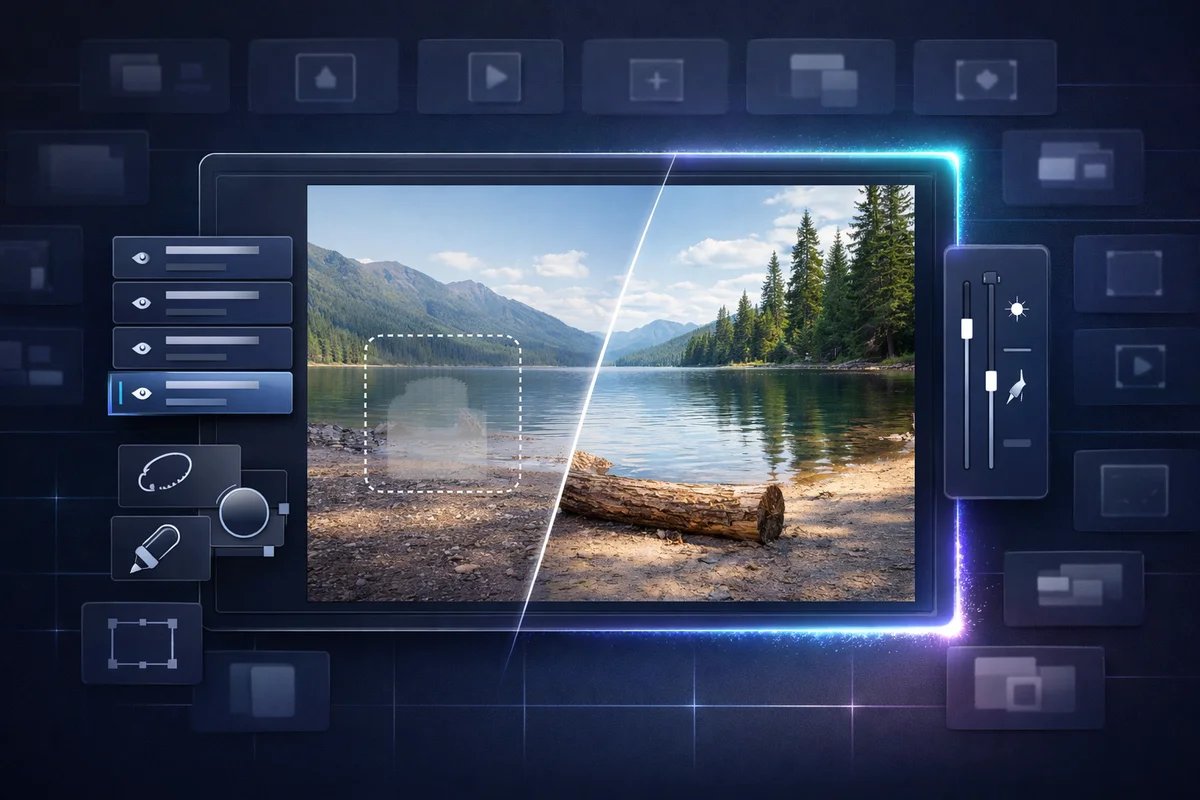
Searchers looking for an AI image editor usually already have an image and a concrete repair or transformation to make: remove an object, replace a background, extend the canvas, preserve a product or person across edits, fix text, or keep a layered professional workflow. That is different from choosing a text-to-image generator. Start with the edit you must make and the file you need afterward.
To map capabilities, workflows, integrations, and the wider market without rankings, browse the AI Image Editor Tools category landscape.
This guide compares 11 editors and editing models using official documentation, pricing pages, licenses, and attributed user feedback. It does not claim a common image set, hands-on testing of every product, or a cross-platform quality benchmark.
Use the required edit to shortlist tools:
| Trigger | Start with | Decision factors to verify |
|---|---|---|
| Precise, non-destructive edits in an existing professional file | Adobe Photoshop | Layers, masks, model choice, credits, and source-asset terms |
| Quick object/background edits inside a design workflow | Canva, Picsart, or Clipdrop | Selection control, export limits, brand workflow, and asset license |
| Prompt-based edits with several model choices | Krea or Midjourney Editor | Preservation of the untouched region, privacy, credits/GPU time, and output terms |
| API or self-hosted image editing | Google image models, FLUX.2, or Qwen-Image | Endpoint/version, per-image cost, license, hardware, retention, and logging |
| Photography enhancement rather than generative replacement | Luminar Neo | RAW workflow, local control, artifact risk, and license model |
| Tool | Best For |
|---|---|
| Google Nano Banana family | Teams choosing between a general-purpose, high-volume, or complex-instruction Google image endpoint |
| Adobe Photoshop | Professional photographers and designers needing non-destructive workflows |
| Krea Edit | Creators needing fast AI edits with multiple model options |
| Midjourney Editor | High-quality editing with 7-tool suite (inpainting, outpainting, layers) |
| Canva Magic Edit | Marketing teams creating on-brand designs with AI assistance |
| Luminar Neo | Photographers wanting one-time purchase with AI enhancements |
| Picsart AI Replace | Mobile creators and social media teams with quick edits |
| Clipdrop | Fast single-purpose edits like cleanup and background removal |
| FLUX.2 | Professional creators needing 4MP outputs with multi-reference editing |
| Qwen-Image | Enterprises requiring private deployment and data control |
| Seedream 4.5 | Brand designers needing poster layouts with accurate text rendering |
How We Researched the Editors
We selected these products to cover layer-based editing, browser and mobile utilities, multi-model prompt editing, photography enhancement, and API/self-hosted workflows. Research used official product pages, developer documentation, pricing, licenses, and attributed community feedback.
We compared documented editing operations, preservation/control, final file type, pricing unit, commercial-use terms, privacy, API/deployment path, and workflow integration. Product names such as Nano Banana and FLUX can refer to a model family exposed through several channels, so the applicable endpoint and terms matter as much as the model name.
High-risk prices, licenses, and model identities were checked against official sources for this update. They can still vary by region, endpoint, and rollout; when a detail is not public, the article states what requires manual verification.
Top 11 AI Image Editors at a Glance
This comparison covers 11 AI image editors with distinct strengths—from API-first platforms for developers to consumer-friendly apps for social creators. The table highlights core capabilities to help you quickly narrow your options before diving into detailed reviews.
| Tool | Best For | Editing path | Budget check | Rights / privacy check | API Available |
|---|---|---|---|---|---|
| Nano Banana Pro | Google-model editing | Gemini app or API/Vertex endpoint | Endpoint and resolution rate | Google service/API terms and data controls | Yes |
| Adobe Photoshop | Layer-based professional work | Generative Fill/Expand in desktop/web workflows | Plan + generative credits | Creative Cloud, Firefly, and asset terms | Verify Adobe API |
| Krea Edit | Multi-model prompt editing | Web canvas and model choices | Credits and eligible models | Plan terms and privacy | Verify |
| Midjourney Editor | Raster remixing and retexture | Web editor + GPU-time plan | GPU time and plan | Revenue threshold, privacy, and Terms | No |
| Canva Magic Edit | Design-first teams | In-canvas AI edits | Plan + AI allowance | Canva AI and content licenses | No |
| Luminar Neo | Photography enhancement | Desktop photo workflow | Current subscription or license | EULA and source-image rights | No |
| Picsart AI Replace | Mobile and social edits | App/web selection edits | Plan + AI allowance | Asset and AI terms | No |
| Clipdrop | Quick utilities | Web tools and API | Live plan/API usage | Service and output terms | Yes |
| FLUX | Model-based editing | Hosted API or self-hosted variant | Endpoint or compute cost | Variant-specific license | Verify |
| Qwen-Image | Private deployment or managed API | Self-hosted model or Alibaba Cloud Model Studio | Compute or API usage | Repository/model and service-specific terms | Yes |
| Seedream 4.5 | Managed model evaluation | Vendor/partner endpoint | Endpoint quote or usage rate | Channel-specific terms | Verify |
Detailed Reviews
Nano Banana Pro
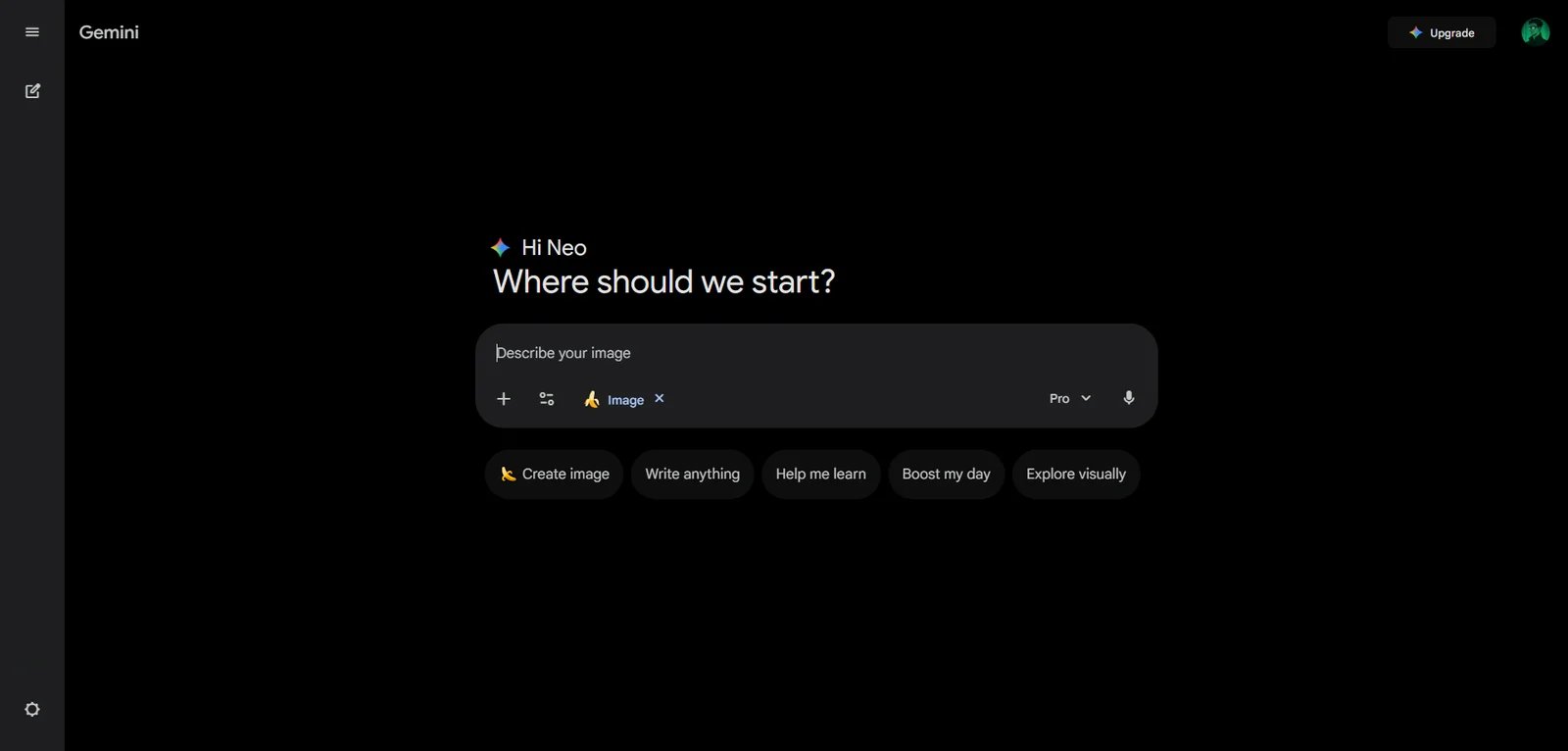
Nano Banana Pro is the complex-instruction option in Google's current Nano Banana image family, not the default endpoint for every edit. Google's API documentation positions Nano Banana 2 (Gemini 3.1 Flash Image) as the general-purpose choice, Nano Banana 2 Lite as the fastest and lowest-cost option for high-volume work, and Nano Banana Pro (Gemini 3 Pro Image) for complex asset production. Teams should choose the exact endpoint before comparing price, latency, reference-image behavior, or data controls.
Key Features
-
Model-specific routing — Nano Banana 2 is Google's documented generalist; 2 Lite prioritizes speed and cost; Pro is intended for complex instructions, localization, brand consistency, and precision control.
-
High-resolution options — Nano Banana 2 and Pro support outputs up to 4K, while supported resolutions and aspect ratios depend on the endpoint and request settings.
-
Conversational generation and editing — The family accepts text and image inputs for iterative generation and edits; reference count and multi-turn behavior vary by model.
-
Grounding and complex instructions — Pro supports Google Search grounding and is positioned for tasks where world knowledge or detailed constraints matter.
-
Provenance — Google states that all images generated by the Nano Banana family include a SynthID watermark.
Pricing & Plans
The family is available through consumer Gemini plans and developer endpoints. API cost varies by the exact model, output resolution, access channel, and sometimes batch mode, so compare the live model-pricing page using the endpoint you will deploy rather than applying one Pro rate to the whole family.
Commercial Rights: Google does not claim ownership of generated outputs (per Gemini API Terms), but copyright and usage rights vary by jurisdiction. Review Gemini API Additional Terms of Service for commercial applications.
Pros & Cons
Pros:
- Clear documented routing between general-purpose, high-volume, and complex-instruction endpoints
- Up to 4K output on current Nano Banana 2 and Pro endpoints
- Text-and-image input supports conversational edits and asset iteration
- Flexible access through consumer app (Gemini) and developer platforms (AI Studio, Vertex AI)
- Built-in SynthID watermark for provenance tracking and responsible AI usage
Cons:
- Pro can cost more and respond more slowly than the Flash-family alternatives
- Model names are easy to conflate, so an evaluation must pin the endpoint and version
- Known spatial and editing limitations including left/right positioning confusion and partial instruction-following in masked edits
Best For
- Teams needing Google-hosted image editing with a documented API and model-specific cost controls
- Pro users handling complex instructions, localization, brand consistency, or grounded asset production
- High-volume applications that can use Nano Banana 2 or 2 Lite instead of defaulting to Pro
Get started with Nano Banana Pro
Adobe Photoshop
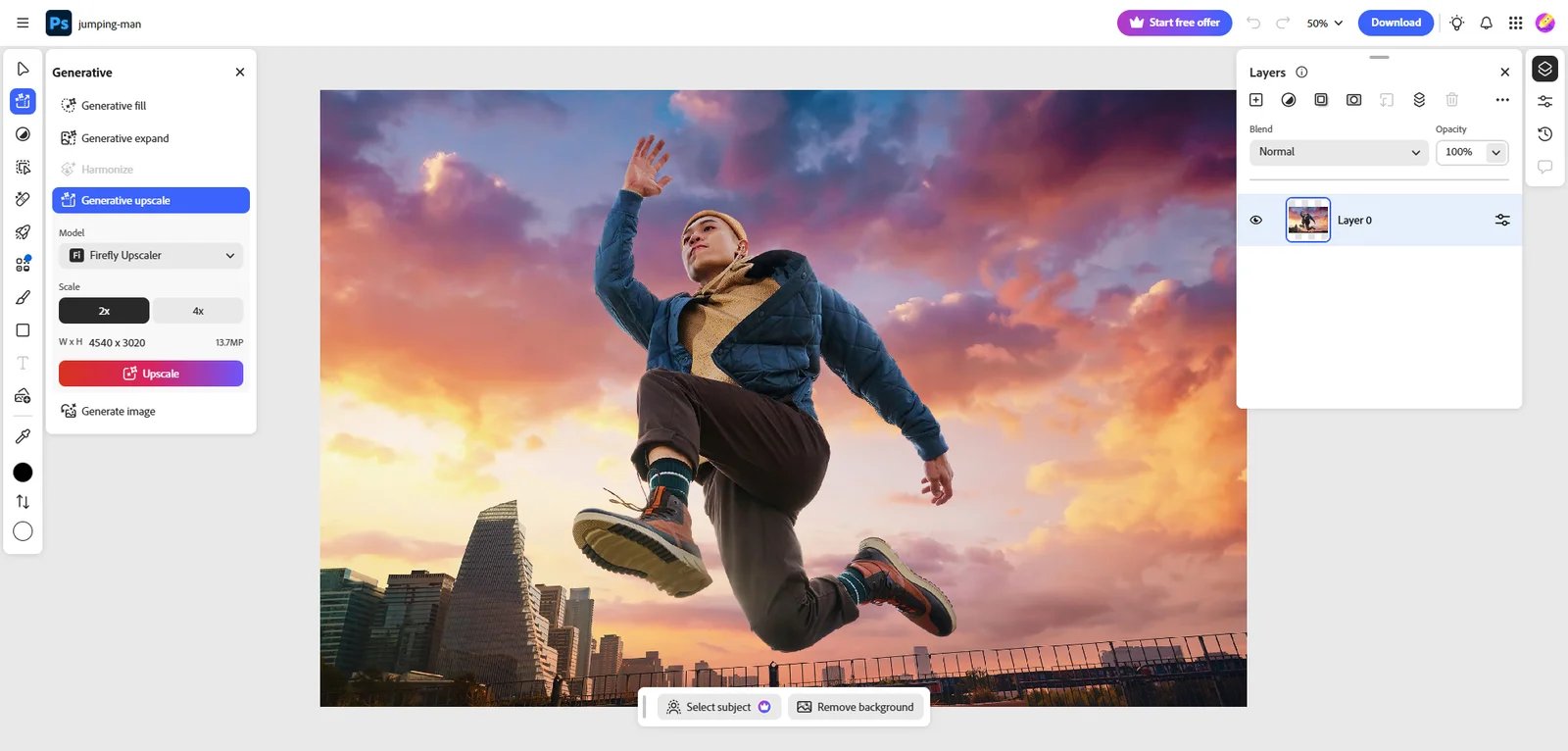
Adobe Photoshop is the industry-standard professional image editor, now integrated with Firefly-powered generative AI capabilities. It targets photographers, designers, digital artists, and creative teams using professional editing tools. Generative Fill and Generative Expand bring prompt-based AI editing into Photoshop's layer-based, non-destructive workflows.
Key Features
-
Generative Fill (add/remove/replace) — Add, remove, or replace objects using text prompts while blending results with existing lighting, perspective, and style. Non-destructive workflow inside Photoshop for quick compositing, cleanup, and concept exploration.
-
Generative Expand — Extends canvas beyond original image boundaries and generates matching content, useful for reframing and aspect-ratio changes while maintaining continuity with the source image.
-
Generative credit system — Adobe assigns plan-specific monthly generative credits. Its current credit table lists 500 credits for the Photoshop plan, while feature and model choice can change consumption.
-
Multi-platform access — Includes Photoshop desktop, web, and mobile versions, plus Adobe Express and Adobe Firefly, enabling seamless workflow across devices and integrated creative tools for template-based designs and standalone AI generation.
Pricing & Plans
Adobe sells Photoshop through region- and billing-cycle-specific subscriptions. Check the live plan page for price, included apps and storage, cancellation terms, and the current generative-credit allowance; the credit requirement also depends on the feature and model selected.
Regional Pricing: Pricing varies by region and promotions; verify Adobe's official site for your location.
Commercial Rights: Generally allowed under Creative Cloud and Firefly terms; verify official Adobe terms for generative output usage and IP considerations.
Pros & Cons
Pros:
- Generative Fill/Expand integrated into Photoshop's layer-based, non-destructive professional workflows
- Strong Creative Cloud ecosystem integration (Illustrator, After Effects, etc.)
- Multi-platform access across desktop, web, and mobile with bundled Adobe Express and Firefly
Cons:
- Credit usage can vary by feature and model, complicating cost forecasts for high-volume work
- Cancellation and refund terms depend on the selected region and billing commitment
- Pricing varies significantly by region and promotions, requiring manual verification for non-US markets
Best For
- Professional design/photography teams needing layers, masks, color management, and traceable workflows
- Brand marketing teams requiring fast asset variants with unified management and collaboration
- Creative teams integrating generative editing into existing Adobe ecosystem (Illustrator, After Effects)
Get started with Adobe Photoshop
Krea Edit
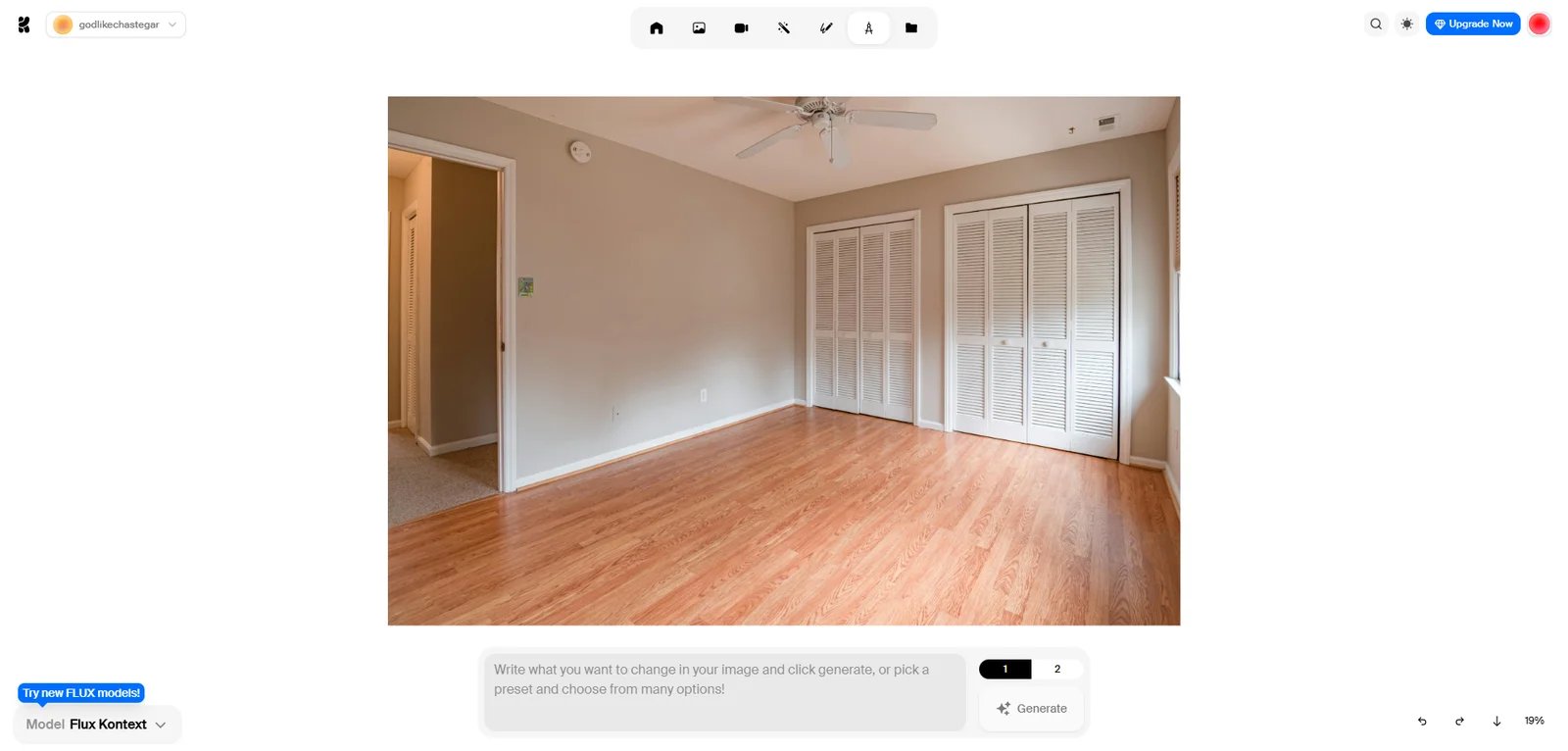
Krea AI Image Editor is a creative AI suite offering generative image editing and Edit Mode tools. Developed by Krea AI (a venture-backed company featured on TechCrunch), it targets creators, teams, and agencies needing fast AI-powered edits with a simple UI. The platform emphasizes multi-model editing with options including Nano Banana, Flux Kontext, and Qwen.
Key Features
-
Edit Mode: selections, cut & reposition, blend, and outpainting — Select areas with shapes/paint/magic wand, cut and reposition elements, extend canvas boundaries (outpainting), and add/blend multiple images on a canvas. Users can optionally apply text prompts to guide AI modifications.
-
Remix, combine, and style transfer workflows — Combine multiple images into single compositions, remix content from one image with the style of another using text prompts, and apply LoRA styles or style prompts for fast brand-consistent variants.
-
Multi-model generative editing — Choose from multiple models (including Nano Banana, Flux Kontext, and Qwen) to add/remove objects, merge images, or change expressions/lighting through a simplified interface, optimizing for model quality and speed.
Pricing & Plans
Krea offers six pricing tiers with both monthly and annual billing (annual saves 20%):
Free: $0/month — Pay-as-you-go compute, free daily generations, access to all image models, limited video access, 1 image concurrency.
Individual Basic: $9/month or $7/month (billed annually) — 5,000 compute units/month, access to image models, selected video access, LoRA training, upscaling, and a commercial license.
Individual Pro: $35/month or $28/month (billed annually) — 20,000 compute units/month plus wider model access and higher concurrency.
Individual Max: Krea's live pricing page currently lists 60,000 compute units/month, with price varying by monthly or annual billing and the selected allocation.
Business: The live pricing page offers selectable compute allocations and business terms including data-protection and no-training clauses; verify price and workspace features for the chosen package.
Enterprise: Custom pricing — Tailored terms of service, priority support with SLA, analytics API, per-member spend limits, custom compute packages, audit logs. Requires sales contact.
Note: Pricing based on compute units; actual generation count varies by model (see official comparison table for detailed model usage rates).
Commercial Rights: All paid plans include commercial license stating users own all creations made with Krea. Free plan commercial use requires verification from Krea Terms of Service.
Pros & Cons
Pros:
- Six pricing tiers from free to enterprise with transparent compute unit allocation
- Clear annual billing discount (20% off) across all paid individual plans
- Paid plans explicitly include commercial license with user ownership of all creations
- Support for 10+ image models (Nano Banana, ChatGPT Image, Flux variants, Ideogram, Imagen)
- Compute unit rollover up to 12 months prevents wastage of unused credits
Cons:
- Compute-based pricing requires understanding model costs; different models consume varying amounts (e.g., Flux 2 Max uses more units than Krea 1)
- Heavy editing workflows or high-concurrency needs may require Business/Enterprise tiers for unlimited concurrency
- Free plan commercial use requires manual verification from official terms
Best For
- Creators needing selection + text prompt for local replacement/inpainting (producing multiple posters/covers weekly)
- Small e-commerce/marketing teams requiring fast scene compositing with consistent style
- Agencies/studios needing workspace member management and concurrent jobs (Business plan)
Get started with Krea Edit
Midjourney Editor
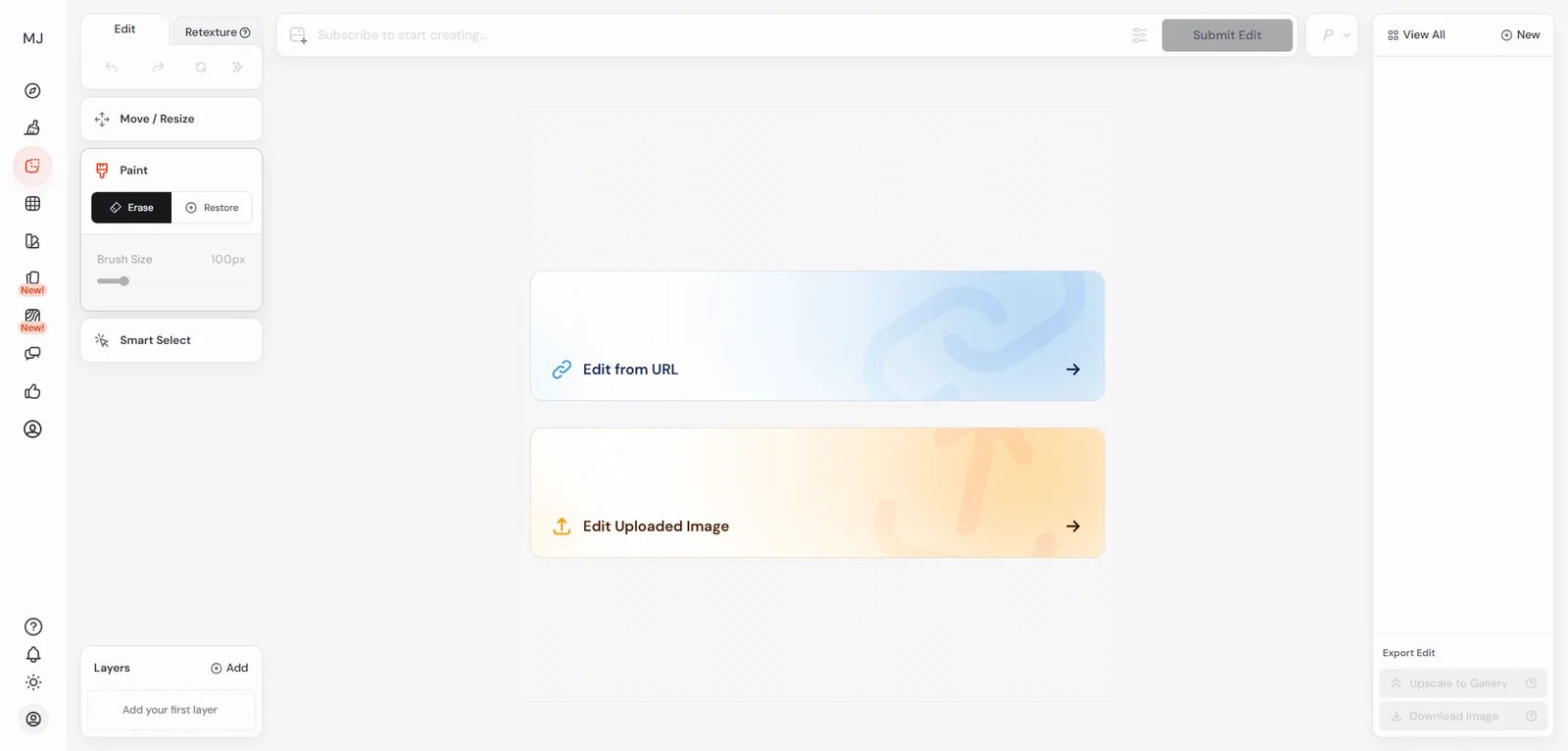
Midjourney Editor is a web-based image editing workflow accessible at midjourney.com/editor. Discord and mobile provide other Midjourney access, but not the same Editor interface. The Editor targets creators, designers, and marketing teams who need iterative inpainting, outpainting, remixing, and layer-based compositing within Midjourney's subscription service.
Key Features
-
Multi-tool editing suite — 7 specialized tools: Vary Region (inpainting for selective area edits), Pan (outpainting to extend canvas), Zoom (detail enhancement), Remix (style application), Smart Select (precision masking), Layers (multi-element compositing), and Retexture (style transfer while preserving structure).
-
Smart selection and compositing — Intelligent selection tools create precise masks for targeted edits, combined with layer system enabling complex compositions by stacking multiple image elements with independent control over each layer.
-
Canvas extension and inpainting — Pan tool extends image boundaries with AI-generated content matching original style (outpainting), while Vary Region enables selective modification of specific areas through text prompts (inpainting), supporting iterative refinement workflows.
-
Commercial usage guidance — Midjourney's documentation includes a dedicated Commercial Usage article explaining how businesses and individuals may use generated images commercially, including plan requirements and conditions.
Pricing & Plans
Midjourney offers four subscription tiers with both monthly and annual billing (annual saves 20%):
Basic: $10/month or $8/month (billed annually) — Limited Fast generations (~200 images/month), SD video generation, general commercial terms, 3 concurrent fast image jobs, 1 concurrent fast video job.
Standard: $30/month or $24/month (billed annually) — 15 hours Fast generations, SD and HD video generation, general commercial terms, 3 concurrent fast image jobs, 3 concurrent fast video jobs, unlimited Relaxed image generations.
Pro: $60/month or $48/month (billed annually) — 30 hours Fast generations, SD and HD video generation, general commercial terms, 12 concurrent fast image jobs, 6 concurrent fast video jobs, unlimited Relaxed image and SD video generations, Stealth mode generation.
Mega: $120/month or $96/month (billed annually) — 60 hours Fast generations, SD and HD video generation, general commercial terms, 12 concurrent fast image jobs, 12 concurrent fast video jobs, unlimited Relaxed image and SD video generations, Stealth mode generation.
Note: Fast hours are consumed per generation; Relaxed mode provides unlimited generations with longer queue times. All plans include editor use on uploaded images and optional credit top-ups.
Commercial Rights: Allowed subject to Midjourney commercial usage rules and subscription requirements (verify official terms for revenue thresholds and plan requirements).
Pros & Cons
Pros:
- Comprehensive 7-tool editing suite (inpainting, outpainting, remixing, layers, smart selection) in unified interface
- Web-based Editor accessible at midjourney.com/editor
- Layer and selection tools support compositing and targeted edits
- Official documentation clearly describes tool operations and use cases
- Official plans documentation openly lists tier pricing and annual discounts with commercial usage guidance
Cons:
- Subscription model with commercial use rules and restrictions (e.g., revenue thresholds or plan requirements) requiring strict compliance
- Editor tool usage consumes Fast hours from subscription; heavy editing may require higher-tier plans
- No explicit pricing breakdown for individual Editor tool usage within Fast hour allocations
Best For
- Creators needing high-quality iterative editing with multiple tools (inpainting, outpainting, remixing) for illustration, concept art, or posters
- Marketing teams requiring fast multi-version variants with selective edits, element swaps, and canvas extensions
- Designers needing layer-based compositing and smart selection for complex image compositions
- Product photographers extending canvas boundaries while maintaining consistent lighting and style
- Teams with clear art direction needs willing to pay for compute subscriptions (Standard/Pro/Mega)
Get started with Midjourney Editor
Canva Magic Edit
Canva Magic Edit is part of Canva's Magic Studio, an AI-powered toolset integrated into the Canva design platform. It targets marketers, social media creators, small businesses, and teams creating on-brand designs inside Canva. Magic Edit enables users to remove, replace, or add elements in images using generative AI, keeping edits within the same design canvas.
Key Features
-
Generative fill / Magic Edit-style edits inside designs — Modify photos directly in a design workflow—adding or removing elements, swapping objects, or adjusting parts of an image with generative AI. Positioned as fast, in-context edits that keep users within the same design canvas.
-
Plan-based access (Pro/Teams/Enterprise) — Key AI photo editing capabilities (including Magic Edit) are part of Canva Pro and powered by third-party model providers. Feature availability varies across plan types and regions.
-
Magic Studio / AI product policy framework — Canva publishes AI product terms that govern usage of AI features, including restrictions, responsibilities, and policy considerations, supporting procurement and compliance for teams deploying Canva outputs commercially.
Pricing & Plans
Canva packages AI access across Free, Pro, Business, and Enterprise offerings. Price, AI allowances, team controls, and eligible features vary by region and rollout, so verify the live plan comparison for the account that will own the designs.
Note: AI features like Magic Edit, Background Remover, and Magic Write are included based on plan and account eligibility; review the current usage limits before purchase.
Commercial Rights: Verify Canva AI Product Terms and main service terms for commercial use and output ownership. Pro and Teams plans include commercial usage rights for designs created.
Pros & Cons
Pros:
- Magic Studio AI tools sit inside the broader Canva design and brand workflow
- AI photo editing fully integrated into Canva design workflow with template-based production
- Free trial available for Pro plan to test AI features before commitment
- Includes Magic Edit plus additional AI tools (Magic Eraser, Magic Expand, Magic Grab)
- Dedicated AI product terms page for compliance review
Cons:
- Core AI editing features (including Magic Edit) tied to paid plans; Free plan has limited monthly AI access
- Teams/Business pricing not publicly disclosed, requires sales contact
- AI usage limits vary by plan and require reviewing official documentation
- Commercial output terms require manual verification from official Canva AI Product Terms
Best For
- Social media/marketing teams needing fast in-template image element replacement with multi-person collaboration
- Small businesses wanting one platform for layout, asset editing, and brand asset management
- Non-professional designers needing point-and-describe workflows for replacement/cutout/inpainting
Get started with Canva Magic Edit
Luminar Neo
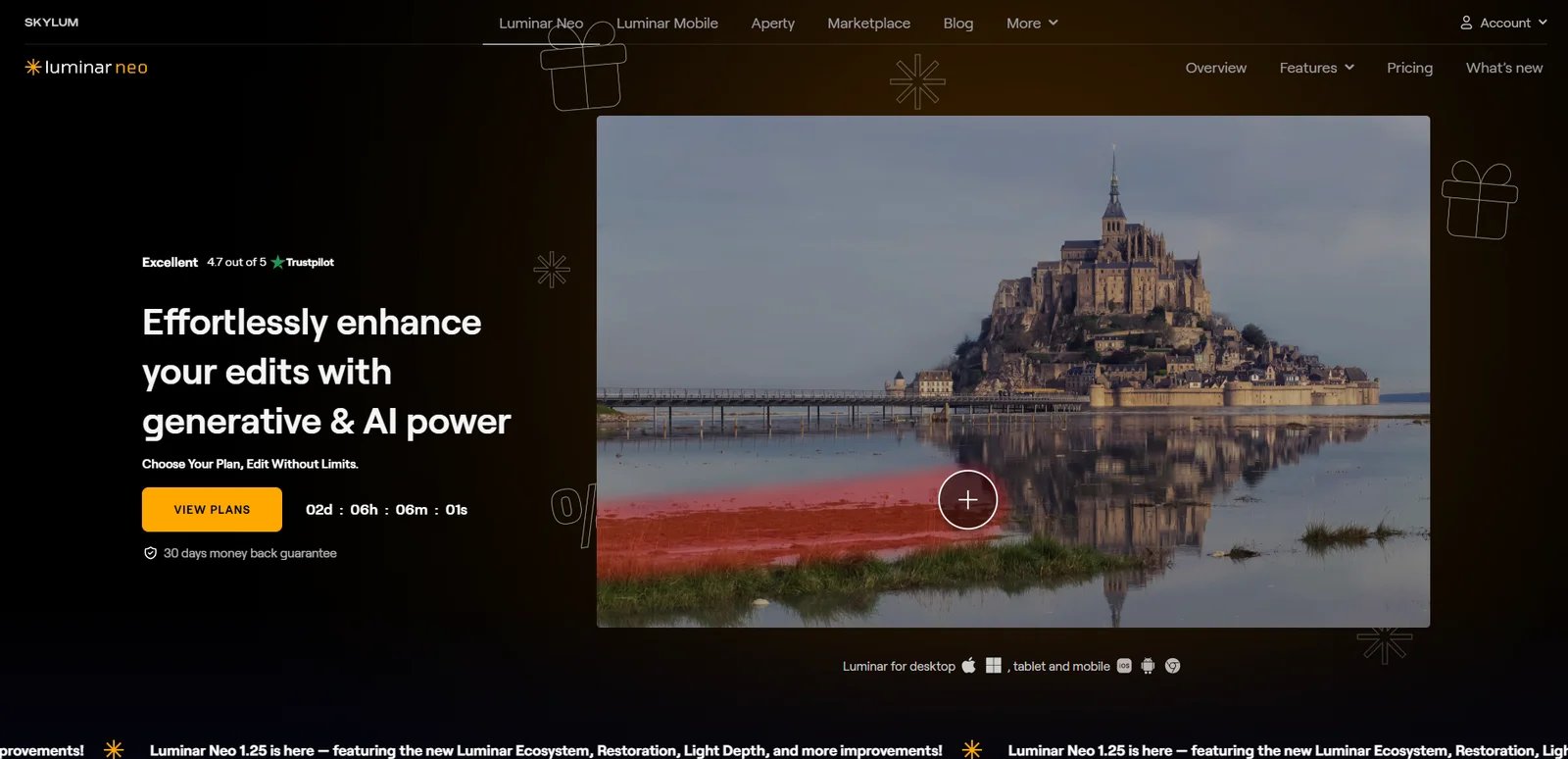
Skylum Luminar Neo is an AI-powered photo editor developed by Skylum (Shinyfields Limited, Cyprus), designed for faster, smarter photo editing workflows. It targets photographers and creators who want AI-assisted retouching, enhancement, and creative effects. Luminar Neo offers both subscription and one-time (lifetime) purchase options.
Key Features
-
AI photo editing suite — Positioned as an AI-powered photo editor offering tools for enhancement, retouching, and creative effects. Marketed as a streamlined workflow alternative for tasks like relighting, sky replacement, object removal, and detail enhancement with adjustable parameters.
-
Generative AI tools — Includes GenErase (object removal), GenExpand (canvas extension), and GenSwap (object replacement) for AI-powered content generation and manipulation, available with 1-year access from purchase date.
-
Flexible workflow integration — Works as standalone application or plugin for Adobe Photoshop, Lightroom Classic, and Photos for macOS, enabling integration into existing professional workflows without switching primary editing software.
-
Multiple license tiers — Offers three one-time purchase options (Desktop, Cross-Device, Max) with varying feature sets, giving buyers flexibility based on mobile needs and creative asset requirements.
Pricing & Plans
Luminar Neo's current US page lists three perpetual-license packages with a 30-day money-back guarantee; prices and renewal offers can vary by region and promotion:
Desktop License: $119 (one-time) — Desktop app for Windows/macOS, can activate on 2 computers, includes 1 year of updates and access to generative tools (GenErase, GenExpand, GenSwap). After first year, generative tools require renewal; traditional AI tools remain available.
Cross-Device License: $159 (one-time) — All Desktop features plus mobile apps (iOS/Android/ChromeOS) on 3 devices, cross-device editing support, Spaces online gallery for sharing work.
Max License: $179 (one-time) — All Cross-Device features plus one year of Creative Library access. The optional ongoing renewal price is shown during checkout and should be verified before purchase.
What's Included: Bundle contents vary by offer. The current page includes the desktop editor, a course and add-ons in some packages, and one year of generative-tool access; major upgrades or continued generative access may require payment.
Refund Policy: 30-day money-back guarantee on all purchases.
Commercial Rights: Allowed under Skylum EULA for photos you own rights to. Users retain rights to edited content.
Pros & Cons
Pros:
- One-time purchase options ($119-$179) with no ongoing subscription for core features
- 30-day money-back guarantee provides risk-free evaluation period
- Works as standalone app or plugin for Photoshop/Lightroom, flexible integration into existing workflows
- Cross-Device license enables mobile-to-desktop workflow with Spaces online gallery for collaboration
Cons:
- Generative AI tools (GenErase, GenExpand, GenSwap) limited to 1 year from purchase; renewal required for continued access
- Traditional AI enhancement tools remain available after first year, but generative features require additional payment
- Optional upgrades or library renewals can create an ongoing cost after the first year
- Major version upgrades may incur additional upgrade fees beyond included updates
Best For
- Photographers needing fast batch enhancement, stylization, and simple removal/replacement
- Creators/bloggers wanting better-looking results with less learning curve
- Individual users preferring one-time purchase over long-term subscriptions (Lifetime option)
Get started with Luminar Neo
Picsart AI Replace
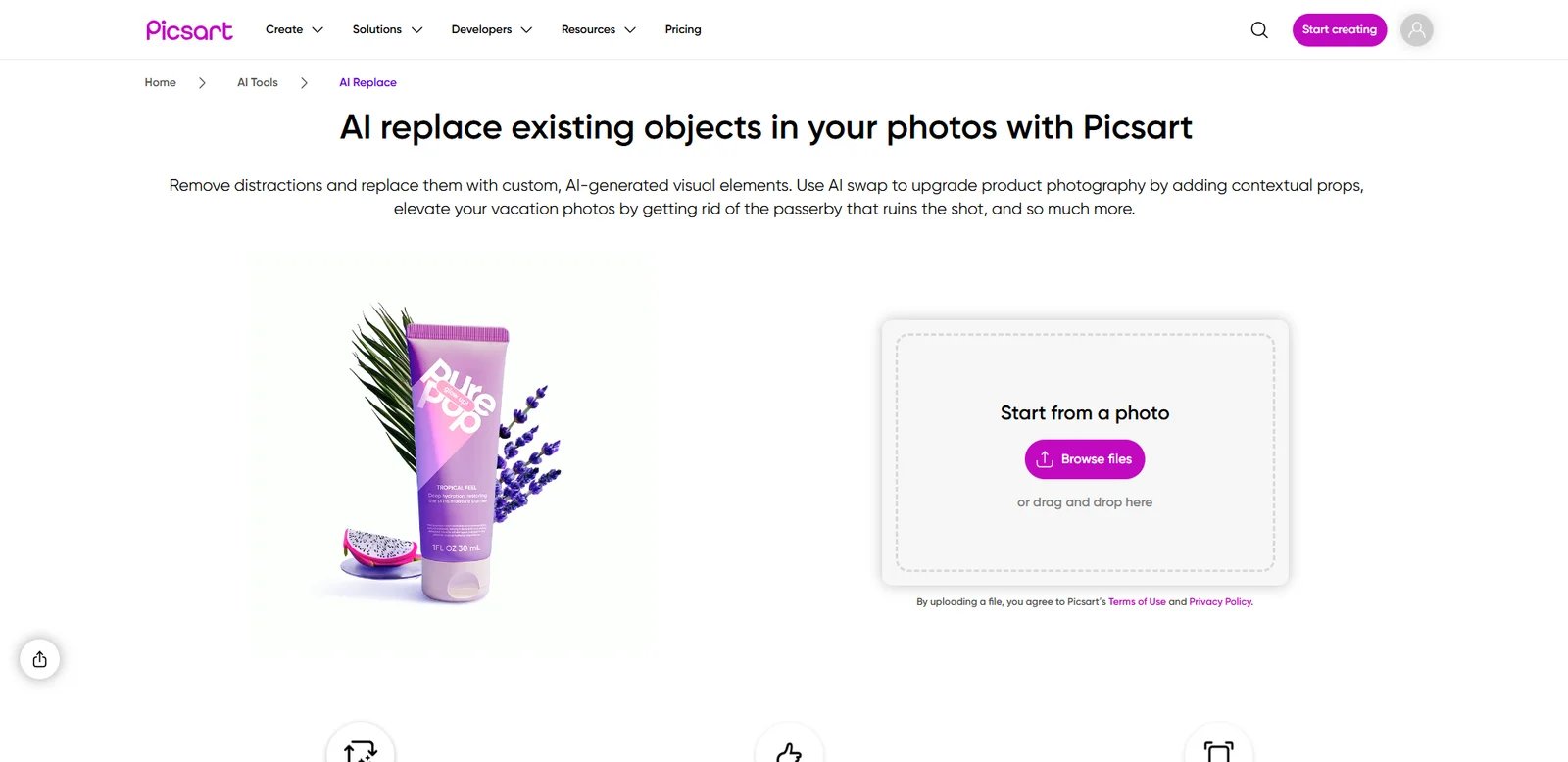
Picsart AI Replace is part of Picsart's suite of generative AI tools, enabling users to replace objects or areas in images with AI-assisted edits inside the Picsart platform. Developed by Picsart, Inc. (publicly disclosed funding history in its About page), it targets mobile-first creators, social media users, small businesses, and marketers producing quick visual content.
Key Features
-
AI Replace (object/area replacement) — Select an object or region in an image and replace it with new content guided by AI. Designed for quick creative edits suitable for social formats, typically integrated into Picsart's broader editing suite alongside other AI tools.
-
Credit-based generative AI access — Generative tools deduct credits according to the tool or model. Plan allocations and names change, monthly subscription credits expire at the end of the billing cycle, and purchased add-ons follow separate rollover rules.
-
Comprehensive AI toolkit — AI Replace is part of 15+ generative AI tools including AI Image Generator, background removers, AI Writer, AI Logo Generator, and more. Access levels vary by plan tier with Pro offering increased daily limits.
-
Commercial availability guidance — Picsart's help center states that images generated using its suite of generative AI tools are made available to users for commercial purposes, while also warning about limitations such as inability to guarantee copyrightability or non-infringement.
Pricing & Plans
Picsart's current web plans center on Pro and Ultra, with prices and credit allocations that vary by billing cycle and selected Ultra allowance. Check the live pricing page for the account and region; the help center explains that generative tools deduct model-specific credits and that monthly subscription credits expire at the end of the billing cycle.
Credits System: Credits are virtual tokens used with generative AI tools. Monthly credits renew and don't roll over. Add-on credits can be purchased (paid plans only) and carry over without expiration.
Commercial Rights: Images generated through AI tools available for commercial use (per help center), but Picsart does not guarantee copyrightability or non-infringement. Between user and Picsart, user owns AI output IP rights (copyright not guaranteed).
Refund Policy: Refunds subject to App Store or Google Play policies (mobile subscriptions) or Picsart customer support (web subscriptions).
Pros & Cons
Pros:
- Paid plans combine editing features with fixed or selectable generative-credit allowances
- Add-on credits can cover variable usage without changing the core editing workflow
- Help center explicitly states AI-generated images available for commercial use (with risk disclaimers)
- Help center further clarifies that between user and Picsart, user owns AI output IP rights (but copyrightability not guaranteed)
- Add-on credits carry over without expiration, providing flexibility for variable usage patterns
Cons:
- Monthly credits don't roll over; heavy users may need to purchase add-on credits
- Plan names, prices, and allowances have changed over time, so old Plus/Pro comparisons are unreliable
- Official disclaimer: does not guarantee outputs are copyrightable or non-infringing; users must review outputs
- A limited allowance may not reveal the accepted-output cost of a recurring workflow
Best For
- Mobile/social media creators needing fast object replacement, stylized edits, and direct publishing
- Small e-commerce teams wanting quick product scene variants without complex desktop software
- Teams needing explicit commercial guidance (with risk disclaimers) to establish internal review processes
Get started with Picsart AI Replace
Clipdrop
Clipdrop is a suite of AI-powered image editing tools for cleanup, background removal, relighting, and more. Originally developed by InitML, Clipdrop was acquired by Stability AI and subsequently by Jasper (per official and media reports). It targets creators, marketers, and product teams needing fast, single-purpose AI image edits without complex software.
Key Features
-
Comprehensive tool suite — Offers 9 specialized AI tools: Cleanup (object removal), Background Removal, Image Upscaler (x2 free, x16 Pro), Relight, Text Remover, Replace Background, Text to Image, Uncrop (canvas extension), and Universal Resizer. Each tool optimized for a single task with minimal configuration.
-
Daily usage quotas — Free tier provides 20-50 uses per 24 hours per tool (varies by tool complexity). Pro tier offers 1000 uses per 24 hours per tool with high-resolution output and queue skipping for faster processing.
-
High-resolution Pro output — Pro subscription unlocks high-resolution processing across all tools, including 16x upscaling (vs 2x free), enabling professional-quality outputs suitable for print and large-format digital media.
-
Commercial use statement (FAQ) — Clipdrop's FAQ states that its terms do not limit commercial usage of images created using Clipdrop, providing an explicit user-facing statement that outputs can be used commercially (teams should still review formal terms for details and exclusions).
Pricing & Plans
Clipdrop offers two pricing tiers with 24-hour usage quotas:
Free: $0 — Standard resolution access to all 9 tools with daily limits: Cleanup 20/24h, Background Removal 20/24h, Image Upscaler x2 20/24h, Relight 20/24h, Text Remover 50/24h, Replace Background 20/24h, plus Text to Image and Uncrop. Suitable for casual users and testing workflows.
Pro: The current official comparison lists high-resolution tools and higher usage limits, but the public price rendering is region/session dependent. Verify the checkout price and per-tool quotas before committing.
API: Usage-based pricing (separate from Pro subscription) — Developers can integrate Clipdrop tools via API. Pricing and documentation available on official API page. Suitable for automated workflows and high-volume processing.
Commercial Rights: Allowed (official FAQ states terms do not limit commercial usage of Clipdrop-generated or edited images).
Pros & Cons
Pros:
- Pro increases resolution and usage limits for recurring utility workflows
- Free tier offers 20-50 uses per 24 hours per tool, allowing meaningful evaluation before upgrading
- Official FAQ explicitly states terms do not restrict commercial use of Clipdrop-generated/edited images
- 9 specialized tools cover high-frequency editing needs (background removal, cleanup, upscaling, relighting)
- Simple per-tool usage model makes quota tracking straightforward
Cons:
- 24-hour quota resets mean unused daily limits don't roll over to next day
- Free tier limited to standard resolution and 2x upscaling (vs 16x Pro)
- API pricing separate from Pro subscription; high-volume automation requires additional budget
- No annual discount option listed; monthly billing only for Pro subscription
Best For
- E-commerce and content teams needing fast background removal, blemish cleanup, and text removal (high daily image volume)
- Individual creators preferring single-purpose tools over learning complex Photoshop workflows
- Operations/design assistants needing to switch quickly between multiple small editing tasks
Get started with Clipdrop
FLUX.2
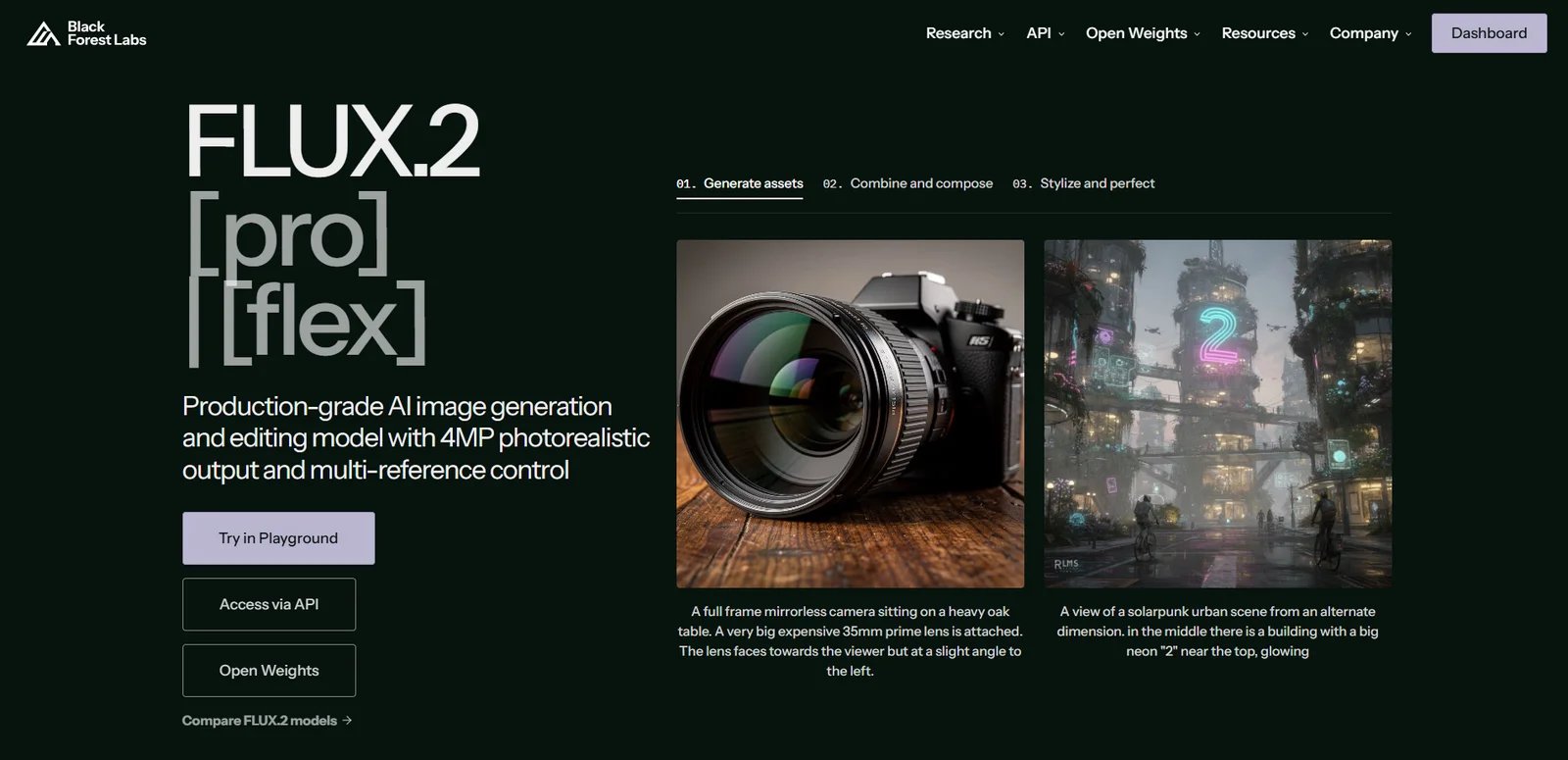
FLUX.2 is an image generation and editing family developed by Black Forest Labs, combining text-to-image synthesis and multi-reference editing. Current variants support outputs up to 4 megapixels; reference-image limits vary by model and access channel, reaching eight through documented API workflows and ten in the playground for some hosted variants.
Key Features
-
Multi-reference support — Reference limits vary by variant and channel, so applications should validate the endpoint rather than assume the playground maximum.
-
High-resolution 4MP output — Generate and edit images up to 4 megapixels with flexible aspect ratios, delivering detail suitable for product photography, architectural visualization, and print-ready materials without separate upscaling.
-
Enhanced text rendering — Produce legible typography and accurate text integration in infographics, memes, UI mockups, and branded content, addressing a common limitation in AI image generation models.
-
Multiple model variants — Choose among hosted [max], [pro], [flex], and [klein] endpoints or open-weight variants. For self-hosting, [klein] 4B uses Apache 2.0, while [klein] 9B and [dev] have more restrictive licenses.
Pricing & Plans
FLUX.2 offers multiple access methods with varying cost structures:
API Access: Black Forest Labs prices FLUX.2 endpoints by model and megapixels. Its live pricing page currently starts [pro] at $0.03 for the first megapixel, [max] at $0.07, [flex] at $0.05, and [klein] variants around $0.014-$0.015; reference inputs and additional megapixels add cost.
FLUX.2 [dev] (Open-Weight): Free for non-commercial local development under BFL's non-commercial license. Current commercial self-hosting is sold through Builder, Platform, Professional, and Enterprise license tiers; most prices require contacting BFL rather than relying on the former flat monthly figure.
FLUX.2 [klein]: The 4B weights use Apache 2.0 and can be used commercially; the 9B weights use the FLUX Non-Commercial License. The variant and weight size therefore matter to both deployment cost and permitted use.
Commercial Rights: Outputs are not owned by BFL and can be used for commercial purposes, subject to prohibited-use clauses (e.g., no training/fine-tuning/distilling competitive models). Review specific license terms for your chosen variant.
Pros & Cons
Pros:
- Multi-reference capability handles up to 10 input images for consistent character and style application, uncommon in competing models
- High-resolution 4MP native output meets professional print and product photography requirements without upscaling
- Improved text rendering generates legible typography, addressing a persistent AI generation challenge
- Open-weight options provide local deployment paths, but their licenses differ by variant
- Multiple variants (pro, flex, dev, Klein) allow balancing quality, precision, and deployment based on specific use cases
- Clear commercial licensing with explicit output ownership terms
Cons:
- High hardware requirements: 80-90GB VRAM full precision or 18-24GB with optimization, limiting consumer hardware accessibility
- Commercial self-hosting terms for [dev] require selecting a current BFL licensing tier
- Steep learning curve for self-hosting requires working with large model checkpoints, VRAM offloading, and quantization
- Limited stylization range compared to Midjourney for heavily stylized or mood-driven artwork (per community feedback)
- API costs can vary significantly based on workload characteristics like multi-reference scenarios
Best For
- Professional photographers and product designers needing 4-megapixel resolution outputs with precise control over lighting and composition
- Marketing teams creating brand-consistent visual content across multiple assets requiring character or style continuity
- Content creators producing infographics, social media graphics, and UI mockups that require accurate text rendering
- Developers building image generation workflows who prefer open-weight models and have technical expertise for local deployment
- Organizations with high-end GPU infrastructure (18-24GB VRAM with quantization or 80-90GB full precision) seeking self-hosted generation
- Researchers and experimenters who can comply with the specific FLUX.2 weight license
Get started with FLUX.2
Qwen-Image
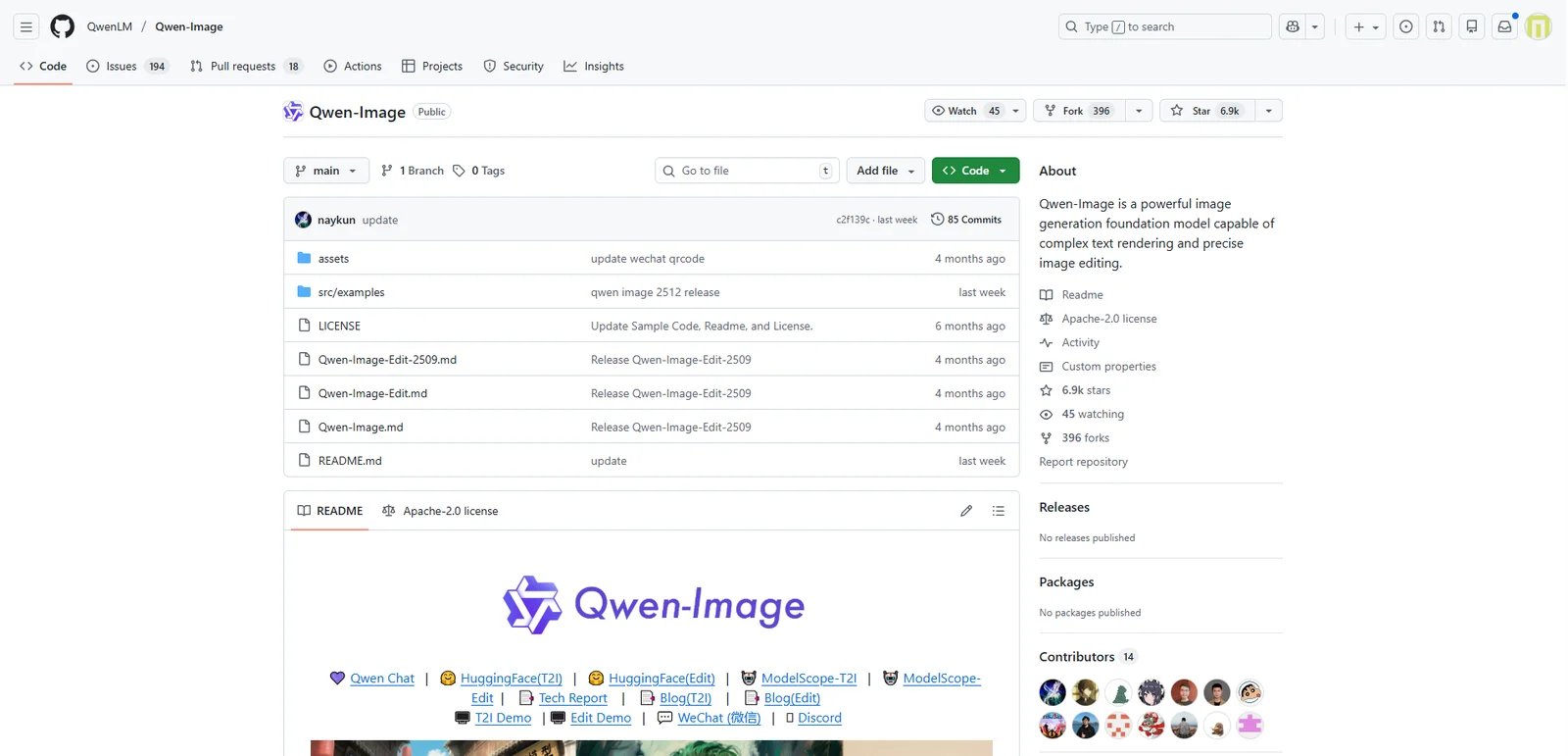
Qwen-Image is an open model project for image generation/editing under the Qwen ecosystem (GitHub), part of the Qwen series model ecosystem hosted by QwenLM GitHub organization. It targets developers and researchers who want to run or fine-tune models locally or via inference services. As an open model, it can be integrated into custom pipelines for generation and (if supported in the repo) image editing workflows.
Key Features
-
Open model distribution (GitHub) — Provides model code, weights/configuration, and usage instructions through GitHub. The applicable repository and model license must be checked for the selected release.
-
Repository-based documentation and examples — Distributed through GitHub, where documentation, issues, and example commands (if provided) serve as the canonical reference for capabilities, supported workflows, and installation steps, enabling teams to reproduce results and operationalize the model in controlled environments.
-
LICENSE file defines usage terms — The repository includes a LICENSE file (and potentially model card terms) that defines how the code and/or weights may be used, redistributed, and integrated into products. Exact commercial allowance must be determined by reviewing the LICENSE text for the specific release.
Pricing & Plans
Qwen-Image pricing depends on deployment method:
Self-hosted: $0 (software); compute cost depends on your infrastructure — Run locally/on your servers with full control over data flow. Requires GPUs/infrastructure and setup/maintenance effort.
Managed API: Alibaba Cloud Model Studio lists Qwen image-generation and image-editing endpoints with per-image pricing. Model IDs, deployment regions, free quotas, and service terms vary, so confirm the exact endpoint before integrating.
Commercial Rights: Verify repository LICENSE for commercial use allowance. Generated content legal ownership typically determined by user (subject to jurisdiction and usage; verify LICENSE).
Pros & Cons
Pros:
- Self-deployable, suitable for teams that can operate the model under the repository/model license and need control over data flow
- GitHub project provides code/instructions for self-deployment use
- Managed Qwen image endpoints are available through Alibaba Cloud Model Studio
Cons:
- Requires GPU compute and engineering maintenance; high barrier for non-technical users
- As a GitHub model project, usage typically requires development and infrastructure
Best For
- Enterprises requiring private deployment and data-on-premises for advertising/e-commerce/design assets
- Development teams needing to embed generation/editing capabilities in their own products
- Research and evaluation teams needing reproducible experiments and controlled inference environments
Get started with Qwen-Image
Seedream 4.5
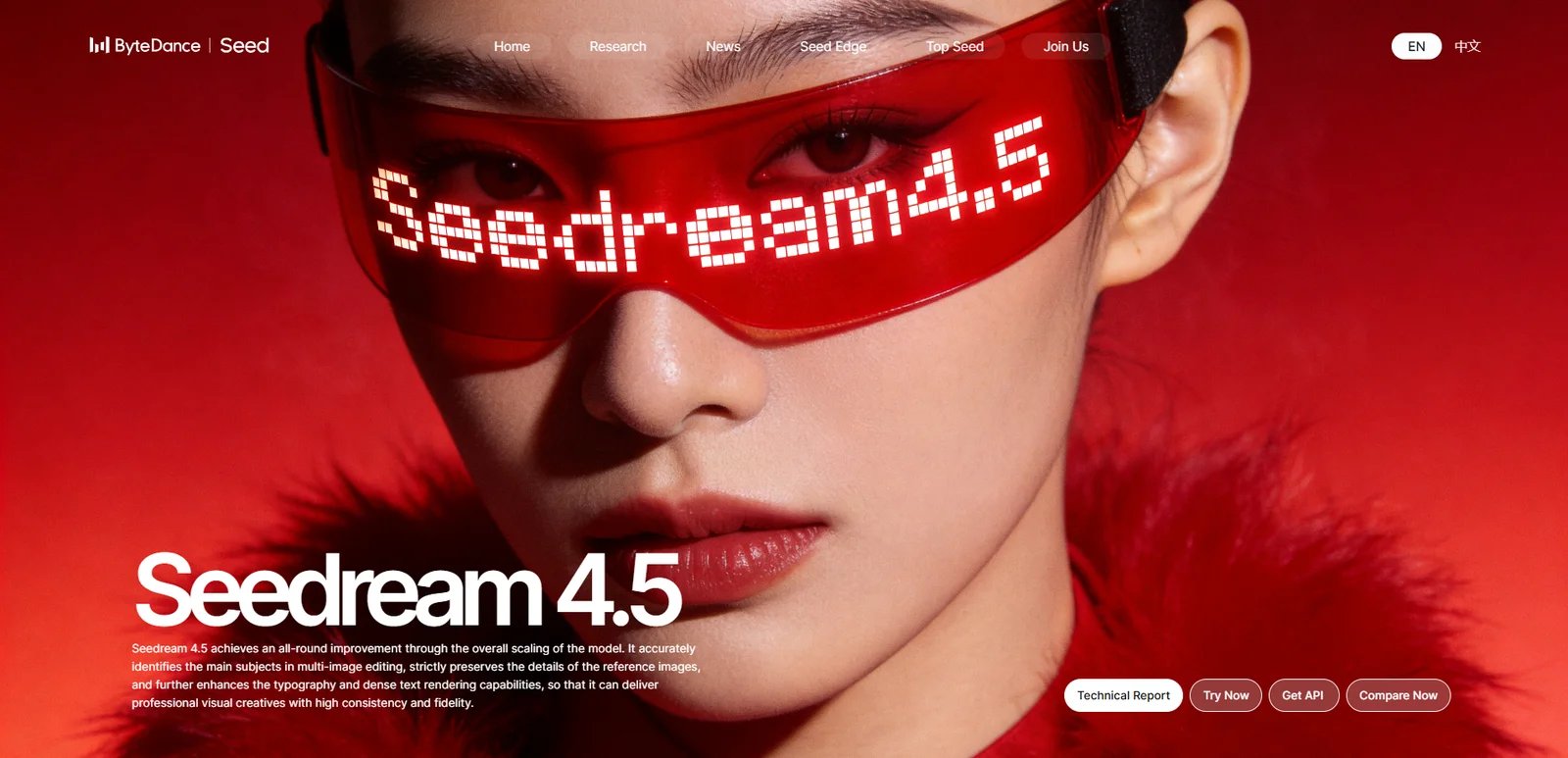
Seedream 4.5 is ByteDance Seed's advanced AI image generation and editing model, achieving all-round improvements through comprehensive model scaling. It targets professional designers, brand creatives, e-commerce teams, and marketing professionals who need high-consistency visual content with accurate text rendering and multi-image editing capabilities. The model delivers professional visual creatives with enhanced typography, reference image preservation, and poster-level layout design.
Key Features
-
Reference image consistency — Preserves facial features, lighting, color tone, and fine details from reference images, delivering professional editing capabilities for character-consistent content creation and brand visual maintenance across multiple assets.
-
Poster layout and logo design — ByteDance's product page highlights composition, typography, and small-text rendering for posters, brand visuals, and product displays; treat these as vendor-described capabilities until validated on your assets.
-
Accurate multi-image editing — Accurately identifies target elements across multiple input images, enabling controllable and consistent multi-image generation for campaigns requiring visual continuity and element coordination.
-
Enhanced text rendering — Further improved typography and dense text rendering capabilities compared to Seedream 4.0, supporting complex layout scenarios with multiple text blocks, product information, and promotional copy.
Pricing & Plans
Seedream 4.5 offers multiple access methods:
Try Now: Web-based interface available for testing model capabilities. Access details and limitations not publicly disclosed on official page; may require ByteDance account or specific access permissions.
API Access: API available through "Get API" option on official page. Specific pricing, usage quotas, and commercial terms require contacting ByteDance Seed team directly. Third-party platforms may offer alternative access with per-call billing.
Technical Documentation: Technical report available on official page for developers and researchers interested in model architecture and performance benchmarks (MagicBench results).
Commercial Rights: Commercial licensing and output usage rights not explicitly stated on public page. Teams planning commercial deployment should verify terms directly with ByteDance Seed before integration.
Pros & Cons
Pros:
- Strong reference image consistency preserves facial features, lighting, and color tone for professional character-consistent work
- Designer-level poster layout and typography capabilities with clear small text rendering
- ByteDance's technical report reports MagicBench gains over Seedream 4.0; this is a vendor benchmark, not a ToolWorthy head-to-head test
- Accurate multi-image editing identifies target elements across multiple inputs for controllable generation
- Official technical report and model showcase provide transparency into capabilities and performance
- Backed by major tech company (ByteDance) research initiative with ongoing development
Cons:
- Pricing and commercial licensing terms not publicly disclosed; requires direct contact with ByteDance Seed
- Access model unclear; "Try Now" and "Get API" options may require specific permissions or accounts
- Limited public documentation on usage quotas, rate limits, and service level agreements
- Commercial rights and output ownership require manual verification before business deployment
Best For
- Brand designers and creative directors needing poster-level layout design with accurate typography and small text rendering
- E-commerce teams creating product display images and promotional visuals requiring consistent branding across multiple assets
- Marketing professionals producing multi-image campaigns with character consistency and coordinated visual elements
- Advertising agencies requiring reference image preservation for client brand guidelines and visual identity maintenance
- Content creators needing designer-level composition capabilities without extensive manual layout work
- Research and evaluation teams interested in state-of-the-art multi-image editing and text rendering capabilities
Get started with Seedream 4.5
Best by Use Case
Choosing the right AI image editor depends on your workflow, budget, technical skills, and compliance requirements. Here's how to match tools to specific scenarios based on verified features and positioning.
For Developers and API-First Workflows
If you're building apps with image editing capabilities, compare the current Nano Banana family and FLUX by endpoint. Google documents Nano Banana 2 as the general-purpose model, 2 Lite for cost- and latency-sensitive volume, and Pro for complex instructions; the applicable price and controls depend on the chosen API or Vertex AI endpoint. FLUX licensing and deployment terms vary by model variant, so pin the exact variant before procurement.
For teams requiring private deployment and data-flow control, Qwen-Image can be self-hosted under its repository/model terms. Teams that prefer managed inference can evaluate the corresponding Alibaba Cloud Model Studio endpoint and service terms.
For Professional Photographers and Designers
Adobe Photoshop and Luminar Neo cater to professional workflows. Photoshop's Generative Fill/Expand integrates into layer-based, non-destructive editing with Firefly-powered credit governance. Luminar Neo focuses on a photography workflow; verify its current subscription or license offer because packaging changes by promotion and region.
For Marketing and Design Teams
Canva Magic Edit and Krea Edit are optimized for team collaboration and fast iterations. Canva integrates AI edits into its design-first platform, while Krea combines several model choices with compute-based plans. Agencies should compare eligible models, concurrency, business terms, and compute consumption rather than the headline subscription alone.
For High-Quality Generation with Local Edits
Midjourney Editor excels at high-quality image generation with comprehensive editing tools. Subscription plans ($8-$96/month annually, $10-$120/month) include Fast GPU time for 7 editing tools: inpainting (Vary Region), outpainting (Pan), layers, smart selection, remix, zoom, and retexture. Ideal for illustration, concept art, and marketing teams needing diverse editing approaches with consistent high-quality outputs.
For Mobile and Social Media Creators
Picsart AI Replace and Clipdrop are designed for quick, mobile-friendly workflows. Picsart combines object/area replacement with plan-based credits; Clipdrop provides focused utilities such as cleanup and background removal. Check current plan allowances and output terms before using either at volume.
For Clear Licensing and Commercial Use
If licensing transparency is critical, FLUX, Picsart, and Clipdrop provide explicit statements. FLUX's license explicitly allows commercial output use (subject to restrictions). Picsart's help center states AI outputs are available for commercial purposes (with disclaimers about copyrightability). Clipdrop's FAQ states terms do not limit commercial usage.
How to Choose the Right AI Image Editor
Selecting the right AI image editor requires aligning tool capabilities with your specific requirements. Follow this framework to make an evidence-based decision:
1. Define Your Use Case Start by identifying what editing tasks you need most. Are you doing generative fill (adding/removing objects), outpainting (extending canvas), multi-image compositing, or batch background removal? Developers building APIs should prioritize platforms like Nano Banana Pro or FLUX with clear API access and usage-based pricing. Creative professionals needing layer-based workflows should consider Adobe Photoshop or Luminar Neo. Marketing teams requiring in-canvas edits should evaluate Canva Magic Edit or Krea Edit.
2. Set Your Budget Pricing is not directly comparable across these tools: some charge a subscription plus credits or GPU time, some charge per API image, and self-hosted models move cost into infrastructure and operations. Estimate cost using the exact edit model, resolution, retry rate, output volume, concurrency, and commercial plan required for your workflow.
3. Assess Technical Skills Beginner-friendly tools like Canva Magic Edit, Picsart AI Replace, and Clipdrop offer point-and-click interfaces with minimal configuration. Intermediate users comfortable with selection tools and prompts should consider Krea Edit or Midjourney Editor. Advanced users needing full control over layers, masks, and compositing should use Adobe Photoshop or Midjourney Editor's layer system. Developers and ML teams requiring self-hosting or API integration should evaluate Qwen-Image (GitHub deployment) or Nano Banana Pro (API/SDK).
4. Check Licensing and Commercial Rights Verify commercial usage terms before adopting any tool. Explicit commercial allowances are provided by FLUX (license states outputs usable commercially with restrictions), Picsart (help center confirms commercial availability with disclaimers), and Clipdrop (FAQ states no commercial use restrictions). Adobe Photoshop and Canva require reviewing Creative Cloud / AI Product Terms. Open-source models like Qwen-Image require checking the GitHub repository LICENSE file. Midjourney requires reviewing its Commercial Usage documentation for plan-specific rules.
5. Test Before Committing Many platforms offer trials or free tiers. Test with your actual use case—upload representative images, try the specific editing workflows you need, and verify output quality. For API-first tools, review developer documentation and test with sample code. For subscription tools, check refund policies (e.g., Luminar Neo refund policy, Adobe trial periods).
Start with Krea Edit Free or Clipdrop if you're exploring AI editing for the first time—both offer accessible entry points with clear upgrade paths. For professional workflows, evaluate Adobe Photoshop (if already in Creative Cloud ecosystem) or Midjourney (for high-quality generation with local edits).
Frequently Asked Questions
What is the best AI image editor for professional photographers?
Are there free AI image editors with commercial use rights?
Can I use AI-edited images for commercial projects?
How do Adobe Photoshop and Midjourney compare for AI editing?
Do I need technical skills to use AI image editors?
What is typical pricing for AI image editing tools?
Are there privacy concerns with AI image editors?
Which AI image editor supports the most editing models?
Get ToolWorthy Weekly
New AI tools, practical guides, and selected AI signals in one weekly brief.
Related Posts

11 Best AI Chatbots – 2026 Comparison & Reviews
Compare 11 leading AI chatbots for writing, research, coding, ecosystem fit, pricing, privacy, and team collaboration.

Top 10 AI Voice Generator Tools 2026 - Compared by Workflow
Compare 10 top AI voice generators with web studios for creators. Expert analysis of text-to-speech, voice cloning, dubbing tools, and voice agents with pricing, features, and commercial licensing.

Canva Alternatives 2026: What to Keep, What to Rebuild
Choose a Canva alternative without losing the workflow that matters. Compare direct replacements, specialist routes, editable-file risks, and practical first trials.
For AI tool founders
Built a tool that belongs in this decision set?
Request an editorial evaluation for possible inclusion in ToolWorthy.
Submit your tool for reviewPaid submission does not guarantee a ranking, recommendation, inclusion, or editorial outcome.
Discover More AI Tools
Browse maintained AI tool listings and source-based editorial guides, then verify current product details with the vendor for your use case.